

Accounts 3 Checkbook
Screenshots

Estimates
low confidenceASO analysis
Good use of the title field.
Solid length. Make sure the first 252 chars hook the reader.
Used by similar apps in your niche, but not in your title or description. Adding these (where genuinely relevant) can broaden your search reach.
Words you and your peers both use. Confirms positioning in this niche.
Keyword rankings
iTunes Search · top 200About
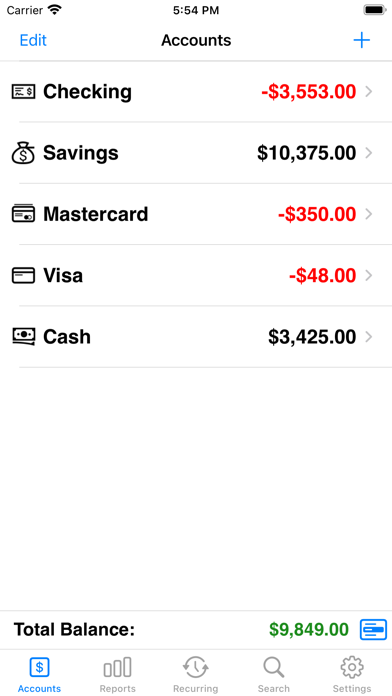
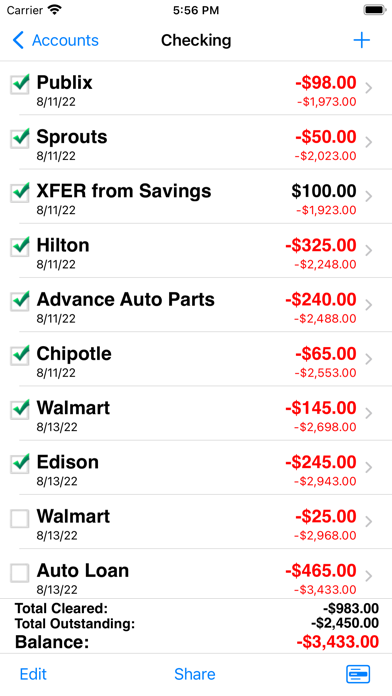
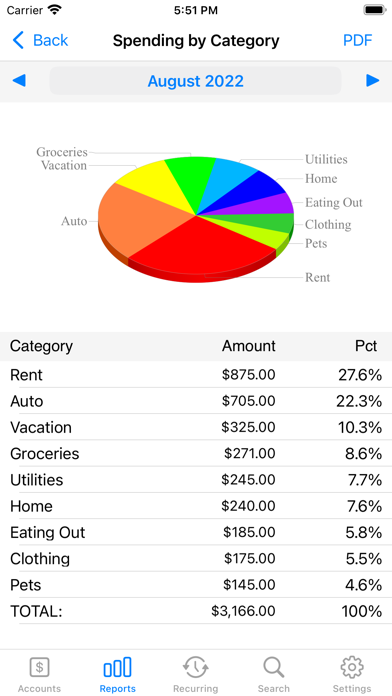
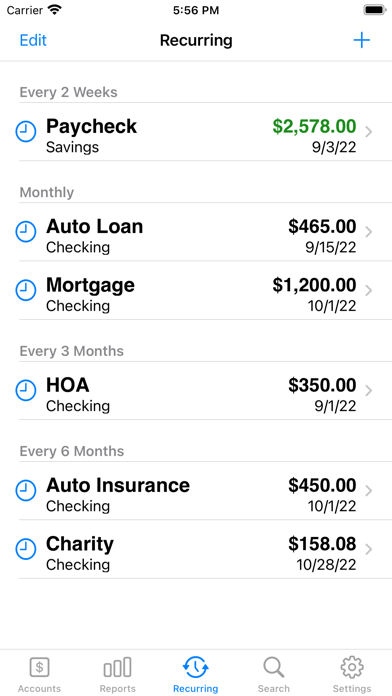
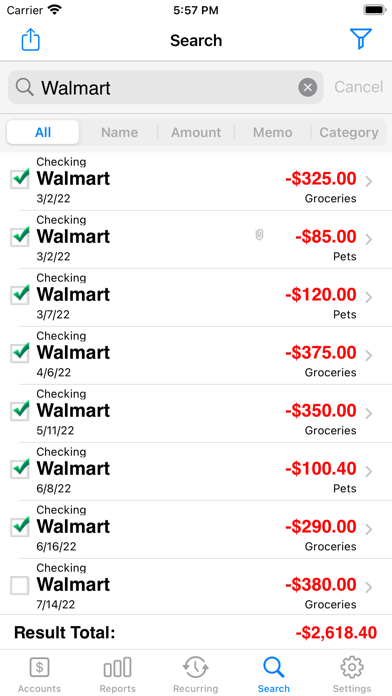
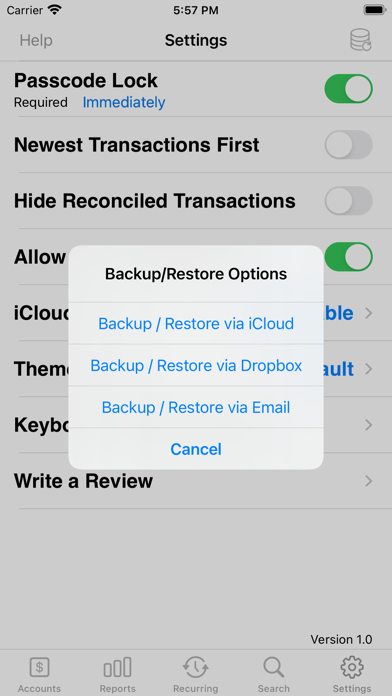
Top Selling Checkbook App Accounts 3 is an easy to use application to replace your paper checkbook. With the Accounts 3 application, you will have a quicker and more convenient way to track your daily finances. You can schedule transactions, transfer funds, capture photo receipts, reconcile, view reports, export data, print, and much more. All features of the Accounts 3 app are designed to be quick, clean, intuitive, and easy to use. FEATURES * Touch and Face ID Support Use Touch or Face ID to authenticate and launch the app quicker and more conveniently. * Sync Data via iCloud Sync your data across iPhone, iPad, and iPod Touch devices * Universal Binary Designed for iPhone, iPad, and iPod Touch devices. No need to buy separate apps for each device. * Graphs and Reports Review your monthly income vs. expense, spending by category, or income by category summaries with beautiful graphs and reports. * Photo Receipts Capture and store photo receipt as part of a transaction. * AirPrint Support Print reports directly from your iPhone or iPad to any AirPrint-enabled printer. * Recurring Transactions Schedule transactions to repeat weekly, biweekly, monthly, semimonthly, quarterly, biannually, or yearly on a start date that you choose. * Split Transactions Split a transaction among several categories for more precise tracking. * Search Quickly search for transactions and edit them from the same screen or export your search results. * Reconcile Transactions Reconcile by checking off cleared transactions and comparing the actual and outstanding balances against a bank statement. * Smart Autocomplete As you type, a list will show you your previously entered descriptions and corresponding category. Selecting an entry from the list will fill both fields of the transaction. * Auto-increment Check # Field Accounts 3 will suggest the next check number for you based on the previously entered number. If you replace your checkbook, just enter the new starting number and Accounts 3 will auto-increment from there. * Transfers Make a one-time transfer between accounts or set up recurring transfers to automatically repeat. * Export in CSV, QIF & HTML Formats Export transactions via email attachments for used with desktop applications such Numbers, Excel, or MS Money. * Customization Settings & Themes Configurable settings and themes to customize the Accounts 3 application based on your preferences. Themes are now also available in dark mode. * Transaction Sorting/Hiding Sort transactions by date in either ascending or descending order. You can also hide reconciled transactions to keep your current list from being cluttered. * Accounts Reordering Reorder your accounts from the account list in any order you choose. * Accounts Delete Lock Prevents accidental deletion of all the transactions under an account. * Backup / Restore Backup your data for safekeeping via iCloud, Dropbox, or email. Then restore it to your device whenever you need to. * Passcode Security Keep your accounts information private. * FREE Accounts 3 Lite version Please download the Accounts 3 Lite version to try before you buy.


