

Airmail for Business
Screenshots


ASO analysis
Good use of the title field.
Solid length. Make sure the first 252 chars hook the reader.
Used by similar apps in your niche, but not in your title or description. Adding these (where genuinely relevant) can broaden your search reach.
Words you and your peers both use. Confirms positioning in this niche.
Keyword rankings
iTunes Search · top 200About
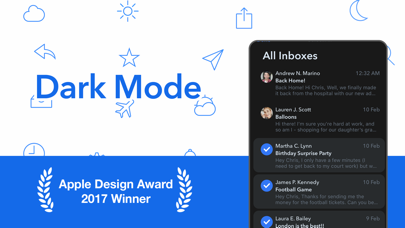
Apple Design Award Winner Airmail for business is a full local client for iOS and have all the feature of Airmail Pro but does not use our backend servers for services like realtime mailbox monitoring, send later, and synchronized snooze, That are not present in this version. Any data is transmitted or stored on our servers even in anonymous form. All the app processing happen locally on user device tis is perfectly perfectly suitable also for large business or educational sectors as support MDM configuration. The app is available on Apple Business Purchase marketplace and educational discounts will apply, and support MDM Remote configuration by app config. Workflow customization is at the core, with a rich feature set like snooze, interactive push notifications, and full inbox sync. iCloud sync provides a fully ubiquitous experience so that all your accounts and app preferences are synced. - Support for Gmail, Exchange EWS, Outlook 365, IMAP and POP3 - Apple Watch app with glance and interactive notifications - Customizable swipes - Threads and single messages - Snooze messages - Bulk editing - iCloud sync between Mac and iOS - Drafts - Aliases - Multiple signatures - Unified inbox - Multiple Accounts ADVANCED - Spotlight search for documents and messages - Share composer extension - iCloud sync for labels, preferences and accounts across Mac and iOS - Handoff between Mac and iOS SEARCH AND FILTERS - Online search - Filter by Unread, Starred, Conversation, Today and Smart - Quick access to the messages of one sender - Quick per account single folder access LABELS AND FOLDERS - Full label access - Per single labels sync - Quick access to recent labels - Favorite labels - Full label creation and editing - Document view with rich preview - Unread, Today, Conversations and Contacts COMPOSER - HTML rich composer - Attachment resizing - Document import from Dropbox, Google Drive and much more - Signature swipes - Composer extension - Online drafts - Send and Archive OPERATIONS - Undo actions - Move messagees between accounts - Multiple signature - Operations view - Attachments view - Contacts view - Mark as unread on open CONTACTS - VIP - Google Directory Search - Exchange Global Address List - Contacts Group messages - Auto CC/BCC VISUAL - Profile icons - Highlight subject - Account colors - Preview message lines - Remote images INTEGRATIONS Attachments: - Google Drive - Droplr - OneDrive - Dropbox Open Links in: - Safari - Chrome - Firefox - iCab - Mercury - Safari in-app Send to Apps and Service: - Calendars Invites - Apple Calendar - Apple Reminder - Omnifocus - Todoist - Fantastical 2 - 2DO - Trello - Clear - Evernote - Things - Task - Editorial - Draft 4 - iA Writer - Code Hub - Things - 1Writer - Delivery - Github - Swipes - Pocket - DevonThink With the MDM server you will be able to configure most part of the app for deploy to your users: This include: - Managed Server Settings IMAP, POP3, Exchange - Managed account type - Managed account to some specified domains - Managed Integrations - Managed Attachments by File Type - Managed Forward Attachments by File Type - Managed Push Notifications - Managed Composer Extension - Managed Alias - Managed iCloud sync service - Managed Location Services - Managed Snooze - Managed Remote Images autoload - Managed Read Receipt - Managed Send Later - Managed Remind Me


