Brick - Ditch Distractions
Screenshots


Estimates
low confidenceASO analysis
Good use of the title field.
Solid length. Make sure the first 252 chars hook the reader.
Used by similar apps in your niche, but not in your title or description. Adding these (where genuinely relevant) can broaden your search reach.
Words you and your peers both use. Confirms positioning in this niche.
Keyword rankings
iTunes Search · top 200About
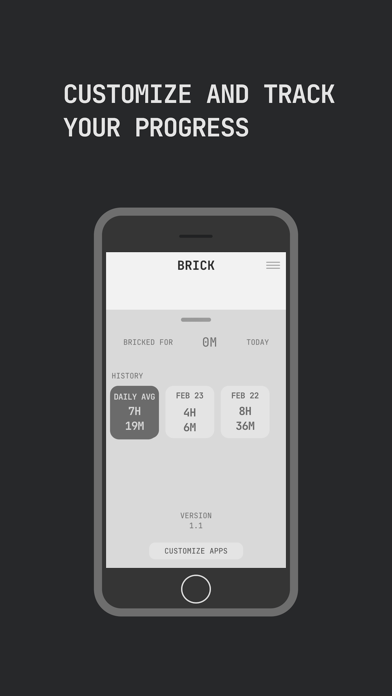
Brick is the world's first digital wellness tool designed to turn smartphones back into tools, helping people take back control of their time, attention, and technology. A small tool paired with a powerful app that temporarily removes distracting apps and their notifications from your iPhone, leaving only what you choose. In a world designed for constant distraction, Brick introduces a simple but powerful idea: friction. By requiring a physical tap to enable or disable distracting apps, Brick creates a deliberate pause between impulse and action - turning smartphones back into tools for what matters. HOW IT WORKS Choose which apps or websites to block: social media, games, news, streaming, or anything distracting Tap your iPhone to Brick to activate your chosen mode A focus timer starts automatically, tracking your distraction-free time Place Brick somewhere out of reach and go live your life When you're ready, tap again to regain access Not nearby? Activate Brick remotely in the app. You'll still need the physical Brick to unblock, keeping the commitment real. FEATURES Block any iPhone app (except the dialer, per Apple policy) and select Safari websites Create custom modes for different parts of your day: Work, Family, Sleep, Gym, Study, Focus, and more A built-in focus timer tracks how long you stay undistracted Strict Mode closes loopholes, preventing workarounds while you're in a session 5 Emergency Unbricks included for unexpected situations Usage history tracks your progress so you can see how your habits improve over time. No subscriptions and no monthly fees. Buy once, use forever DESIGNED FOR EVERY PART OF YOUR LIFE Parents use Brick to create device-free family time and build healthier habits around technology. Students rely on it during study sessions and exam prep when focus matters most. Professionals use it for deep work without the constant pull of notifications. Athletes keep it in the locker room to stay locked in before competition. Brick is also a thoughtful gift for anyone trying to build a healthier relationship with their screen habits, reduce anxiety from constant notifications, or simply spend less time scrolling and more time living. WHAT PEOPLE ARE SAYING Featured in The New York Times, Wall Street Journal, CNN, The Economist, Fortune, Vogue, TechCrunch, CNET, Fast Company, The Washington Post, Business Insider, and The New Yorker. With over 35,000 five-star reviews, people describe Brick as the thing that finally helped them break free from screen addiction. Join a growing community choosing to take back their time and reclaim hours lost to technology. HSA & FSA ELIGIBLE Brick qualifies as an HSA and FSA eligible purchase through our partnership with Truemed. Use pre-tax health savings to invest in your digital wellness and mental health. WHAT'S INCLUDED Your purchase includes the physical Brick and full lifetime access to the companion app. No subscriptions. No hidden fees. No ads. Brick helps you take back your time, turn your phone back into a tool, and use technology the way it should be: with intention.