

Contract Countdown
Screenshots
Estimates
low confidenceASO analysis
Good use of the title field.
Could go longer. The first 252 chars are above-the-fold; everything else still indexes.
Used by similar apps in your niche, but not in your title or description. Adding these (where genuinely relevant) can broaden your search reach.
Words you and your peers both use. Confirms positioning in this niche.
Keyword rankings
iTunes Search · top 200About
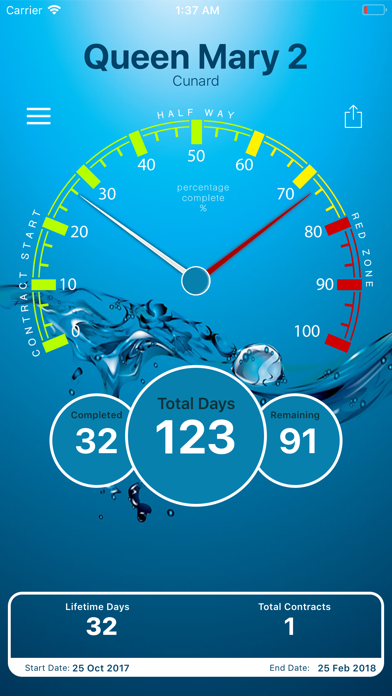
Contact Countdown lets you input your Sea Contract 'start' and 'end' dates to show you a few calculations on your progress through time. You can include all your previous contracts to get calculations like how many contracts you have completed and also how many days you have spend onboard in total. All you have to do is input your Ship Name, Contract Start Date then End Date and the App will show you; - Total Days of your contract - Total Days of all contracts - Days Complete - Days Remaining - Percent Complete - Percent Remaining - Total number of Contracts Complete You can also calculate how many days you were onboard during a tax year. All you have to do is input your tax year start & end date, hit ‘Calculate’ and you get total days during that year! Just a bit of fun for Staff and Crew working at sea. You can then share your stats on Social media with a screenshot and a custom message. We have added what is called the red zone at 80% complete, this is the home stretch as you run up to returning home.


