AppScoutAppScout.gallery
eBoox - fb2 ePub book reader icon
Book

eBoox - fb2 ePub book reader

by REDIT, OOO
Rating4.8(3.3k)
PriceFree
Updated1mo ago
Released6y ago
Latest rank
Not tracked yet
Rank change
Not tracked yet
Rank history
Movement appears after the next data refresh.

Screenshots

eBoox - fb2 ePub book reader screenshot 1eBoox - fb2 ePub book reader screenshot 2eBoox - fb2 ePub book reader screenshot 3eBoox - fb2 ePub book reader screenshot 4eBoox - fb2 ePub book reader screenshot 5eBoox - fb2 ePub book reader screenshot 6eBoox - fb2 ePub book reader screenshot 7eBoox - fb2 ePub book reader screenshot 8

ASO analysis

Title28 / 30
eBoox - fb2 ePub book reader

Good use of the title field.

Description1,317 / 4,000
6 paragraphs · 33% of limit used

Could go longer. The first 252 chars are above-the-fold; everything else still indexes.

Top keywords in your description
books×4eboox×4reading×4bookmarks×2e-books×2e-reader×2ebooks×2old×2progress×2right×2supported×2text×2
Keyword opportunities

Used by similar apps in your niche, but not in your title or description. Adding these (where genuinely relevant) can broaden your search reach.

font9 peerssupports9 peersformats8 peerssearch8 peersfeatures7 peersformat7 peerslibrary7 peersmargins7 peersread7 peersallows6 peers
Shared niche keywords

Words you and your peers both use. Confirms positioning in this niche.

book10 peersbooks10 peersreader10 peersreading10 peersbookmarks9 peersepub9 peersfree9 peerssize9 peerstext9 peerscloud8 peers

Keyword rankings

iTunes Search · top 200
Keyword tracking starts automatically for apps on the top charts — ranks appear after the next data refresh. Manual tracking for search-only and niche apps coming soon.

About

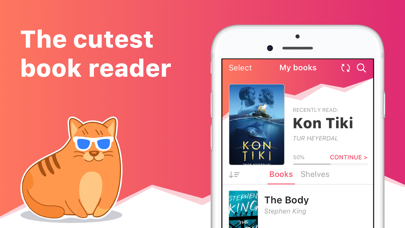
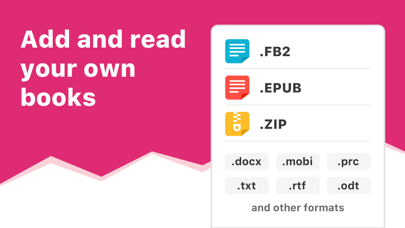
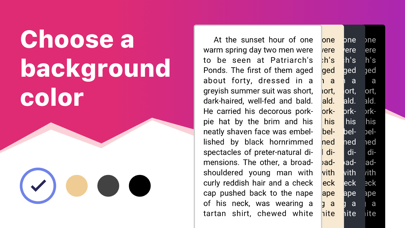
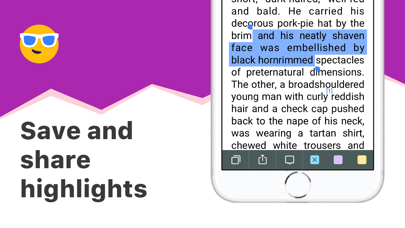
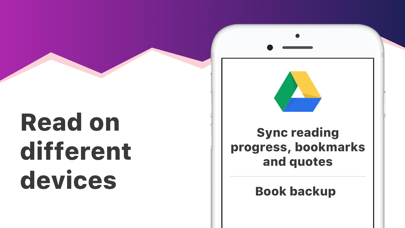
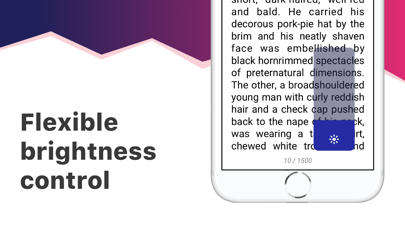
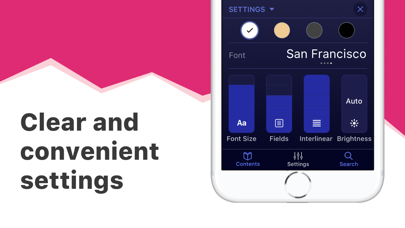
eBoox – the most pleasant book reader ever! * *according to my mom :) • Cute, simple and useful UI, • Effective reading tools: bookmarks, 3-colors highlights, interactive links and notes, • Dark mode and offline reading, • Customized settings - Fonts, Fields, Text size, screen Brightness, Page scrolling, ets. • Suppots all your e-books, even in ZIP: EPUB, MOBI, DOC, DOCX, TXT, FB2, PRC, RTF, ODT, HTML, AZW, AZW3 and others text documents, • PDF supported (beta), • !Completely AD-FREE, • !Online auto SYNC of ebooks and reading progress, • !FREE WEB e-reader available! Start reading your e-books right now! Upload books via iTunes, import your files from the email, web browser, cloud storages (iCloud, Google Drive, Dropbox, Yandex.Disk etc) or share via AirDrop. In the app you will find detailed guide How to add ebooks in different ways. And we've already added three classic welcome books so you can appreciate the e-reader right away! This is a upgraded version of eBoox. The old one is no longer supported. In order not to lose your books, progress, quotes and bookmarks, install this app version. Run it on device and wait for the data transfer to finish. When you make sure that all your books appeared in eBoox 2020, you can safely delete eBoox.old. You can turn on the synchronization for backup.

01
KyBook - EPub,FB2,PDF,DjVu Reader icon
KyBook - EPub,FB2,PDF,DjVu Reader
Konstantin Bukreev
4.4
02
FBReader: ePub and fb2 reader icon
FBReader: ePub and fb2 reader
FBReader.ORG Limited
3.7
03
KyBook 2 Ebook Reader icon
KyBook 2 Ebook Reader
Konstantin Bukreev
4.7
04
EPUB Reader - Reader for epub format icon
EPUB Reader - Reader for epub format
LTD DevelSoftware
4.2
05
ReadEra – book reader pdf epub icon
ReadEra – book reader pdf epub
READERA EOOD
4.2
06
PocketBook Reader icon
PocketBook Reader
Pocketbook International SA
4.5
07
Yomu EBook Reader icon
Yomu EBook Reader
Beat Raess
4.8
08
KyBook 3 Ebook Reader icon
KyBook 3 Ebook Reader
Konstantin Bukreev
4.7
09
Ebook Reader icon
Ebook Reader
EBOOKS.COM PTY LIMITED
3.4
10
EPUB Reader - Neat icon
EPUB Reader - Neat
NeatReader
3.0