AppScoutAppScout.gallery
EmoGuard - Keyword Blocker icon
Utilities

EmoGuard - Keyword Blocker

by Tatsuya Sasaki
Rating0.0(0)
Price$4.99
Updated1y ago
Released3y ago
Latest rank
#77
Top Paid · Utilities
Rank change
Not tracked yet
Rank history
Movement appears after the next data refresh.
Charting in:CA·Top Paid#77

Screenshots

EmoGuard - Keyword Blocker screenshot 1EmoGuard - Keyword Blocker screenshot 2EmoGuard - Keyword Blocker screenshot 3EmoGuard - Keyword Blocker screenshot 4

ASO analysis

Title26 / 30
EmoGuard - Keyword Blocker

Good use of the title field.

Description1,267 / 4,000
15 paragraphs · 32% of limit used

Could go longer. The first 252 chars are above-the-fold; everything else still indexes.

Top keywords in your description
emoguard×8https×4don't×3time×3block×2blocking×2docs×2matters×2people×2spoilers×2sync×2web×2
Keyword opportunities

Used by similar apps in your niche, but not in your title or description. Adding these (where genuinely relevant) can broaden your search reach.

com7 peersautomatically6 peersios6 peersprotection6 peersadvanced5 peersapple5 peerschoose5 peersclean5 peersdevice5 peersexperience5 peers
Shared niche keywords

Words you and your peers both use. Confirms positioning in this niche.

privacy9 peersfeatures8 peersblocker7 peershttps7 peersblock6 peersdata6 peersterms6 peerstext6 peersblocking5 peerspolicy5 peers

Keyword rankings

iTunes Search · top 200
Keyword tracking starts automatically for apps on the top charts — ranks appear after the next data refresh. Manual tracking for search-only and niche apps coming soon.

About

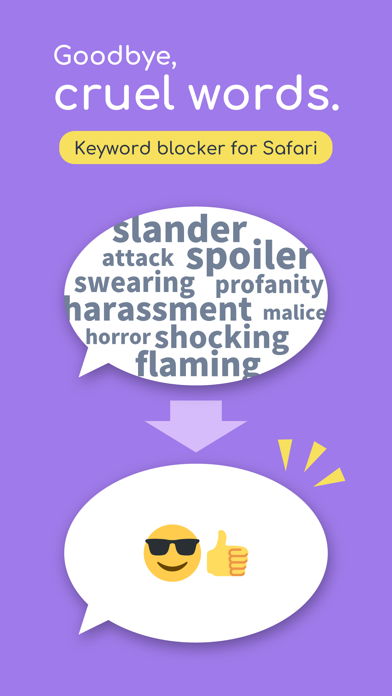
EmoGuard is a browser extension that allows you to block text or elements you don't want to see on any website. ▶ KEY FEATURES • Keyword blocking: Block keywords you don't want to see • Customizing CSS selectors: Pursue your own way of blocking • Sync feature: Sync data across all your devices using Dropbox • Cross platform: Supports desktop and some mobile browsers ▶ Why use EmoGuard? • Get over the slander: There are all kinds of people in the world. You can't change them, but you can control the information on the web pages you view with EmoGuard. • Avoid any spoilers: Spoilers sneak up on you like assassins and suddenly appear. Don't worry anymore, you can prevent it by adding the relevant words to EmoGuard. • Focus on what matters: Once people feel bad, they spend their time on distractions. So save your emotions with EmoGuard and use your precious time for what matters. It's time to bring back the fun web. Happy Internet Life! ▶ More Official Website: https://emoguard.app/ Terms of Use: https://emoguard.app/docs/terms-of-use Privacy Policy: https://emoguard.app/docs/privacy-policy ▶ Attribution Twemoji graphics made by Twitter, Inc and other contributors are licensed under CC-BY 4.0: https://creativecommons.org/licenses/by/4.0/

01
AdGuard Pro: Safari Ad Blocker icon
AdGuard Pro: Safari Ad Blocker
Adguard Software Limited
4.4
02
AdGuard Ad Blocker for Safari icon
AdGuard Ad Blocker for Safari
Adguard Software Limited
4.1
03
Facemoji Keyboard: Fonts&Emoji icon
Facemoji Keyboard: Fonts&Emoji
NEXILEAP PRIVATE LIMITED
4.6
04
CleanTube: Ad & Shorts Blocker icon
CleanTube: Ad & Shorts Blocker
tech sphere innovations
0.0
05
Robokiller: Spam Call Blocker icon
Robokiller: Spam Call Blocker
Mosaic S.r.l.
4.5
06
The Big Keyboard icon
The Big Keyboard
Defriction LLC
3.5
07
KeyCard BBM icon
KeyCard BBM
Marlon Milanes Rivero
4.8
08
Call Ranger: Mass Call Blocker icon
Call Ranger: Mass Call Blocker
Konstantinos Papadakis
4.2
09
Nomorobo - Robocall Blocker icon
Nomorobo - Robocall Blocker
Telephone Science Corporation
4.5
10
Bouncer: Spam Text Blocker icon
Bouncer: Spam Text Blocker
Daniel Bernal
4.5