AppScoutAppScout.gallery
FileMaster-Privacy Protection icon
Productivity

FileMaster-Privacy Protection

by Shenzhen Youmi Information Technology Co. Ltd
Rating4.4(4.9k)
PriceFree
Updated2y ago
Released13y ago
Latest rank
Not tracked yet
Rank change
Not tracked yet
Rank history
Movement appears after the next data refresh.

Screenshots

FileMaster-Privacy Protection screenshot 1FileMaster-Privacy Protection screenshot 2FileMaster-Privacy Protection screenshot 3FileMaster-Privacy Protection screenshot 4FileMaster-Privacy Protection screenshot 5

ASO analysis

Title29 / 30
FileMaster-Privacy Protection

Tight against the limit — verify it doesn't truncate on small screens.

Description1,529 / 4,000
11 paragraphs · 38% of limit used

Could go longer. The first 252 chars are above-the-fold; everything else still indexes.

Top keywords in your description
files×7file×5filemaster×4folder×3folders×3manager×3password×3play×3player×3support×3copy×2create×2
Keyword opportunities

Used by similar apps in your niche, but not in your title or description. Adding these (where genuinely relevant) can broaden your search reach.

rename10 peersfeatures9 peersmove9 peersweb9 peersbrowser8 peersbuilt-in8 peersdocuments8 peersdownload8 peersmanage8 peersaccess7 peers
Shared niche keywords

Words you and your peers both use. Confirms positioning in this niche.

file10 peersfiles10 peerscreate9 peersdelete9 peersmanager9 peerspdf8 peersphoto8 peersphotos8 peersvideos8 peersviewer8 peers

Keyword rankings

iTunes Search · top 200
Keyword tracking starts automatically for apps on the top charts — ranks appear after the next data refresh. Manual tracking for search-only and niche apps coming soon.

About

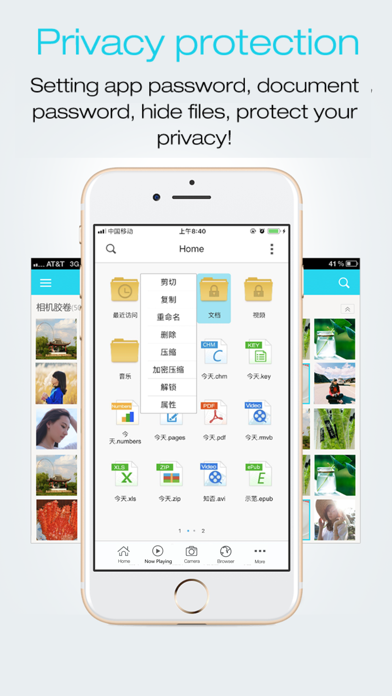
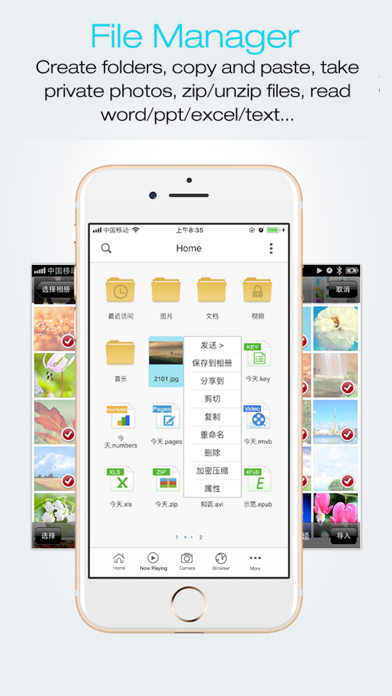
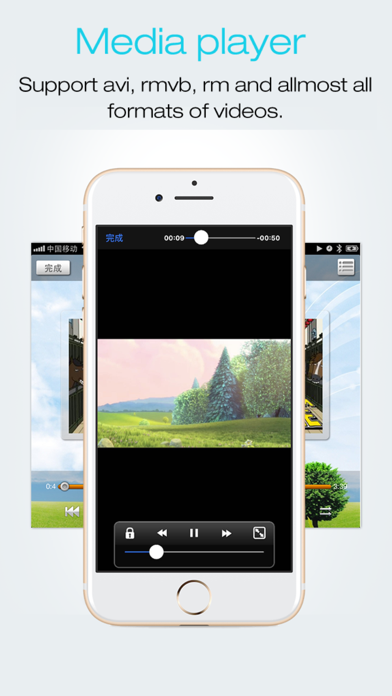
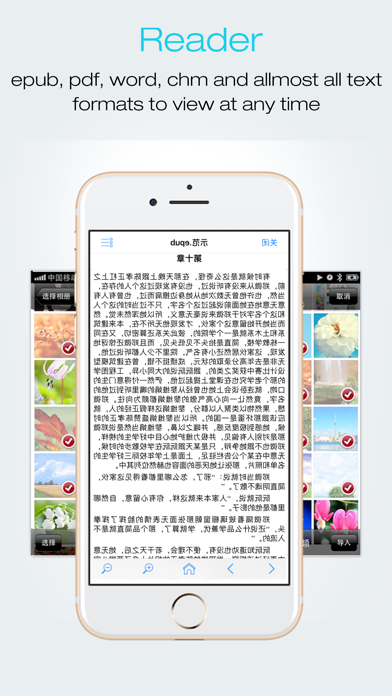
# The most powerful file manager of iOS. You deserve it!# FileMaster is a file manager, document viewer, video/audio player, text editor, and more for iPhone, iPad & iPod Touch. Transfer files from your computer, carry them around with you, and share them with your friends. Using FileMaster is easy. Just long-press on a file or folder icon to display a popup menu. Simply tap your selection and you’re ready to go. You can tap on the screen to copy, paste, create folders and so on. There’s no need to worry about the security of FileMaster, either. Your files can be accessed remotely with a password or locally with a master passcode. No one but you will see what’s in your FileMaster. # File Manager # - Create new folders?- Copy, cut, paste, delete operations - Long press to popup menus - Support multi-selection mode - Import photos/videos from the system album - Take private photo or video inside the app?- Check the free diskspace - Cloud stroge supports:Dropbox,SkyDrive,Box... # Powerful media player # - Support avi/flv/rmvm/rm/mov/mp4/mp3/wma/m3u8... - Show snapshot of videos # Music Player # - Play all mp3 files in one folder - Play control - Background play - 4 loop modes supported # Privacy Protection # - App password - Folder password - Hide files/folders # Document viewer # - Support word/excel/ppt/pdf/txt/page/number/html/jpeg/epub/chm- zip/unzip (.zip or .rar files) - Open files with other apps - Open files from other apps - Send file as email attachment Contact with me:esongtech@126.com

01
File Manager 2026 icon
File Manager 2026
Arvind Murali
5.0
02
Files - File Manager & Browser icon
Files - File Manager & Browser
Hian Zin Jong
4.7
03
FSharing - Files, File Manager icon
FSharing - Files, File Manager
Ngan Tran
4.4
04
Phone Drive: File Storage icon
Phone Drive: File Storage
Eightythree Technology
4.7
05
File Manager - File Organizer icon
File Manager - File Organizer
Vijay Bhaliya
4.2
06
Documents: File Manager & Docs icon
Documents: File Manager & Docs
Readdle Technologies Limited
4.7
07
DownloadMate - Music, Video, File Downloader & Manager icon
DownloadMate - Music, Video, File Downloader & Manager
Imagam.com
2.3
08
FileBrowserGO: File Manager icon
FileBrowserGO: File Manager
Stratospherix Ltd
4.4
09
ES File Explorer icon
ES File Explorer
Beijing Xiaoxiong Bowang Technology Co., Ltd.
4.6
10
AirDisk Pro icon
AirDisk Pro
Felix Yew
4.4