

Handwriting Keyboard
Screenshots
Estimates
low confidenceASO analysis
Good use of the title field.
Solid length. Make sure the first 252 chars hook the reader.
Used by similar apps in your niche, but not in your title or description. Adding these (where genuinely relevant) can broaden your search reach.
Words you and your peers both use. Confirms positioning in this niche.
Keyword rankings
iTunes Search · top 200About
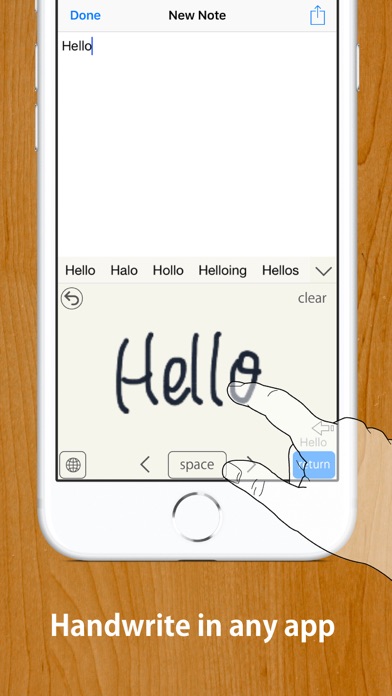
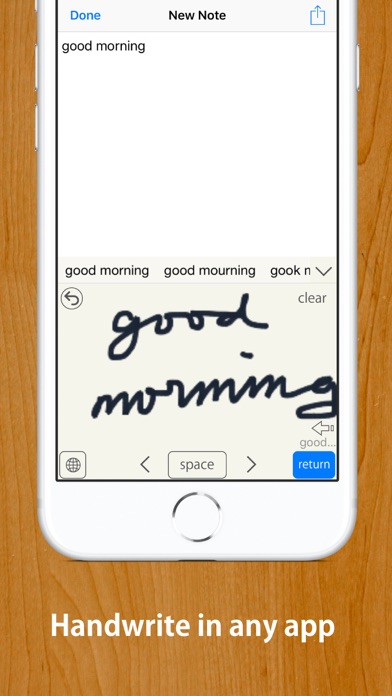
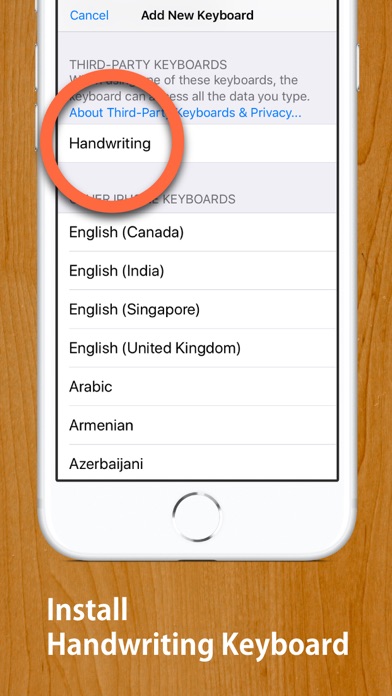
Quick and easy to turn your handwriting into inputted text in any app. Works with any app, such as Safari, Mail, Notes, etc. MyScript® engine converts your handwriting to typed text in any app. Works offline. No need to be online to use or activate online. Compatible with Apple Pencil if your device supports it. 【HOW TO USE】 STEP 1: Install this Handwriting Keyboard (U.S. English or Japanese, or both) from "Keyboard" section in "Settings" app. Open Settings App ▶ Handwriting(This app's settings section) ▶ Keyboards ▶ Turn "English (US)" on. …or Open Settings App ▶ General ▶ Keyboard ▶ Keyboards ▶ Add New Keyboards... ▶ Choose "Handwriting" ▶ Turn "English (US)" on. STEP 2: When inputting, such as when writing a mail message, long-press "Globe Button" on the keyboard to switch to this Handwriting Keyboard. (Tap "Globe Button" to switch to a next keyboard, long-press "Globe Button" to show keyboard list.) * When inputting password, the iOS keyboard automatically switches to default keyboard. 【Note】 • For some apps that have original inputting area, such as "Slack", disable inline inputting. • If you have enabled "Scribble", the button to activate a keyboard has a bug. Please tap "3 times" to activate this keyboard from Scribble. Functionalities: [Tap gear button on the keyboard to customise] • Auto enter after customsed delay • Choose input area size from three sizes • Choose enter button location from three options • 2 finger scroll or 2 finger cursor move gesture • Supports Apple Pencil with finger touch rejection • Option to disable inline inputting • Choose three line widths, four background color • Supports Text Replacement • Supports iOS13's dark mode and floating keyboard Supported Languages: • English (U.S.) • Japanese (including hiragana to kanji conversion) This app does not recognize other languages than U.S. English and Japanese. This app does not recognise UK English. Diese App erkennt kein Deutsch. Esta aplicación no reconoce español. Este aplicativo não reconhece português. Denna app känner inte igen svenska. Cette application ne reconnaît pas le français. 이 응용 프로그램은 한글을 인식하지 않습니다. MyScript® is a trademark of MyScript


