Hours Tracker - myTime
Screenshots




ASO analysis
Good use of the title field.
Could go longer. The first 252 chars are above-the-fold; everything else still indexes.
Used by similar apps in your niche, but not in your title or description. Adding these (where genuinely relevant) can broaden your search reach.
Words you and your peers both use. Confirms positioning in this niche.
Keyword rankings
iTunes Search · top 200About
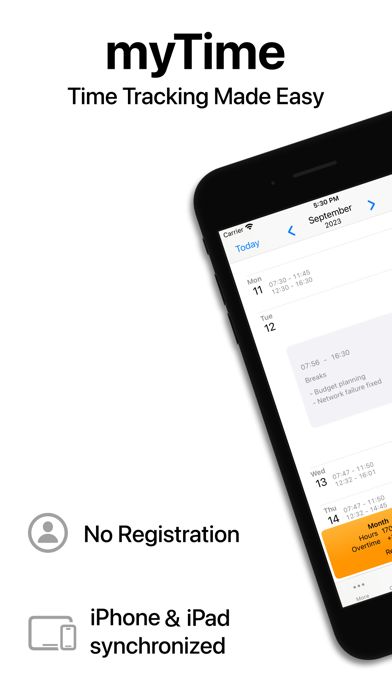
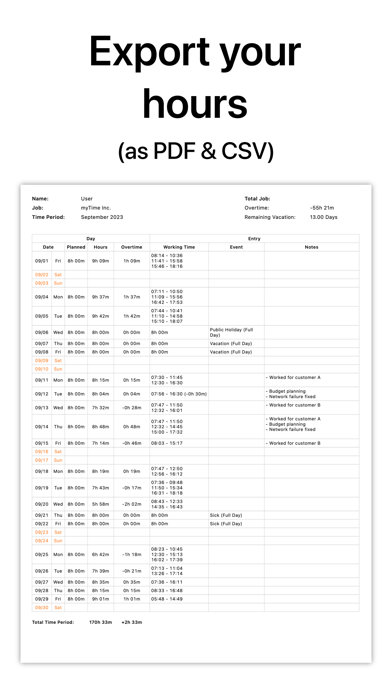
Capture your working hours – anytime and anywhere. Handwritten timesheets are a thing of the past. Whether after work or using the clock-in/out feature, myTime is the perfect companion when complex or expensive time tracking systems is unnecessary or if you simply want to check your times. Easily record your hours, calculate overtime, manage vacation and sick days, add notes, and more – all in one place. Thanks to iCloud sync, your data stays up to date across iPhone and iPad. Working multiple jobs? No problem. Track hours for each job independently and customize settings such as daily hours, start/end times, and breaks – tailored to your needs. Create reusable note templates to speed up data entry. Export your records as PDF or CSV files for use in Excel, Numbers, or other tools. Share via email, iMessage, Signal, WhatsApp, and more. With Siri and Shortcuts support, you can clock in and out even faster. And the backup feature ensures your data stays safe – locally or in iCloud. myTime features at a glance: • Easy time tracking • Track home office, vacation, sick days, and more • Overtime calculation • Vacation day tracking • iCloud synchronization • Document export (PDF/CSV) • Clock in/out • Siri integration • Shortcuts support • Multiple job support • Backup and restore • Note templates • Easy data sharing • Clear overview • Choose between hours/minutes or decimal time • Light and dark mode • …and much more QUESTIONS? Have questions or feedback? Feel free to contact us at myTime@rock-dog.net Further Information: You can try the basic version with limited functionality free of charge during the calendar year of the first installation. Terms of Use: https://www.apple.com/legal/internet-services/itunes/dev/stdeula/