

iFiles - File Manager Browser
Screenshots


ASO analysis
Tight against the limit — verify it doesn't truncate on small screens.
Solid length. Make sure the first 252 chars hook the reader.
Used by similar apps in your niche, but not in your title or description. Adding these (where genuinely relevant) can broaden your search reach.
Words you and your peers both use. Confirms positioning in this niche.
Keyword rankings
iTunes Search · top 200About
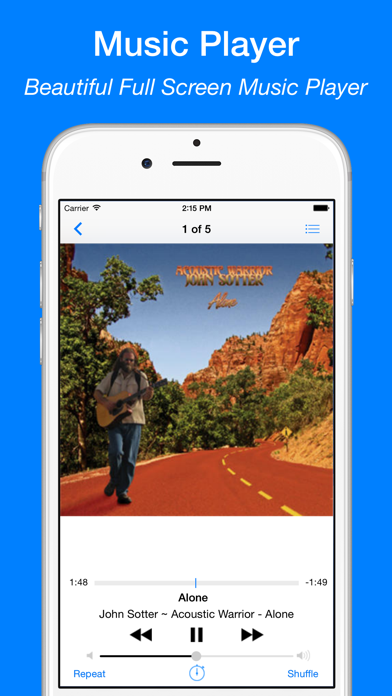
iFiles — Your All-in-One File Manager & Reader iFiles is the ultimate file manager and media hub that lets you organize, view, convert, and secure all your files in one powerful app. It includes a Music Player, Video Player, Photo Viewer, Document Scanner, PDF & EPUB Reader, Media Converter, and ZIP/RAR Extractor — all built right in. Top Features Users Love - Powerful File Manager • Browse, organize, and manage all your files in one place • Import from iCloud, Dropbox, Google Drive, OneDrive, Box & more • Connect to FTP, SFTP, SMB, WebDAV, and NFS servers • Share files via Wi-Fi Transfer or iTunes File Sharing - Built-in PDF Scanner & Editor • Scan documents using your iPhone or iPad camera • Save scans instantly as high-quality PDFs • Annotate, merge, or delete PDF pages • Add password protection for sensitive PDFs • Convert PDFs to images in seconds - Document Converter & Reader • Convert Word, Excel, PowerPoint, and images to PDF • View and read PDF, EPUB, TXT, DOC, XLS, PPT, RTF, and more - Photo Viewer & Editor • View images in all major formats: JPG, PNG, GIF, TIFF, BMP, ICO • Convert, annotate, resize, or crop photos • Save photos as PDFs with a single tap - Video Converter & Editor • Convert between popular formats (MP4, FLV, AVI, MOV, etc.) • Extract audio from video files • Compress large videos without losing quality • Trim and reverse videos easily - Audio Converter & Editor • Convert between audio formats (MP3, M4A, WAV, AAC, etc.) • Edit music metadata with the built-in MP3 Tag Editor • Create custom ringtones and record high-quality audio • Trim or merge audio tracks effortlessly - Web Browser & Downloader • Browse and download files directly from the web • Save webpages as web archives for offline access - ZIP & RAR Extractor / Archiver • Extract and create ZIP, RAR, 7Z, TAR, and GZIP files • Create password-protected ZIP archives with AES encryption - Music & Video Player • Play all popular audio and video formats: MP3, FLAC, MP4, MKV, AVI, MOV, and more • Stream media from URLs or local network • Stream directly from Dropbox, Google Drive, OneDrive, Box, FTP, SFTP, SMB, WebDAV, and NFS - Private & Secure • Protect your files with Passcode, Touch ID, or Face ID • Keep your personal data safe and private Why Choose iFiles? • Replace multiple apps with one simple, powerful solution • Fast, reliable, and designed for iOS • Works seamlessly online or offline — your files, your control Download iFiles today and enjoy the smartest way to manage, scan, convert, and play your files! Subscription Info: Payment will be charged to iTunes Account at confirmation of purchase. Auto-renews unless turned off 24 hours before the end of the period. Manage subscriptions in Account Settings after purchase. Unused trial time is forfeited upon subscription. Terms of Service: https://ipopapp.com/terms-of-service Privacy Policy: https://ipopapp.com/privacy-policy


