

Intuit QuickBooks for Business
Screenshots




ASO analysis
Tight against the limit — verify it doesn't truncate on small screens.
Solid length. Make sure the first 252 chars hook the reader.
Used by similar apps in your niche, but not in your title or description. Adding these (where genuinely relevant) can broaden your search reach.
Words you and your peers both use. Confirms positioning in this niche.
Keyword rankings
iTunes Search · top 200About
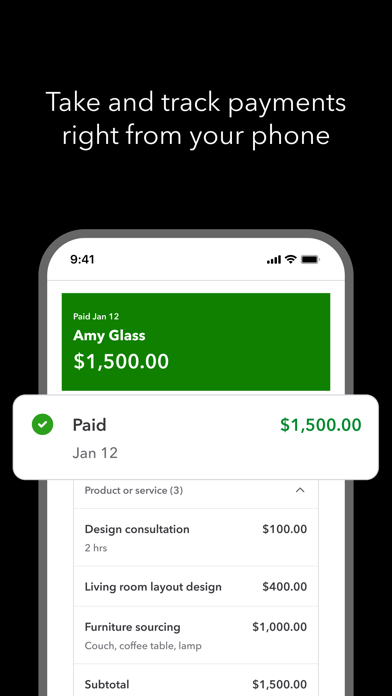
QuickBooks helps millions of businesses around the world handle accounting, payments, & customers on the go, with Intuit AI in the QuickBooks Essentials & Plus plans, and access to trusted experts. TAKE PAYMENTS FROM YOUR PHONE With Tap to Pay on iPhone, take in-person contactless payments from your iPhone. Plus, send invoices customers can pay with the tap of a button and get real-time payment tracking and notifications. CREATE AND SEND INVOICES Add customers and vendor info, capture project details, generate and send invoices & estimates from photos of handwritten notes, right in the app. CAPTURE MORE LEADS ON THE GO Customer Hub and Intuit AI work together to surface qualified leads from emails. Your written and recorded voice notes will be included in auto-generated estimates. Review, edit, and send from your mobile device. AUTOMATION YOU CAN COUNT ON Intuit AI categorizes and reconciles transactions, combines data, spot inconsistencies for review, and proactively recommend next steps. EXPENSES MANAGED IN THE MOMENT Accounting AI matches transactions and expenses—even texting you to upload receipts for receipt-required credit card transactions. RECEIPTS IN A SNAP, NOT A PILE Take photos of receipts, which are stored and automatically matched to transactions. AUTO-TRACK MILES FOR ACCURATE TAX DEDUCTIONS Automatically track mileage via GPS with enhanced accuracy and optimized battery life. Swipe to categorize, stay organized, and maximize deductions. SIGN IN ON WEB The QuickBooks mobile app syncs with your QuickBooks Online account so your financial data is always up-to-date, empowering you to make quick, informed decisions from anywhere.. Not compatible with QuickBooks Desktop for Windows or Mac. Some features may not be available in all QuickBooks products. #1 accounting software for small businesses, based on PCMag Review as of 2025. Terms, conditions, pricing, special features, and service and support options subject to change without notice. From INTUIT Makers of: QuickBooks, TurboTax, Credit Karma & Mailchimp Visit: • https://www.intuit.com/privacy/statement/ to learn how Intuit protects your privacy. • https://www.intuit.com/legal/terms/en-us/quickbooks/online/ to read the Intuit terms of service. SUBSCRIPTION INFORMATION • Your Apple account will be charged when you confirm the purchase. • Subscription will automatically renew unless you turn off auto-renew at least 24 hours before the end of the current period. • Your Apple account will be charged for renewal within 24 hours prior to the end of the current period. • You can manage your subscription and turn off auto-renewal by going to your Apple account settings after purchase. On your device, go to Settings, tap your Apple ID, then tap Subscriptions, and tap Cancel subscription. • You'll give up any unused portion of a free trial period when you purchase a subscription. • Limited availability. Features may be more broadly available soon. • Tap to Pay on iPhone: Tap to Pay on iPhone requires a supported payment app and the latest version of iOS. Update to the latest version by going to Settings > General > Software Update. Tap Download and Install. Some contactless cards may not be accepted by your payment app. Transaction limits may apply. The Contactless Symbol is a trademark owned by and used with permission of EMVCo, LLC. Tap to Pay on iPhone is not available in all markets. For Tap to Pay on iPhone countries and regions, see https://developer.apple.com/tap-to-pay/regions/. Apple Pay is a service provided by Apple Payments Services LLC, a subsidiary of Apple Inc. Neither Apple Inc. nor Apple Payments Services LLC is a bank. Any card used in Apple Pay is offered by the card issuer. • Money movement services are provided by Intuit Payments Inc., licensed as a Money Transmitter by the New York State Department of Financial Services Intuit, 2700 Coast Ave, Mountain View, CA 94043


