

LG ThinQ
Screenshots




Estimates
medium confidenceASO analysis
Short title. You're leaving keyword space on the table.
Solid length. Make sure the first 252 chars hook the reader.
Used by similar apps in your niche, but not in your title or description. Adding these (where genuinely relevant) can broaden your search reach.
Words you and your peers both use. Confirms positioning in this niche.
Keyword rankings
iTunes Search · top 200About
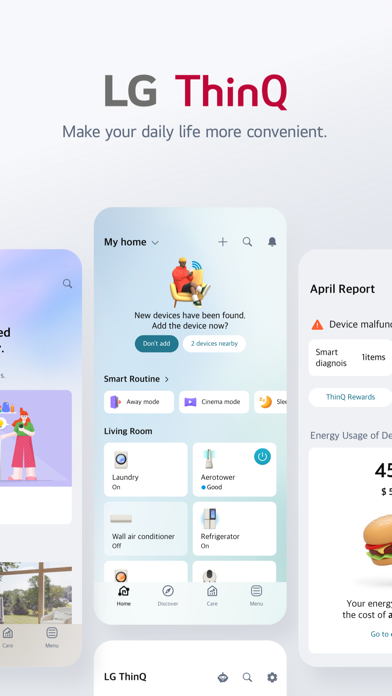
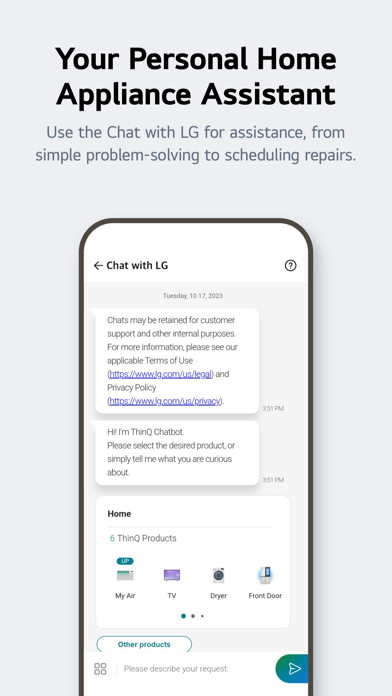
Connect your IoT home appliances to the LG ThinQ app. Enjoy effortless product control, smart care, and convenient automation in one simple solution. ■ Discover the convenience of smart home appliances through the Home tab. - Control your IoT home appliances from anywhere with our app. - Get personalized recommendations for managing appliances based on usage history. - Find out ways to better make use of the app's features from "Explore" ■ Upgrade your products from ThinQ Play. - Use your products more efficiently and with greater ease by introducing new features to products you are currently using. - Upgrade your products based on your lifestyle and personal preferences. ■ Monitor your energy consumption data quickly. - Use Energy Monitoring to compare your power usage with your neighbors’. - Set energy saving goals and get usage status notifications to help save energy more efficiently. - Receive care services for your products all in one place. ■ Handle everything from troubleshooting to service requests directly from the app. - Use the Smart Diagnosis function to check your product’s status. - Book a service visit from a professional engineer for an accurate diagnosis and inspection. ■ Conveniently reference LG home appliance manuals in one place. - Access a range of content, including function descriptions and essential usage solutions for products. ※ Services and features may vary depending on your product model and your country or region of residence. The following access permissions are necessary for the ThinQ app. All the access permissions requested are optional access permission, so even if you do not allow them, you can still use the app except for the related services. (Including OS Request Permissions such as "Siri & Search", "Notification", "Background App Refresh", and "Cellular Data") [Optional Access Permissions] • Location - To find and connect to nearby Wi-Fi when registering the product. - To set and save the home location in Manage Home - To search for and use information about current locations, such as weather. - To check your current location in the "Smart Routines" function. • Camera - To take a profile picture - To share a home or account scanned from a QR code. - To take and attach photos in "1:1 Inquiry." - To record and store purchase receipts when registering additional information about the product..(미국 Only) - To use the AI oven Cooking Record feature. - To use in “Chat with LG” when entering the product and serial number information • Photo, Media, File - To use the smartphone's storage when downloading the information of the product to be connected - To take and attach photos in "1:1 Inquiry." - To record and store purchase receipts when registering additional information about the product. - To view photo/video on your smartphone on the TV. - To use in “Chat with LG” to save photos/videos of product symptoms or proof of purchase - To use in “Chat with LG” when entering the product and serial number information • Media and Apple Music - To view photo/video on your smartphone on the TV. • Microphone - To check product status via Smart Diagnosis - To use in “Chat with LG” when inputting through the microphone in the input window and using STT. • Local Network - To obtain the device connecting Wi-Fi info when adding devices • Bluetooth - To find and connect to nearby Bluetooth devices when adding a product to the app. • HomeKit - To add IoT-based products • Notifications - Notifications are essential for receiving updates on product status, important notices, benefits, and information.


