

Life Cycle - Track Your Time
Screenshots
ASO analysis
Good use of the title field.
Solid length. Make sure the first 252 chars hook the reader.
Used by similar apps in your niche, but not in your title or description. Adding these (where genuinely relevant) can broaden your search reach.
Words you and your peers both use. Confirms positioning in this niche.
Keyword rankings
iTunes Search · top 200About
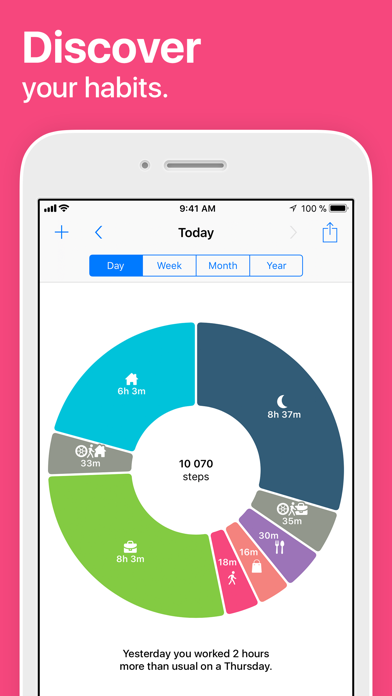
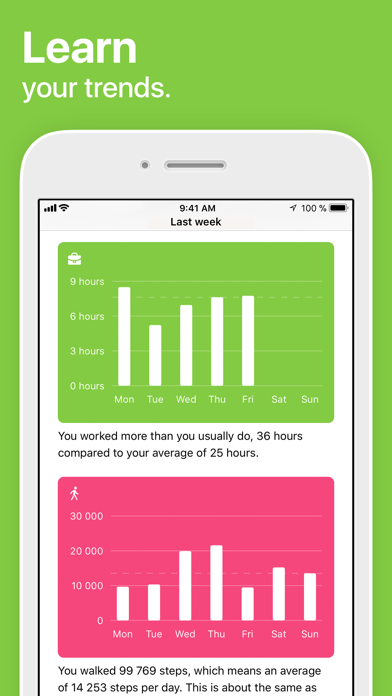
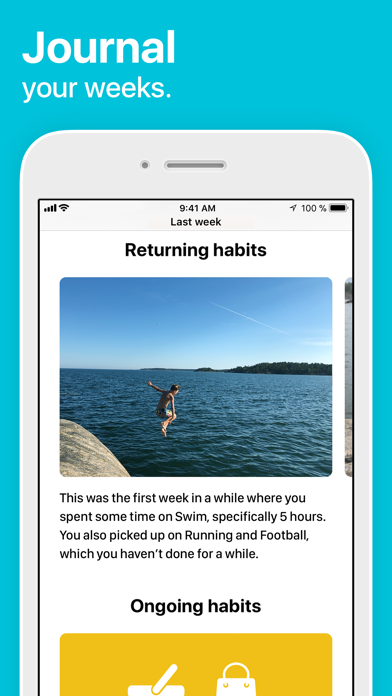
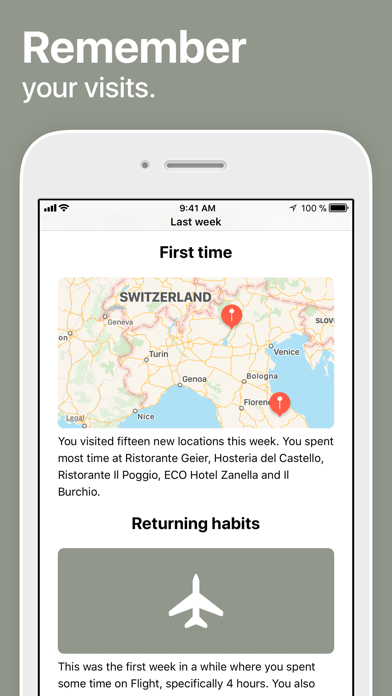
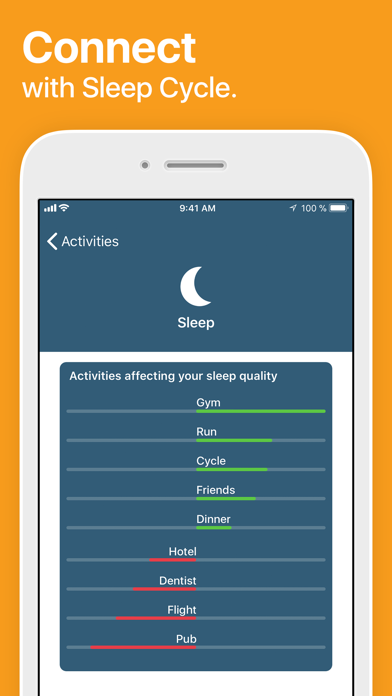
Life Cycle automatically keeps track of your time and presents your life sorted into slices. It shows you your daily activities, places you go, and who you spend time with. Life Cycle weekly journal provides personalized insights and clarity to your week passed. Start each week with a look back. Remember where you’ve been and vision where you’re going. Whether you’re just curious of how your time is spent or looking to make a change, Life Cycle is your daily companion, providing you with all the information and insights you need. What’s more - it uses only 1% of your phone’s battery while it seamlessly does the work. FREE FEATURES • Automatic - Life Cycle works in the background, recording and sorting what you do as you go about your daily business. • Less than 1% battery - Life Cycle uses less than 1% of your battery per day as it runs in the background. • Weekly journal - Weekly insight to activities, accompanied by photos tied to moments passed. • From a day to a year - view your life day by day, week by week, month by month or even year by year. • Apple Health - Fully integrated. Imports all activities, mindfulness and sleep data. • Friends - Connect with your friends on Facebook and see who you’re spending time with, what you’re doing and where. • Sleep Cycle connection - For accurate sleep data, connect with Sleep Cycle alarm clock through Apple Health. (Life Cycle only reads data from Health, it does not share any data. It reads Sleep Analysis and Steps data.) PREMIUM FEATURES • Connect to your Sleep Cycle account - If you have an online backup account with Sleep Cycle, Life Cycle will let you know how your daily habits affect your sleep quality score. • Backup - Keep your data safe with our backup system. Never worry about losing your Life Cycle logs again. • Graphs - Beyond the donuts, Life Cycle shows you what you do with your time in detailed graphs for deeper analysis. The visuals gives you insight to if you're spending your time on what’s most important to you. • Compare trends - see if you’re dropping in sleep hours, if you’re working too much or if you’ve taken longer walks this week. Compare trends over the weeks, months or years. BATTERY CONSUMPTION Continued use of GPS running in the background can dramatically decrease battery life. Life Cycle does not use the GPS in the background, but instead relies on cell tower and Wi-Fi locations. As a result, it consumes less than 1% of your battery per day, when the app runs in the background. REQUIREMENTS • Life Cycle needs to run in the background to be able to record your data. It only uses 1% of your battery per day when doing so. • You need to carry your phone with you, for Life Cycle to accurately record and interpret your activities. • Wi-Fi should be enabled on your phone for tracking to work. Should you choose to subscribe to Life Cycle Premium, the purchase will be charged to your iTunes account. You can manage or cancel your auto-renewable subscription by entering the user settings in iTunes after the purchase. The subscription will be auto-renewed 24 hours before the subscription period ends, with the same kind of subscription you already bought, to the same price. Your account will be charged for renewal within 24-hours prior to the end of the current period. Any unused portion of a free trial period, if offered, will be forfeited when the user purchases a subscription to that publication, where applicable. Terms of service: https://www.northcube.com/terms-service-life-cycle/ Privacy policy: https://www.northcube.com/privacy-policy-for-life-cycle/


