

MyHyundai with Bluelink
Screenshots



Estimates
low confidenceASO analysis
Good use of the title field.
Solid length. Make sure the first 252 chars hook the reader.
Used by similar apps in your niche, but not in your title or description. Adding these (where genuinely relevant) can broaden your search reach.
Words you and your peers both use. Confirms positioning in this niche.
Keyword rankings
iTunes Search · top 200About
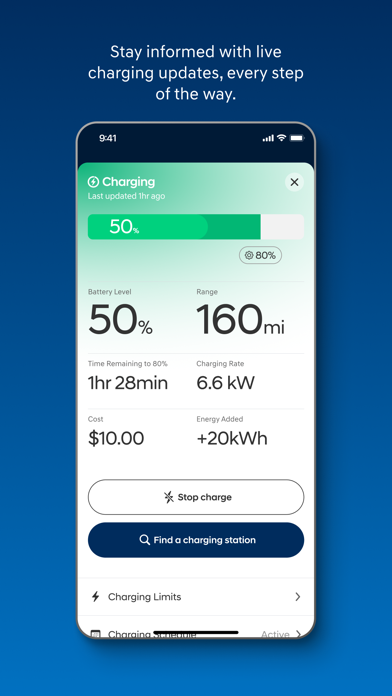
The MyHyundai app makes getting information about your Hyundai vehicle easier than ever. The MyHyundai app allows you to access owner resources, schedule service or connect to your Bluelink enabled vehicle from your phone. Bluelink technology enables and empowers you while you are on the go, giving you access to your Bluelink features from your office, at home, or just about anywhere. Access the app with your MyHyundai.com ID, password and PIN to take advantage of Bluelink’s Remote features. Log in and send commands conveniently using Touch ID and Face ID. An active Bluelink subscription is required to use Bluelink features in the app. To renew or upgrade to either Remote or Guidance, please visit MyHyundai.com. An active Bluelink Remote Package (R) or Guidance Package (G) subscription is required to access select features. Feature support varies by vehicle model. Please visit HyundaiBluelink.com to check what Bluelink features your vehicle supports. With the MyHyundai app you can: • Remotely start your vehicle (R) • Remotely unlock or lock the door (R) • Start your vehicle with saved presets you customize (R) • View charging status, manage charging schedules and settings (EV and PHEV vehicles only) (R) • Learn more about key features with user tutorials • Remotely activate the horn and lights (R) • Search and send Points of Interest to your vehicle (G) • Access saved POI History (G) • Make a Car Care service appointment • Access Bluelink Customer Care • Find your car (R) • Access maintenance information and other convenient features. • Check Vehicle Status (supported on select 2015MY+ vehicles) • Access vehicle features with four phone widgets for Remote Features, Parking Meter, POI search and Ioniq EV vehicle MyHyundai app also supports Apple Watch. Use voice commands or the smartwatch app menu to access select features. With MyHyundai for Apple Watch you can: • Remotely start your vehicle (R) • Remotely unlock or lock the door (R) • Remotely activate the horn and lights (R) • Find your car (R) *Note: Active Bluelink subscription and Bluelink equipped vehicle with capabilities required. The MyHyundai app asks for the following device permissions as needed: • Camera: For adding driver and profile pictures • Contacts: To select from phone contacts when sending secondary driver invites • Location: For map and location functionality throughout the app • Phone: For placing calls when tapping on buttons or links to call • Files: For saving PDFs or other downloaded documents to the device • Notifications: To allow push notification messages from the app • Touch ID/Face ID: For enabling fingerprint and/or face recognition functionality For technical assistance, please contact us at AppsTeam@hmausa.com. Disclaimer: Feature support varies by vehicle model. Please visit HyundaiBluelink.com to check what Bluelink features your vehicle supports.


