

NDI Monitor
Screenshots
Estimates
low confidenceASO analysis
Short title. You're leaving keyword space on the table.
Could go longer. The first 252 chars are above-the-fold; everything else still indexes.
Used by similar apps in your niche, but not in your title or description. Adding these (where genuinely relevant) can broaden your search reach.
Words you and your peers both use. Confirms positioning in this niche.
Keyword rankings
iTunes Search · top 200About
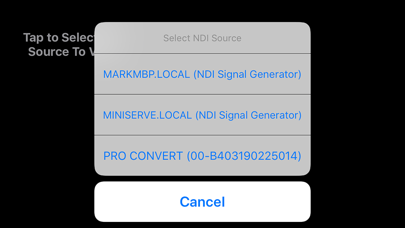
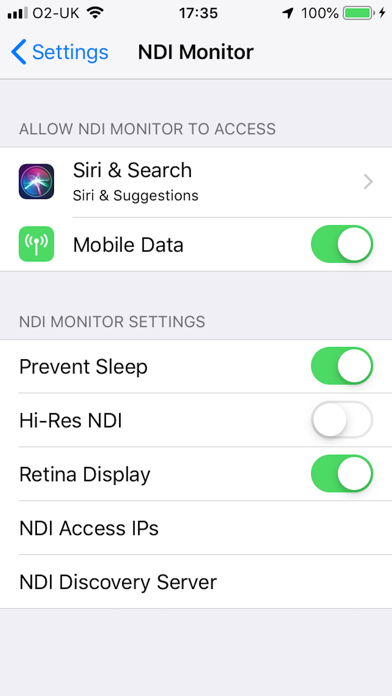
Professional NDI Monitor from global IP Video leaders Sienna. NDI sources on your local subnet are presented in a pop up menu to select, when you tap on the screen. If you enter additional 'NDI Access' IP Addresses from other subnets into the system prefs panel for NDI Monitor, those NDI sources may also be accessed. Includes support for NDI Discovery server (see app settings), resolution control, video flip for autocue and control of NDI network Protocol for reliability. A preference allows 9x16 streams to be shown in portrait mode for social media production workflows. Notes: A very stable WIFI connection, or a wired ethernet connection are required for smooth playback of NDI Streams. Using a directional WIFI antenna and using the sweet spot of your wifi can help. If you experience glitching of audio or dropped video frames, the problem is very likely a wifi connection which is insufficiently stable to support smooth NDI video to iOS - in this case please try a wired ethernet to lightning adaptor. You should not expect perfect performance when selecting Hi Resolution NDI - which is offered as an experimental mode for users with very fast devices, on very fast, clean network connections. In some cases you may see great results in hi res. There are preferences in the System Settings app for NDI Monitor to setup application options. You can also use the app NDI Scanner as a stream selector - it will open NDI Monitor when you click on a selected stream. You can also now set the NDI Device name, required for multi device operations with iOS17 NB. This app does not support NDI | HX1 format streams - only NDI full bandwidth format or NDI HX2/3 Set the "NDI Device Name" in the app settings if you are using multiple devices on the same network - to give them unique names.


