Notability: AI Notes & PDF app
Screenshots



Estimates
low confidenceASO analysis
Tight against the limit — verify it doesn't truncate on small screens.
Solid length. Make sure the first 252 chars hook the reader.
Used by similar apps in your niche, but not in your title or description. Adding these (where genuinely relevant) can broaden your search reach.
Words you and your peers both use. Confirms positioning in this niche.
Keyword rankings
iTunes Search · top 200About
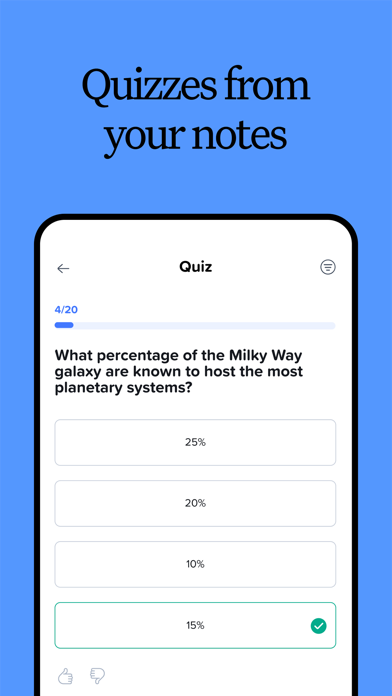
From your first lecture to your next big meeting, Notability helps you think, learn, and work better. Take handwritten notes, annotate documents, record audio, and stay organized in one place so your ideas are always clear, searchable, and ready when you need them. FREE DIGITAL NOTES FOR WORK & SCHOOL • Write, type, or sketch with digital ink, highlighters, and text tools. • Mark up anything: PDFs, textbooks, lecture slides, images, and more. • Combine handwriting, typed text, images, diagrams, and sketches on the same page. • Stay organized with customizable folders and subjects that grow with you. FOR PROFESSIONALS: WORK SMARTER AND SAVE TIME • Mark up documents, capture meetings, organize ideas, and present with confidence. • Import and handwrite on any document: PDFs, DOCs, presentations, reports, and more. • Fill out forms in the office or on a job site. • Combine handwriting, text, photos and documents in one place. • Record calls and meetings to transcribe voice in real-time. Audio is synced to your notes so nothing is missed. • Receive automated meeting notes, takeaways, and summaries. • Search handwriting, transcripts, text, and PDFs to quickly revisit decisions and action items. • Present notes, documents, and ideas in full screen, with a laser pointer to guide attention. • View and edit two notes side-by-side to stay focused and productive. • Share a PDF of your note in one tap. FOR STUDENTS: STUDY SMARTER AND ACE EXAMS • Take handwritten notes digitally or annotate lecture slides or your textbooks. • Record lectures and get instant audio transcripts and real-time summaries in your notes. • Audio recordings are synced to the exact moment you write in a note — perfect for lectures. • Import lecture slides, textbook PDFs, and assignments into organized folders and subjects. • Search across handwriting, typed notes, and transcripts to instantly find content from classes. • Study content from your note with personalized quizzes and flashcards to practice with active recall. • Chat with your notes to review concepts, clarify ideas, and prepare for exams. WORK YOUR WAY • Seamlessly switch between handwriting and typing. • Import files instantly and keep everything connected. • Share notes easily to collaborate or get feedback when needed. • Access your notes across iPad, iPhone, Mac, and the web. • Create beautiful notes using templates from the Notability Gallery. UPGRADE TO A NOTABILITY SUBSCRIPTION Notability is free to use. With an upgraded subscription, you can receive: • Unlimited note-taking • AI-powered productivity and study tools • Handwriting recognition and math conversion • Live Audio transcripts • Auto-backup and iCloud sync Download for free on iPad, iPhone, Mac, and web. Privacy Policy: notability.com/privacy Terms of Service: notability.com/terms