Now Then Time Tracking Pro
Screenshots
ASO analysis
Good use of the title field.
Solid length. Make sure the first 252 chars hook the reader.
Used by similar apps in your niche, but not in your title or description. Adding these (where genuinely relevant) can broaden your search reach.
Words you and your peers both use. Confirms positioning in this niche.
Keyword rankings
iTunes Search · top 200About
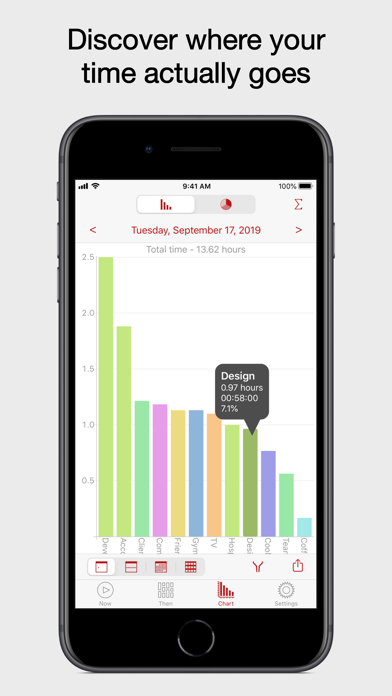
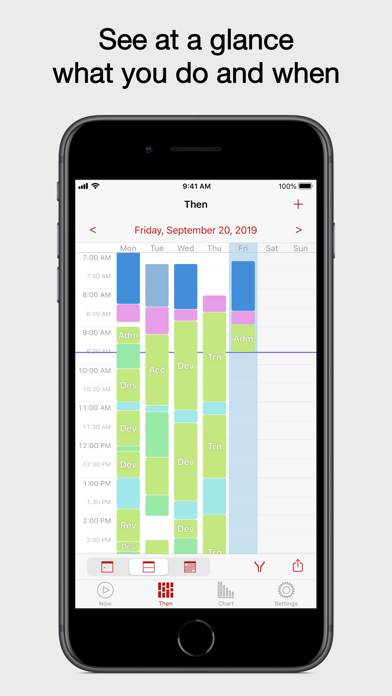
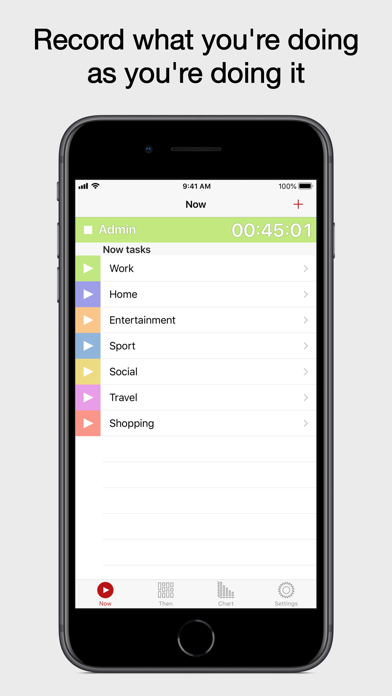
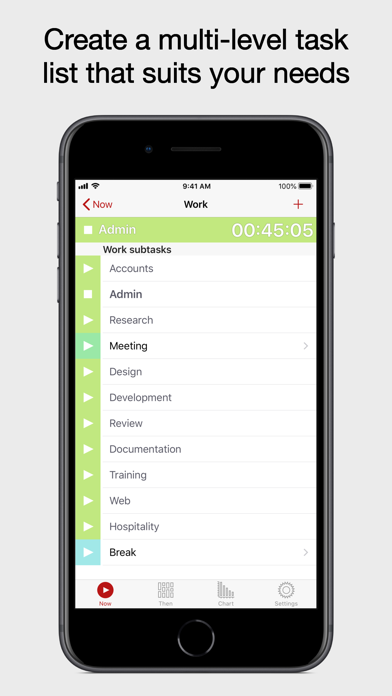
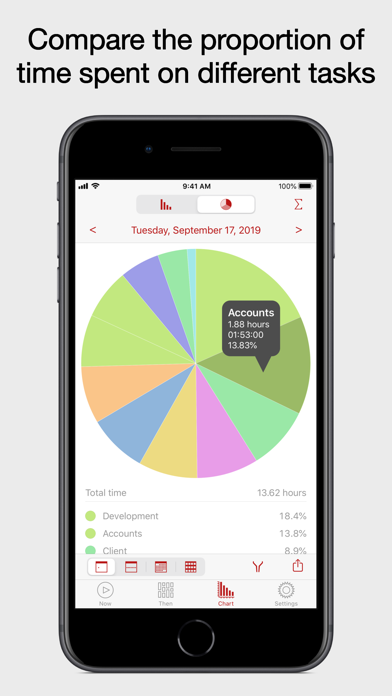
Are you spending lots of your time on low value tasks? You might find your time doesn't get spent where you think it does. First, measure where your time goes, then reduce, or eliminate your biggest time wasting tasks. Use the knowledge acquired to improve your habits, and then see this feed through in terms of actual results. Recording this information also makes completing work time sheets a breeze, and over time lets you see what can be done to improve your productivity. RAPID, EASY TIME TRACKING • Simple and focused time keeper. Focused on tracking time, and nothing else. • We do not complicate the interface by trying to do too many things in one place. • Record the hours worked on your important tasks, clocking in and out with ease. • Accurately track how your time is spent. • Quickly change the current task you're recording. • Use a task list that suits you. We do not prescribe the structure of your task list. • The task list is hierarchical and can be as flat and simple, or as deep and complex as you wish. • Stays out of your way. You are in and out quickly, with the minimum number of taps. • Use of the keyboard is kept to a minimum. IMPROVED PRODUCTIVITY • Use the crisp, colourful charts to quickly identify misused time. • Use the knowledge gained to make the changes required to boost your productivity. • Find out where your time actually goes, rather than scheduling what you expect to do. FEATURES • Now View - A simple, rapid task selector for recording what you are doing now. - Simply tap to start and stop tasks, or tap on another to switch to it immediately. - Edit the task list as you go using Now. - Order tasks how you want. - Move entire branches from one part of the list to another by changing the parent task. • Then View - What you were doing, and when. - View by day, week or month. - A visual log of how your time was spent. - Edit recorded events. - Or add forgotten events afterwards. • Chart View - See the proportion of time spent on each task, or group of tasks. - View bar charts and pie charts by day, week, month, or year. • Filter both Then and Chart by task, date, or by time. • Remind Me - It can be tricky remembering to record what you're doing, especially when you're busy. - Use Remind Me to be notified on a regular interval that a task is still recording. - You can also be reminded when you’re not recording anything. • Share Images - Share via Mail, Messages, and social services such as Facebook or Twitter. - Save to Photos, copy and paste into another app, or print directly. • Share Data - Use Open in… to open images and data in other apps. - Open in apps like Dropbox for cloud storage, or open a data file directly in Excel. - Open in… works with any apps that open CSV files, or PNG images. • iCloud Sync - Keeps your data in sync across all your iOS devices. • Backup and Restore - Make your own backups and store them externally. - This is in addition to the backups you get by using iCloud sync. • Designed for iPhone, iPod touch and iPad. USES • Low-value task identification • Project Time Tracker • Timesheet Assistant • Study Tracker • Work Log Book • Activity Timer Get Now Then Pro today and find out where your time really goes. To try it out first for free, tap on Related above and get basic version.