AppScoutAppScout.gallery
Photo Summary icon
Photo & Video

Photo Summary

by Isaac Insoll
Rating3.6(13)
Price$3.99
Updated3d ago
Released6y ago
Latest rank
#69
Top Paid · Photo & Video
Rank change
↓ 52
vs last refresh
Rank history
Movement appears after the next data refresh.
Charting in:GB·Top Paid#69↓52

Screenshots

Photo Summary screenshot 1Photo Summary screenshot 2Photo Summary screenshot 3

Estimates

low confidence
Downloads / month
152K–913K
Chart-rank signal only
Revenue / month
$425K–$2.6M
After Apple's 30% cut

ASO analysis

Title13 / 30
Photo Summary

Good use of the title field.

Description1,081 / 4,000
6 paragraphs · 27% of limit used

Could go longer. The first 252 chars are above-the-fold; everything else still indexes.

Top keywords in your description
camera×4photo×4settings×3add×2community×2features×2image×2quickly×2roll×2save'×2shared×2ability×1
Keyword opportunities

Used by similar apps in your niche, but not in your title or description. Adding these (where genuinely relevant) can broaden your search reach.

photos10 peerseffects8 peersshare7 peersapply6 peerscrop6 peerseditor6 peersfilters6 peersgreat6 peersiphone6 peerstext6 peers
Shared niche keywords

Words you and your peers both use. Confirms positioning in this niche.

add9 peersphoto9 peersbeautiful7 peerscamera7 peersfeatures7 peersimages7 peerscreate6 peersimage6 peerssave6 peersadjust5 peers

Keyword rankings

iTunes Search · top 200
Keyword tracking starts automatically for apps on the top charts — ranks appear after the next data refresh. Manual tracking for search-only and niche apps coming soon.

About

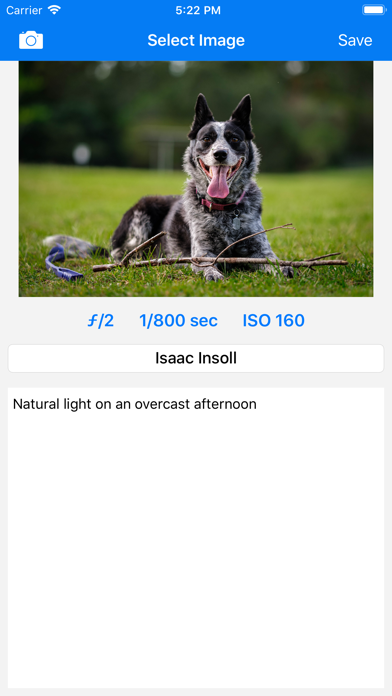
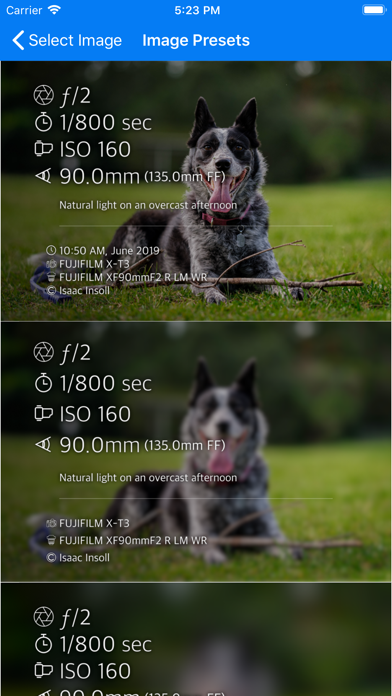
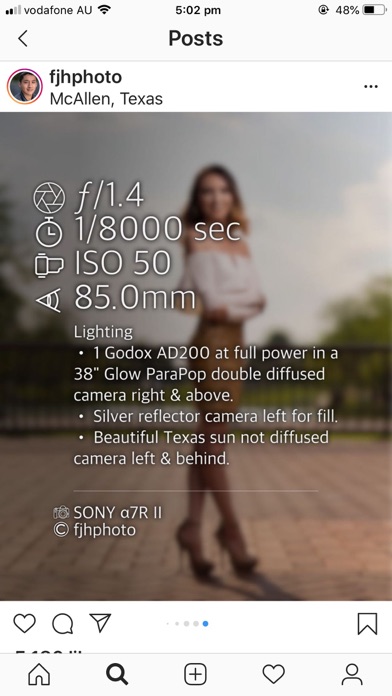
Photo Summary allows you to quickly and easily create beautiful images containing the camera settings used to take the photo. How to use: 1. Select a photo from your camera roll (perhaps previously downloaded via AirDrop Google Drive) 2. Add any notes or adjust settings if necessary then click 'Save' 3. Choose your favourite option from the list of designs and it will be saved to your camera roll. This app was inspired by the camera settings being shared in groups such as "Learn to Light - An OCF Lighting Community". Features coming soon: - iPad Support - Ability to edit presets *PRICING NOTE:* This is a once-off purchase. I will never ever add any in-app purchases, subscriptions, advertisements or anything like that. I'm a photographer trying to give back to the community that has shared so much and will keep this app updated with new features as quickly as I can. Ways that don't work: The app reads the EXIF metadata in your image which is not part of the image if you: - Use a screenshot of your photo - Use 'Save For Web' in photoshop (normal 'Save' works)

01
Photo Editor icon
Photo Editor
Maple Media Apps, LLC
4.6
02
Camera+ Legacy icon
Camera+ Legacy
LateNite Apps
4.3
03
Photo Editor- icon
Photo Editor-
Axiem Systems
4.6
04
PhotoPills icon
PhotoPills
PhotoPills S.L.
4.8
05
Photo Editor+ icon
Photo Editor+
Axiem Systems
4.5
06
PhotoPanel: Photo Frame icon
PhotoPanel: Photo Frame
ROBIN SCHONWALD
5.0
07
Snapseed: Photo Editor icon
Snapseed: Photo Editor
Google
4.9
08
Photoleap: AI Photo Generator icon
Photoleap: AI Photo Generator
Lightricks Ltd.
4.7
09
Photo Scanner Plus icon
Photo Scanner Plus
Photomyne LTD
4.7
10
Photo Lab PROHD picture editor icon
Photo Lab PROHD picture editor
Linerock Investments LTD
4.8