

Power Focus - Work Break Timer
Screenshots



ASO analysis
Tight against the limit — verify it doesn't truncate on small screens.
Could go longer. The first 252 chars are above-the-fold; everything else still indexes.
Used by similar apps in your niche, but not in your title or description. Adding these (where genuinely relevant) can broaden your search reach.
Words you and your peers both use. Confirms positioning in this niche.
Keyword rankings
iTunes Search · top 200About
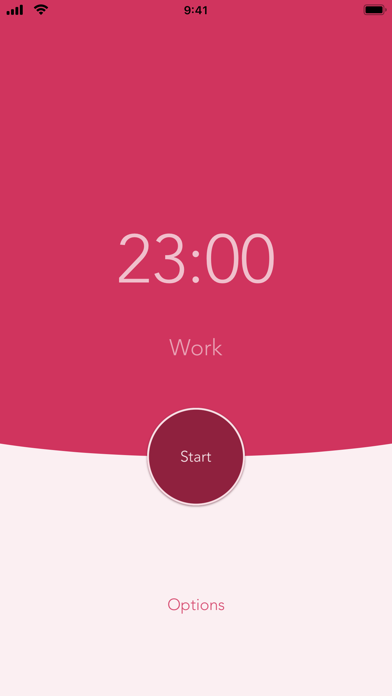
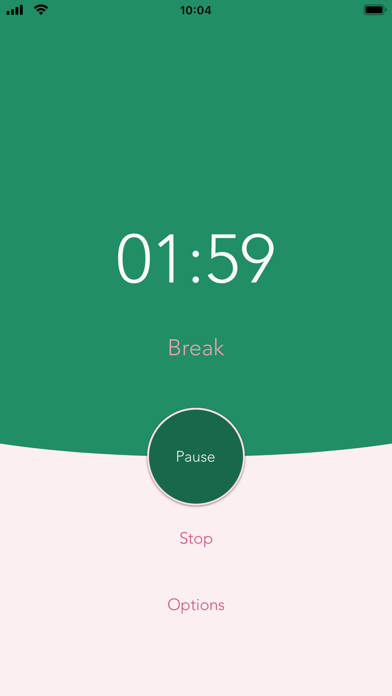
Beat procrastination by working in manageable amounts of time! Boost your productivity and focus on your tasks with Power Focus, the easiest to use countdown timer. [Phone features] * Customize your work session timer length * Customize your regular & long break lengths * View daily & all-time completed work session stats * Interactive notifications (Continue, Pause, or Stop current timer) * More customization choices in Options * Haptic Feedback (if your device supports it) * Use Siri Shortcuts (iOS 12) to start your timer * Dark Mode (iOS 13) support [Watch features] * Apple WatchOS support * Perform actions (Start / Pause / Resume / Stop) from either the watch or phone and continue on either device when in range * Use the digital crown to set work duration * Haptic feedback & timer transition animations * Note: watch is best used with phone to receive notifications [How it works] Use the intervals to get tasks done and give yourself a break in between tasks. Power Focus allows you to easily control the timer at your own pace. You can also customize the timer lengths for shorter work sessions, longer breaks, and more. Take a longer break after a few completed sessions. Keep track of daily and all-time completed work sessions. Get more work done by focusing on your job in manageable chunks of time. [Privacy] If you upgrade to Pro, our app does not run third party tracking to show ads. The free version may run ads to support ongoing development. [About] Power Focus is designed, built, and maintained in California. We'd love to know how we can improve your experience, so please contact us at support@fastrobo.co or tweet us @FastRobo.


