

Screen Recorder - Stream Games
Screenshots




ASO analysis
Tight against the limit — verify it doesn't truncate on small screens.
Solid length. Make sure the first 252 chars hook the reader.
Used by similar apps in your niche, but not in your title or description. Adding these (where genuinely relevant) can broaden your search reach.
Words you and your peers both use. Confirms positioning in this niche.
Keyword rankings
iTunes Search · top 200About
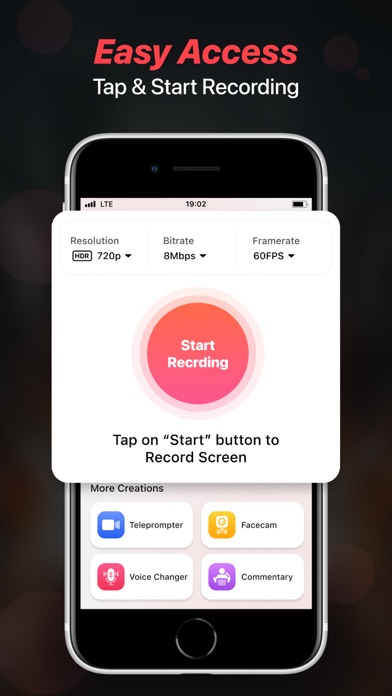
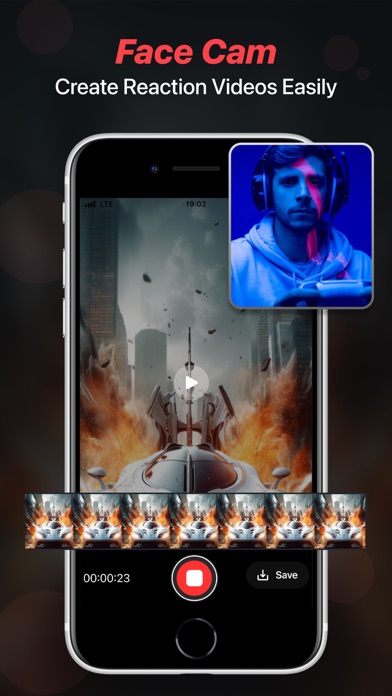
Facecam Record-Screen Recorder records everything in High-Definition without limits. Start recording with one tap. Use Teleprompter feature to quickly make your videos using auto running scripts and never forget what you have to say while recording a video. You can write your own script or generate one by using the advanced Chatgpt service. Features Highlights - Screen Recorder, Teleprompter, Voice Changer, Face Cam & Add Commentary. Key Features in Facecam- Screen Recorder & Teleprompter - Record videos in 1080p. You can also change your resolution manually. - Let's set your bitrate. - Record awesome videos in 60FPS - Add audio & music to recordings & videos. - Add filters, effects & transitions to your recordings. - Use Screen Recorder in 11 Languages from around the world. - Change the orientation of screen to Portrait or Landscape. - Set recording duration or record without limits. - Ability to change the resolution of Facecam. - Share your recordings on social media and become a star. - Use Teleprompter so you don't need to remember your script - React on Videos using the Facecam feature - Record Videos & Change Voice using Voice Changer - Add your Commentary to videos - Use Chatgpt AI Assistant to generate scripts Screen Recorder - This feature gives you direct access to record anything quickly and you can use different resolution, bitrate & framerate. It gives you an option to record screen in HD using resolution of upto 1080 HD, 12 MBPS bitrate & 60 FPS framerate. Teleprompter - This feature lets you create videos while reading your script that will appear while recording, you can write your own script or generate one using the Chatgpt service. Face Cam - Easily react to videos to add your views on them and share them on multiple social media platforms like - Instagram, Facebook, WhatsApp or Snapchat etc. Voice Changer - With this amazing feature, you can easily change voice for your audio or video recordings. You get multiple voice changing option to add to your audio or video. Commentary - Add your comments to recorded videos or record a new one with your views on it and share them on other platforms. Some of the data we collect - Device-specific information such as device model, OS version being used. This provides knowledge of how our application is being used so we can improve the user experience and the app itself. - We collect anonymized data such as statistics, analytics, insights about your activity in order to provide you a reliable and high-quality experience. - Payment data & an optional Email (if using paid Services). Premium plans Length & Price Yearly - $79.99 Monthly - $9.99 Benefits you get by upgrading to premium plans: - No Ads Interruption - Unlimited access to premium features Subscription Info - The user can cancel their subscription at any time by going into iTunes and App Store Apple ID Settings. - All prices include applicable local sales taxes. - Payment will be charged to your iTunes Account after confirmation of purchase. - Subscription automatically renews at least 24-hours before the end of the current period. - The user's account will be charged for renewal within 24-hours before the end of the current period. Privacy Policy: https://www.q4umobileapps.com/web/screenrecorderios/privacy-policy Terms of use: https://www.q4umobileapps.com/web/screenrecorderios/tandc EULA: https://www.q4umobileapps.com/web/screenrecorderios/eula


