AppScoutAppScout.gallery
Smart Receipt Scanner & Export icon
Finance

Smart Receipt Scanner & Export

by Afriwan Ahda
Rating0.0(0)
PriceFree
Updated2mo ago
Released6mo ago
Latest rank
Not tracked yet
Rank change
Not tracked yet
Rank history
Movement appears after the next data refresh.

Screenshots

Smart Receipt Scanner & Export screenshot 1Smart Receipt Scanner & Export screenshot 2Smart Receipt Scanner & Export screenshot 3Smart Receipt Scanner & Export screenshot 4Smart Receipt Scanner & Export screenshot 5Smart Receipt Scanner & Export screenshot 6

ASO analysis

Title30 / 30
Smart Receipt Scanner & Export

Tight against the limit — verify it doesn't truncate on small screens.

Description1,367 / 4,000
5 paragraphs · 34% of limit used

Could go longer. The first 252 chars are above-the-fold; everything else still indexes.

Top keywords in your description
export×5receipt×5ai-powered×4csv×3currencies×3extract×3ocr×3receipts×3xlsx×3automatically×2budgeting×2category×2

Keyword rankings

iTunes Search · top 200
Keyword tracking starts automatically for apps on the top charts — ranks appear after the next data refresh. Manual tracking for search-only and niche apps coming soon.

About

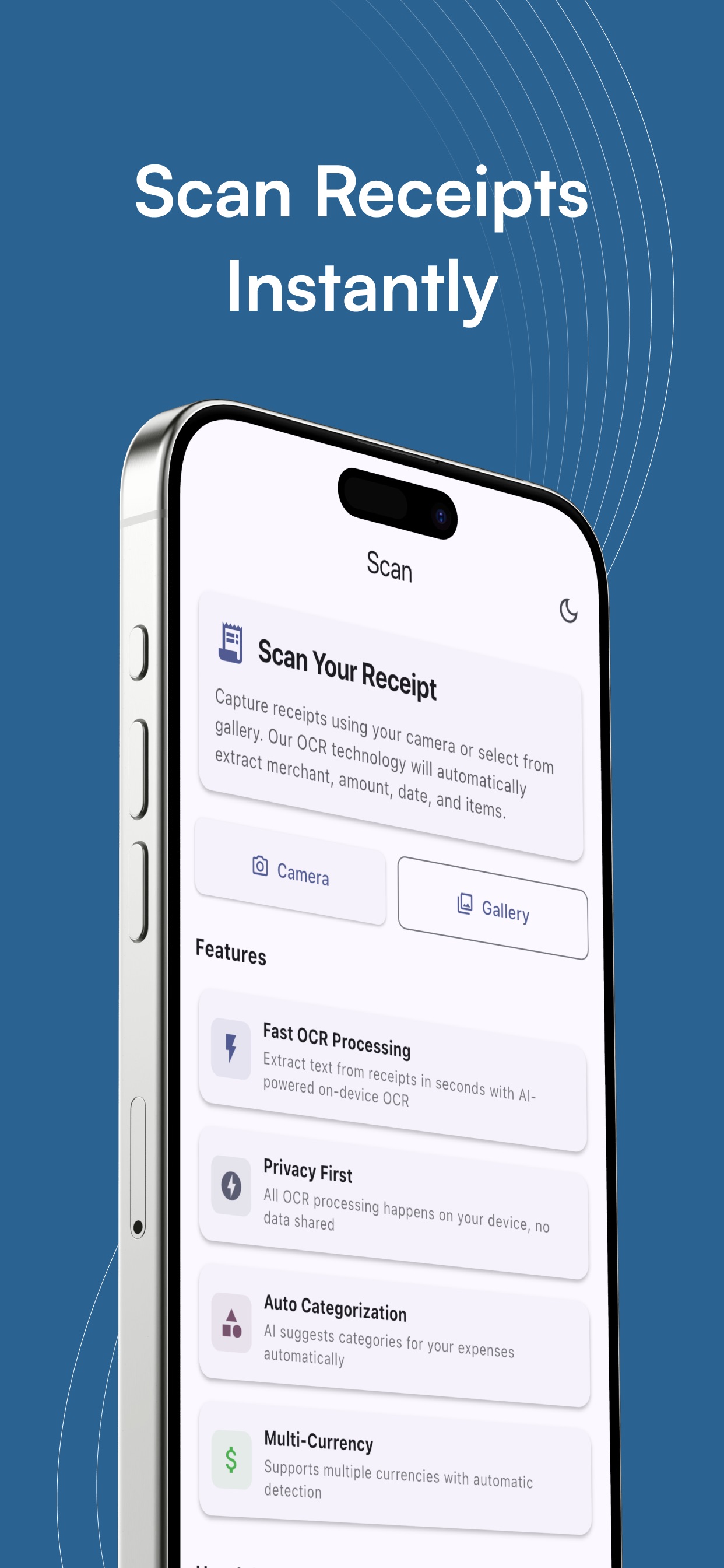
Turn paper receipts into organized, searchable data in seconds. Smart Receipt Scanner & Export uses AI-powered on-device OCR to extract merchant names, dates, totals, and currencies—then automatically suggests categories using AI. Review, edit, and export to CSV/XLSX with one tap. Why you’ll love it • AI-powered OCR: Extract text from receipts in seconds with AI-powered on-device OCR • AI category hints: Auto-categorize expenses instantly • Multi-currency support: Detects and formats local currencies • Receipt history: Edit and organize your scans easily • Receipt photos: keep images alongside entries (premium) • Export ready: Create CSV/XLSX reports for budgeting or reimbursement • Privacy-friendly: No sign-in, no cloud upload—your data stays on device Perfect for • Personal budgeting & expense tracking • Business reimbursements & tax prep • Freelancers and small businesses • Travelers consolidating receipts in multiple currencies Key features • Scan via camera or import from gallery • Extract merchant, date, subtotal, tax, and total automatically • Smart category suggestions (AI-powered) • Multi-currency & flexible number parsing • Delete receipt history • Export to CSV/XLSX and share • Premium: unlocks full export options and expanded receipt photo management. Terms of Use: https://www.apple.com/legal/internet-services/itunes/dev/stdeula/

More in Finance

See all in Finance
01
Venmo icon
Venmo
Venmo
4.8
02
Capital One Mobile icon
Capital One Mobile
Capital One
4.8
03
Wells Fargo Mobile® icon
Wells Fargo Mobile®
Wells Fargo
4.9
04
Chase Mobile®: Bank & Invest icon
Chase Mobile®: Bank & Invest
JPMorgan Chase & Co.
4.8
05
Cash App icon
Cash App
Block, Inc.
4.8
06
Intuit Credit Karma icon
Intuit Credit Karma
Credit Karma, Inc.
4.8
07
PayPal - Pay, Send, Save icon
PayPal - Pay, Send, Save
PayPal, Inc.
4.8
08
Discover Mobile icon
Discover Mobile
Discover Financial Services
4.9
09
Bank of America Mobile Banking icon
Bank of America Mobile Banking
Bank of America
4.8
10
Robinhood: Trading & Investing icon
Robinhood: Trading & Investing
Robinhood Markets, Inc.
4.3