AppScoutAppScout.gallery
Task Manager & To Do - Docka ؜ icon
Productivity

Task Manager & To Do - Docka ؜

by Aleksei Neiman
Rating0.0(0)
PriceFree
Updated4d ago
Released4d ago
Latest rank
Not tracked yet
Rank change
Not tracked yet
Rank history
Movement appears after the next data refresh.

Screenshots

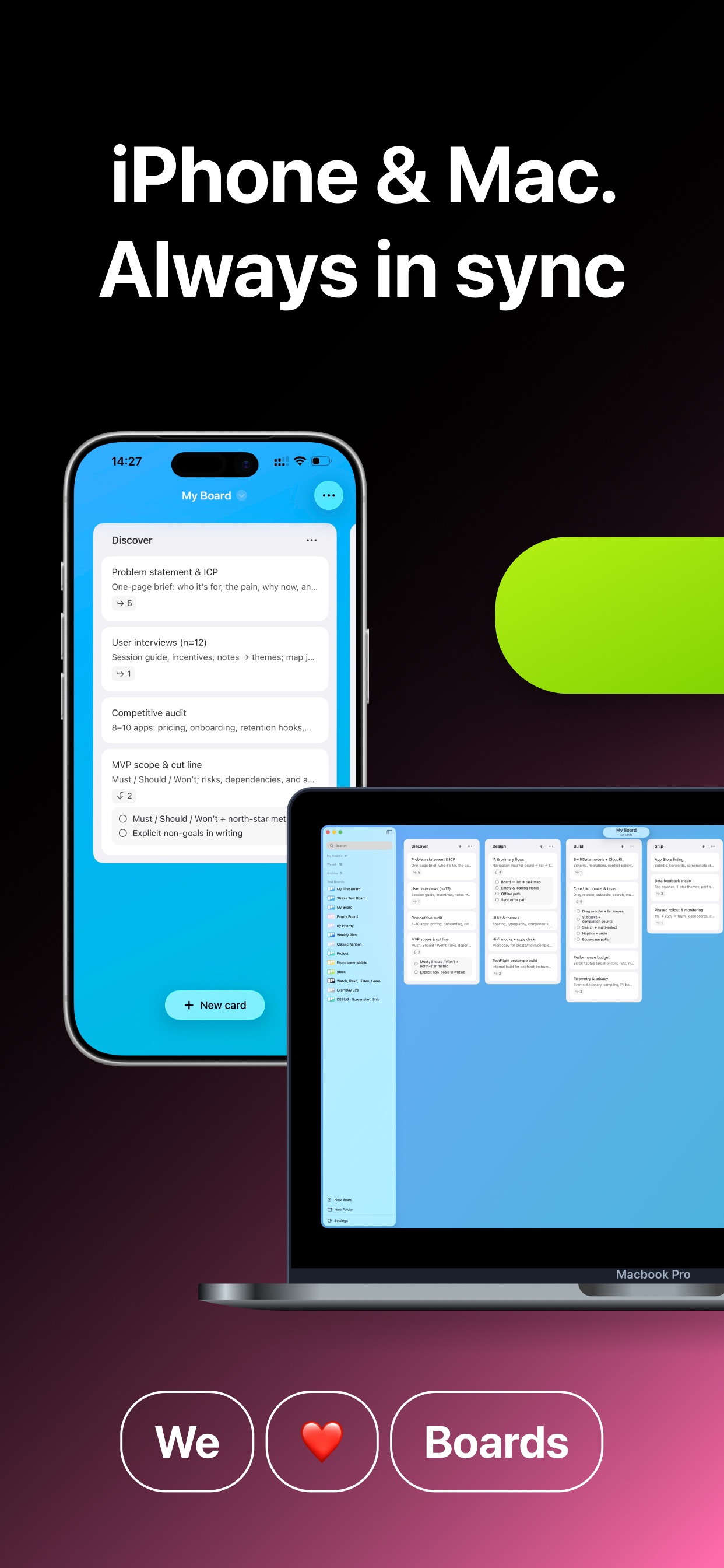
Task Manager & To Do - Docka ؜ screenshot 1Task Manager & To Do - Docka ؜ screenshot 2Task Manager & To Do - Docka ؜ screenshot 3

ASO analysis

Title30 / 30
Task Manager & To Do - Docka ؜

Tight against the limit — verify it doesn't truncate on small screens.

Description974 / 4,000
4 paragraphs · 24% of limit used

Could go longer. The first 252 chars are above-the-fold; everything else still indexes.

Top keywords in your description
boards×3board×2cards×2day×2docka×2keep×2lists×2task×2work×2across×1add×1apple×1
Keyword opportunities

Used by similar apps in your niche, but not in your title or description. Adding these (where genuinely relevant) can broaden your search reach.

list7 peersto-do7 peersmanagement6 peersreminders6 peerssimple6 peersautomatically5 peersdaily5 peersfeatures5 peersinterface5 peersnotifications5 peers
Shared niche keywords

Words you and your peers both use. Confirms positioning in this niche.

task9 peerstasks9 peersmanager8 peersadd6 peersday6 peersneeds6 peersstay5 peerskeep4 peersplace4 peersprogress4 peers

Keyword rankings

iTunes Search · top 200
Keyword tracking starts automatically for apps on the top charts — ranks appear after the next data refresh. Manual tracking for search-only and niche apps coming soon.

About

Docka is more than a task manager — it’s a calm workspace where tasks, ideas, and knowledge live together, so you can move away from scattered notes and keep plans and thinking structured in one place. Think of it as turning chaos into clarity: boards that match how you work, with flexible lists you shape like columns on each board. Open a card when you need more than a title — add rich descriptions and break work down with expandable checklists and subtasks when a task needs more structure. Choose themes and backgrounds so each board feels intentional rather than generic. Your boards stay up to date across Apple devices with iCloud, whether you’re on iPhone or continuing later on Mac. When boards grow, search helps you find the right cards quickly, and you can show or hide completed cards to keep lists readable as you make progress. If you have feedback, email us at neumandev@gmail.com — we improve Docka fastest when people share what they need day to day.

01
To-Do & Task Manager - TaskFly icon
To-Do & Task Manager - TaskFly
Rita Noroyan
4.3
02
TaskBox - Task Manager icon
TaskBox - Task Manager
Usama Ahsan
0.0
03
Today - Task Manager icon
Today - Task Manager
Chi Trung Tran
4.2
04
Todois: Task Manager icon
Todois: Task Manager
Alper Ismet SULUN
0.0
05
TaskFrame | Task Manager icon
TaskFrame | Task Manager
Bradley Rothbaum
5.0
06
TaskMind: To Do List & Planner icon
TaskMind: To Do List & Planner
Robin Guido Schmidt
4.7
07
ToDo List - Task manager list icon
ToDo List - Task manager list
Komorebi Inc.
4.7
08
Sol.App - ToDo, Task Manager icon
Sol.App - ToDo, Task Manager
Rostislav Maslov
5.0
09
3 Daily Tasks Manager icon
3 Daily Tasks Manager
Faisal Islam
5.0
10
Trello: Daily Task Tracker icon
Trello: Daily Task Tracker
Trello, Inc.
4.3