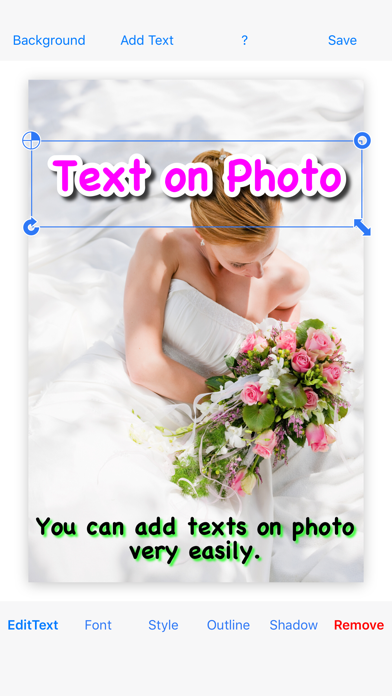
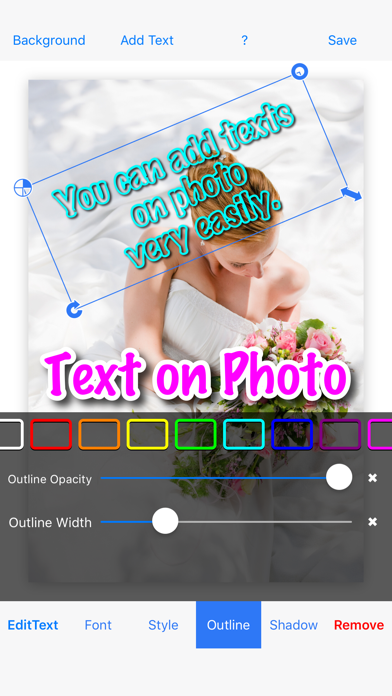
Text on Photo
Screenshots
ASO analysis
Good use of the title field.
Very short — Apple's algorithm has little to index. Aim for 1000+ chars.
Used by similar apps in your niche, but not in your title or description. Adding these (where genuinely relevant) can broaden your search reach.
Words you and your peers both use. Confirms positioning in this niche.
Keyword rankings
iTunes Search · top 200About
◇ Text on Photo lets you add multiple decorated texts to your photos—quickly and easily. ◇ This is the paid, ad-free version. ◇ Features - Many different fonts - Add multiple texts on one photo - Add an outline - Edit shadow ◇ How to use 1. Tap “Background” to add a photograph 2. Tap “Add Text” to add a text 3. Edit the color/style, font size, and font name 4. Add an outline to the text 5. Resize, rotate, and move the text (Repeat steps 2–5 as needed) 6. Tap “Save”