AppScoutAppScout.gallery
Time : Calculator++P icon
Productivity

Time : Calculator++P

by YUTAKA KENJO
Rating5.0(3)
Price$1.99
Updated1y ago
Released4y ago
Latest rank
#88
in Productivity
Rank change
First data point — change appears after the next refresh
Rank history
Movement appears after the next data refresh.

Screenshots

Time : Calculator++P screenshot 1Time : Calculator++P screenshot 2Time : Calculator++P screenshot 3Time : Calculator++P screenshot 4Time : Calculator++P screenshot 5

ASO analysis

Title20 / 30
Time : Calculator++P

Good use of the title field.

Description1,268 / 4,000
14 paragraphs · 32% of limit used

Could go longer. The first 252 chars are above-the-fold; everything else still indexes.

Top keywords in your description
minutes×7add×4calculate×4hours×4time×4calculation×3calculations×3history×3application×2automatically×2check×2keys×2
Keyword opportunities

Used by similar apps in your niche, but not in your title or description. Adding these (where genuinely relevant) can broaden your search reach.

features8 peersmultiple6 peersyou're6 peersdesigned5 peersdifferent5 peerseasy5 peerstoday5 peerstrack5 peerswhether5 peersactivities4 peers
Shared niche keywords

Words you and your peers both use. Confirms positioning in this niche.

time9 peerscalculator7 peerscalculations6 peershistory5 peershours5 peersadd4 peerscalculation4 peersmemory4 peersquickly4 peerschoose3 peers

Keyword rankings

iTunes Search · top 200
Keyword tracking starts automatically for apps on the top charts — ranks appear after the next data refresh. Manual tracking for search-only and niche apps coming soon.

About

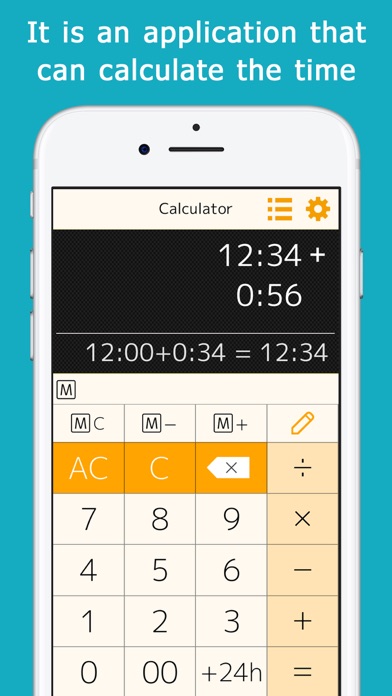
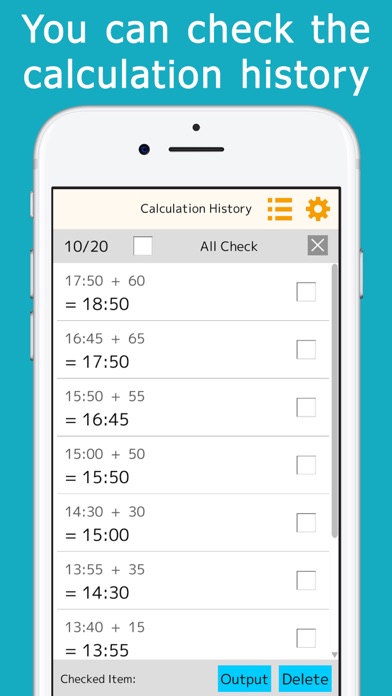
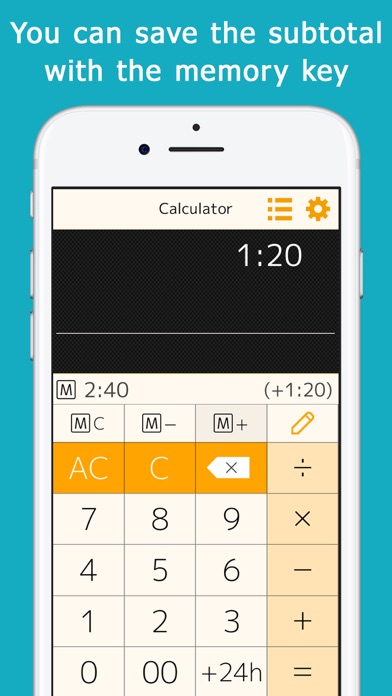
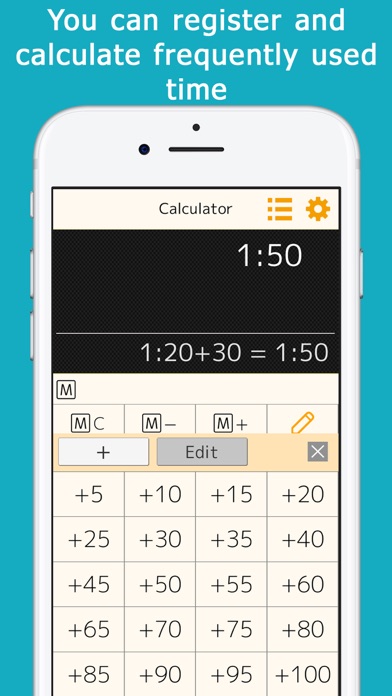
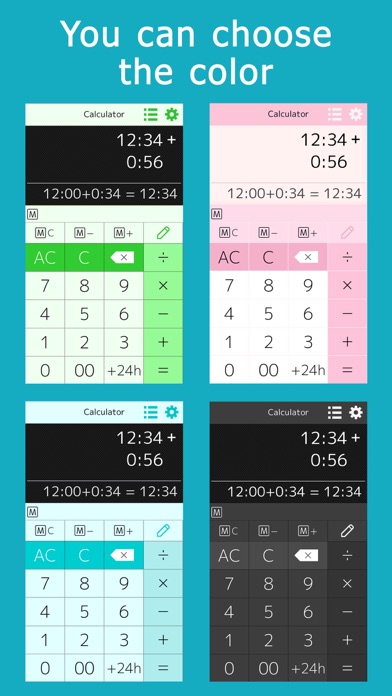
This application allows you to calculate time (hours and minutes). You can calculate things like 1:30+0:50. When you enter a number, ":" is automatically inserted to separate the hour and minute, so you can calculate quickly. This is useful for calculating total work hours, time spent on daily errands, and travel time. You can add, subtract, multiply, and divide. The calculation history is automatically saved, so you can check it later. A memory key is provided, allowing you to save and add subtotals. Minutes that are often used for calculations (15 minutes, 30 minutes, etc.) can be registered and used for one-touch addition. A button to add 24 hours is provided for calculations when crossing days. It comes in a variety of colors such as orange, green, cyan, pink, and black, and you can choose the one you like best. [ List of functions ] You can calculate hours and minutes, or minutes and seconds. You can check the calculation history, and touch the answer displayed in the history to reuse it for calculations. The memory keys can be used to save, add, and subtract subtotals. By setting the preset keys, you can use the most frequently used time (minutes) for calculation with a single touch. The color of the application can be selected.

01
Calc Tape Calculator Pro icon
Calc Tape Calculator Pro
Ashok Patel
0.0
02
Calculator Speed Distance Time icon
Calculator Speed Distance Time
Maksims Kirhensteins
5.0
03
Date & Time Calculator(Finder) icon
Date & Time Calculator(Finder)
SACHIN SABU
4.8
04
Calzy icon
Calzy
Raja V
4.7
05
OneCalc+ All-in-one Calculator icon
OneCalc+ All-in-one Calculator
tasser gyati
4.7
06
Speed Distance Time Calculate icon
Speed Distance Time Calculate
Kantaben Gorasiya
5.0
07
MyScript Calculator icon
MyScript Calculator
MyScript
4.5
08
Time Tracker icon
Time Tracker
Christopher Scott
1.0
09
SaveMyTime - Time Tracker icon
SaveMyTime - Time Tracker
SAVEMYTIME SP Z O O
5.0
10
Time-Tracker! icon
Time-Tracker!
Juan Casanueva
5.0