TurboScan™ Pro: PDF scanner
Screenshots


ASO analysis
Good use of the title field.
Solid length. Make sure the first 252 chars hook the reader.
Used by similar apps in your niche, but not in your title or description. Adding these (where genuinely relevant) can broaden your search reach.
Words you and your peers both use. Confirms positioning in this niche.
Keyword rankings
iTunes Search · top 200About
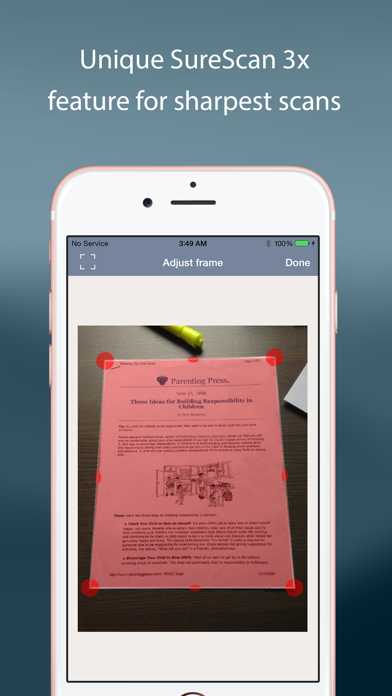
TurboScan turns your iPhone into a full-featured and powerful scanner for documents, receipts, books, photos, whiteboards, and more. You can quickly and accurately scan your multipage documents in high quality PDFs or JPEGs, name, organize and send them anywhere. • Featured in The NY Times, CNN Money and The Telegraph. • “Absolutely the best... I've tried other scanner apps and this one is the only way to go. Never going back to the other apps… TurboScan sets the standard for scanning apps.” - User review. • “…Would recommend this flawless and incredibly useful and perfectly executed app” - User review. TurboScan uses advanced and fast algorithms to accurately detect document edges, straighten them (correct perspective), eliminate shadows and set a perfect contrast for black on white text. Color and photo modes are also available. TurboScan boasts a powerful yet easy to use interface. Our handy "Email to myself" feature lets you quickly send documents with one tap. TurboScan also offers SureScan, our proprietary scanning mode for sharper scans (especially useful in low-light conditions.) SureScan automatically takes three pictures of the same document, giving you a guaranteed perfect result every time. We do not collect any data from TurboScan and all scanning happens on your iPhone. The confidentiality of your data is never compromised. TURBOSCAN FEATURES: • Automatic document detection and capture with perspective correction • Features SureScan for the sharpest scans • Document naming, folder organization and smart search • “Email to myself” feature for quick, regular emails • Add and reorder pages at any time • Arrange multiple receipts or cards on a single PDF page for printing, easy viewing, etc. • Send faxes using our Turbo Fax app • Easily email & message documents or separate pages as PDF & JPEG • Save documents or pages to Photos • Face/Touch ID & passcode lock for increased security • Upload, auto-upload or backup documents to iCloud Drive • Open PDFs or JPEGs in Google Drive and other PDF cloud apps • Combine scans via Merge or copy & paste separate pages • Conveniently AirDrop documents to your Mac and other devices • Print documents via AirPrint • Ultra-fast scanning (under 3 seconds per page) • Features VoiceOver for visually impaired users • We do not collect any user data in TurboScan TIPS ON SCANNING • Make sure your document is flat. • Use flash in low light conditions, but avoid glare with glossy documents. We support Ukraine. We're constantly improving TurboScan, and we value our customers' opinions and feedback. Please email us at support@turboscanapp.com with any questions or suggestions. Thank you!