
AppScoutAppScout.gallery
xWind icon
Utilities

xWind

by Jan Bloemendaal
Rating4.6(539)
Price$0.99
Updated2y ago
Released6y ago
Latest rank
#74
in Utilities
Rank change
First data point — change appears after the next refresh
Rank history

Screenshots

xWind screenshot 1xWind screenshot 2xWind screenshot 3xWind screenshot 4xWind screenshot 5xWind screenshot 6xWind screenshot 7xWind screenshot 8

Estimates

low confidence
Downloads / month
21K–213K
Chart-rank signal only
Revenue / month
$15K–$148K
After Apple's 30% cut

ASO analysis

Title5 / 30
xWind

Short title. You're leaving keyword space on the table.

Description1,318 / 4,000
6 paragraphs · 33% of limit used

Could go longer. The first 252 chars are above-the-fold; everything else still indexes.

Top keywords in your description
wind×18current×5limits×5speed×5screen×4based×3course×3kts×3maximum×3mps×3units×3components×2
Keyword opportunities

Used by similar apps in your niche, but not in your title or description. Adding these (where genuinely relevant) can broaden your search reach.

features8 peersiphone8 peersipad7 peersaccess6 peersapple5 peersavailable5 peersdata5 peersdevice5 peerspro5 peersquickly5 peers
Shared niche keywords

Words you and your peers both use. Confirms positioning in this niche.

easy7 peerscurrent4 peersinformation4 peerssingle4 peersallows3 peersbutton3 peerspilots3 peersscreen3 peerswind3 peers

Keyword rankings

iTunes Search · top 200
Keyword tracking starts automatically for apps on the top charts — ranks appear after the next data refresh. Manual tracking for search-only and niche apps coming soon.

About

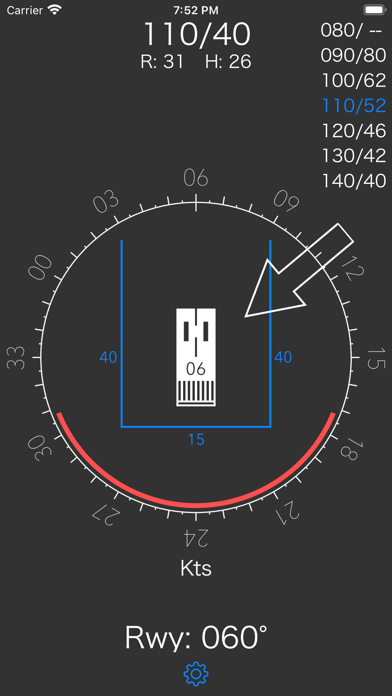
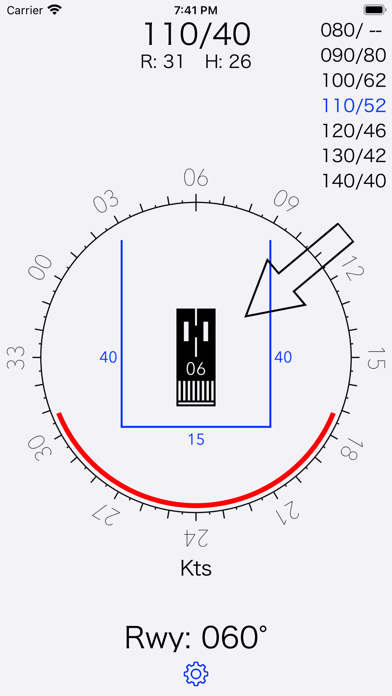
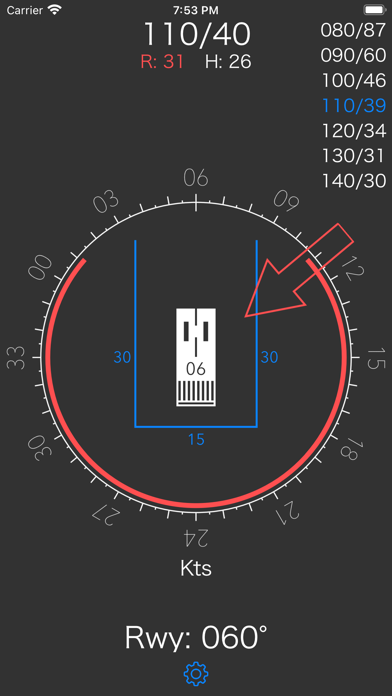
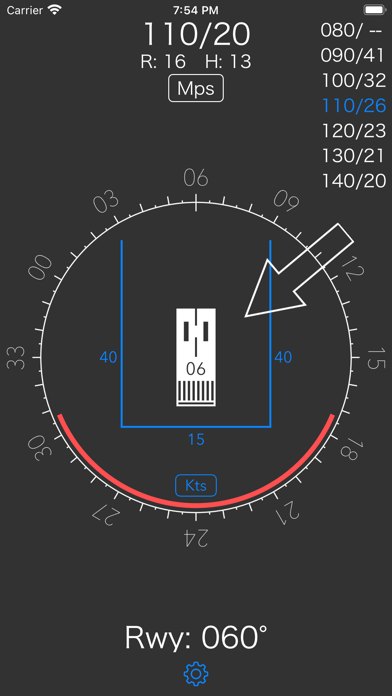
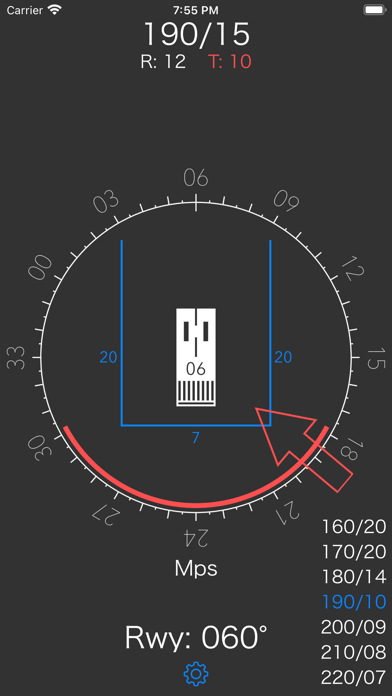
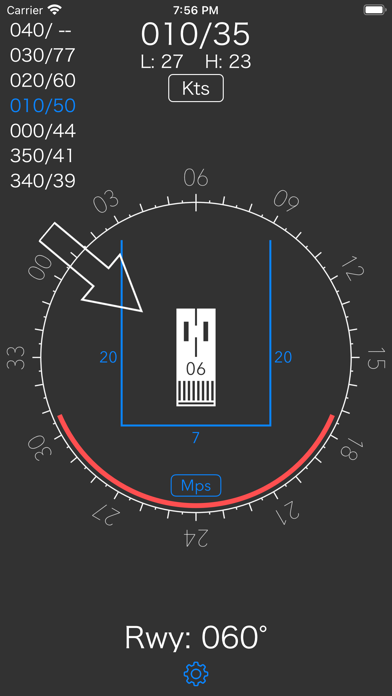
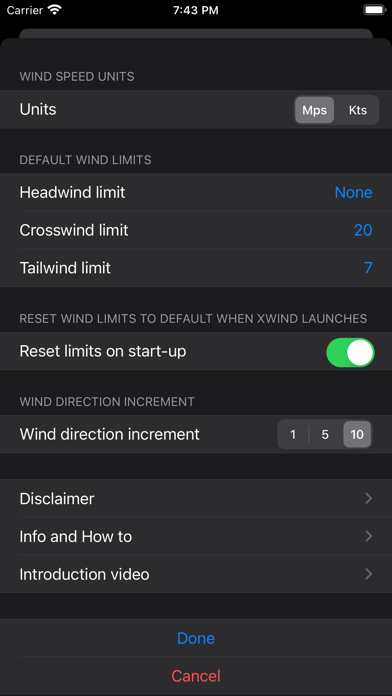
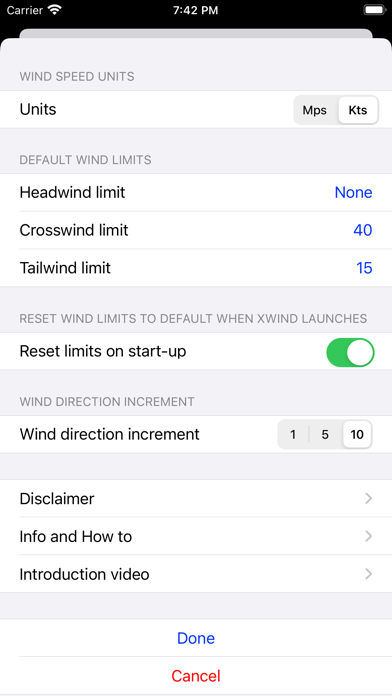
xWind is an easy to use tool to assist pilots in evaluating wind conditions with respect to head, cross and tailwind limitations. Once setup, the xWind app provides all information in one single screen, requiring minimal user interaction during high workload phases of flight, displaying: - Current wind direction and speed - Runway course - Cross and head or tailwind components - Currently applied wind limits - 'Forbidden' wind angles based on the current wind speed - Maximum wind speed table based on current wind limits ​ Reference wind, runway course, as well as wind limits, can all be adjusted on the main screen by either dragging the wind arrow, course rose or wind limit lines. A settings button at the bottom presents a popup screen where both the units for wind speed (Kts or Mps) and the default values for wind limits can be specified. In addition to the general setting for wind speed units, the user can select the alternative units for only the current wind, wind components and maximum winds table by double tapping the wind display at the top of the main screen. When operating from a Kts country into Mps territory, this option allows to set the current wind and see the maximum allowed winds in Mps, based on limits that are still set in Kts. Or vice versa.... xWinds supports iOS darkmode.

01
Crosswind Calculator icon
Crosswind Calculator
Electronic Alchemy
0.0
02
Wipr 2 icon
Wipr 2
Kaylee Calderolla
4.7
03
Flight Computer Pro icon
Flight Computer Pro
Diego Rodrigues
4.7
04
Zulu Time icon
Zulu Time
Derek Spears
4.8
05
DarkSight App icon
DarkSight App
Juan Du18839274645
3.8
06
R44 Weight & Balance icon
R44 Weight & Balance
Michael Connor
4.2
07
Octopus Watch icon
Octopus Watch
Kim Bauters
4.6
08
NordVPN: VPN Fast & Secure icon
NordVPN: VPN Fast & Secure
Nordvpn S.A.
4.7
09
Alarm Clock Pro - Music, Sleep icon
Alarm Clock Pro - Music, Sleep
DylogicApps Pvt Ltd
4.2
10
IPVanish VPN: Fast & Secure icon
IPVanish VPN: Fast & Secure
IPVanish, Inc.
4.2