

AnyFont
Screenshots


Estimates
low confidenceASO analysis
Short title. You're leaving keyword space on the table.
Could go longer. The first 252 chars are above-the-fold; everything else still indexes.
Used by similar apps in your niche, but not in your title or description. Adding these (where genuinely relevant) can broaden your search reach.
Words you and your peers both use. Confirms positioning in this niche.
Keyword rankings
iTunes Search · top 200About
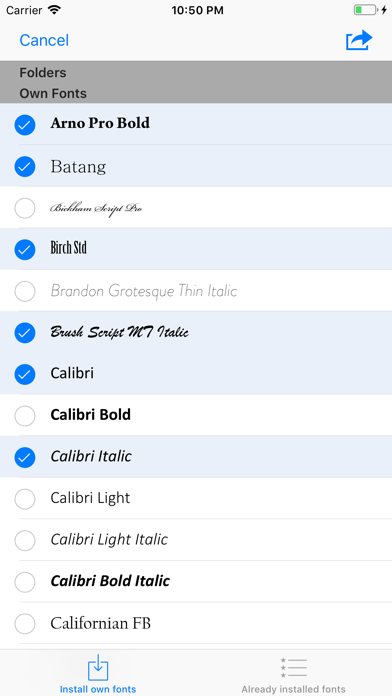
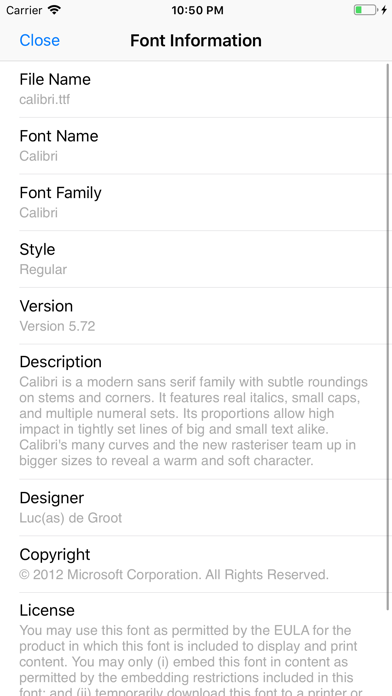
*** COMPATIBLE WITH WORD, EXCEL AND POWERPOINT FOR IOS *** With AnyFont it is finally possible to install any additional font in TrueTypeFont- (.ttf), OpenTypeFont- (.otf) or TrueType Collection- (.ttc) format on your iPhone or iPad. These fonts can then be used throughout the system in other apps like Word, PowerPoint, Pages, Keynote and many more. No more unexpectedly replaced fonts in presentations because the iPhone or iPad does not know them. The perfect solution for everybody who creates presentations on a Mac or PC to show them on their iPad. Extremely easy to use. An extensive FAQ and an introductory tutorial help you to understand the app. Check out this video tutorial: https://www.youtube.com/@AnyFont-iOS Features: - Add new fonts as .ttf, .ttc or .otf file using iTunes file sharing or the „Open in…“ dialog from other apps like Mail or Dropbox - Add single fonts or multiple fonts as a ZIP- or TTC-file - Install single fonts or multiple fonts at once - Preview your fonts in AnyFont’s storage - Access FontBundles.net from within AnyFont - Optional bundle of 1,000+ fonts (In-App Purchase) - Complete list of all installed fonts on the device - Support for Dark Mode (requires iOS 13) Working with: - Word, Excel and PowerPoint - Numbers, Keynote and Pages - Cricut Design Space - Office Suite Pro - Office²HD - and many other apps! YouTube channel with tutorials: https://www.youtube.com/@AnyFont-iOS AnyFont website: http://www.anyfont.app/ NOTE: It is not possible to change the system-font on your device with AnyFont. With AnyFont you can install additional fonts on your device which can then be used by other apps which make use of the device's font book. NOTE II: Some fonts using Cyrillic or Asian characters are not supported by this way of installing fonts. NOTE III: You don't have to purchase the optional font bundle to use AnyFont. You can always add your own fonts to install them on your device.


