AppScoutAppScout.gallery
AudioCalc icon
Utilities

AudioCalc

by Nelcea
Rating0.0(0)
Price$4.99
Updated9y ago
Released17y ago
Latest rank
Not tracked yet
Rank change
Not tracked yet
Rank history
Movement appears after the next data refresh.

Screenshots

AudioCalc screenshot 1AudioCalc screenshot 2AudioCalc screenshot 3AudioCalc screenshot 4AudioCalc screenshot 5

ASO analysis

Title9 / 30
AudioCalc

Short title. You're leaving keyword space on the table.

Description989 / 4,000
4 paragraphs · 25% of limit used

Could go longer. The first 252 chars are above-the-fold; everything else still indexes.

Top keywords in your description
tool×6room×4response×3audio×2handy×2helps×2modal×2sure×2addresses×1alike×1allows×1always×1
Keyword opportunities

Used by similar apps in your niche, but not in your title or description. Adding these (where genuinely relevant) can broaden your search reach.

enter4 peerssupport4 peersautomatically3 peersbutton3 peerscustom3 peersdisplay3 peersfeatures3 peersincluding3 peersinformation3 peersmode3 peers
Shared niche keywords

Words you and your peers both use. Confirms positioning in this niche.

audio5 peersrequired4 peersset3 peersunit3 peersview3 peersworks3 peers

Keyword rankings

iTunes Search · top 200
Keyword tracking starts automatically for apps on the top charts — ranks appear after the next data refresh. Manual tracking for search-only and niche apps coming soon.

About

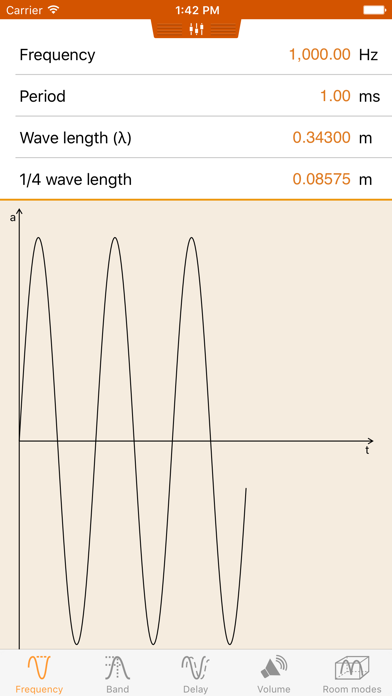
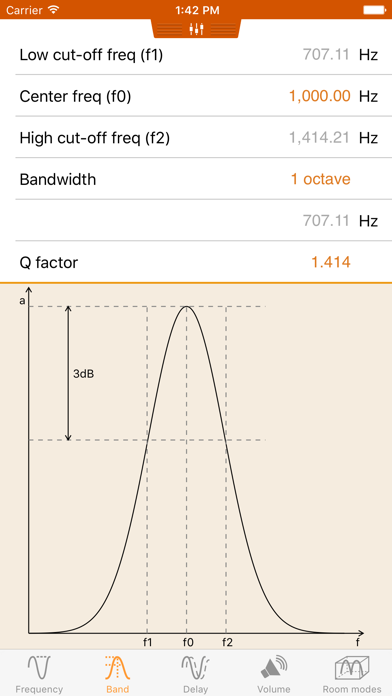
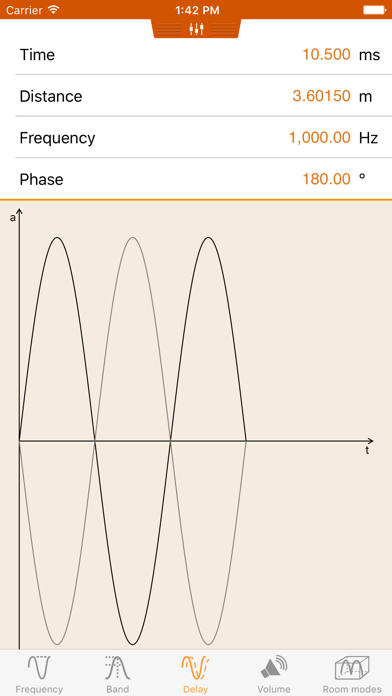
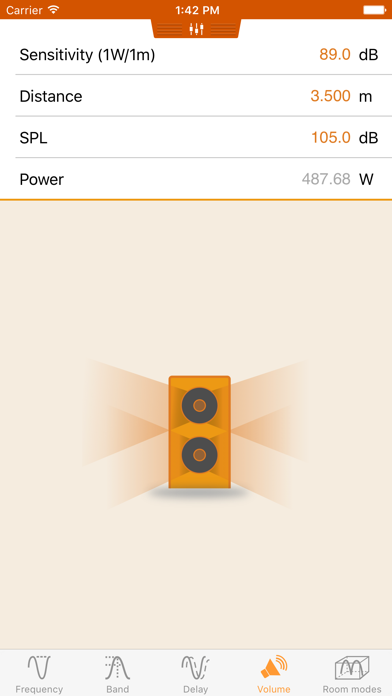
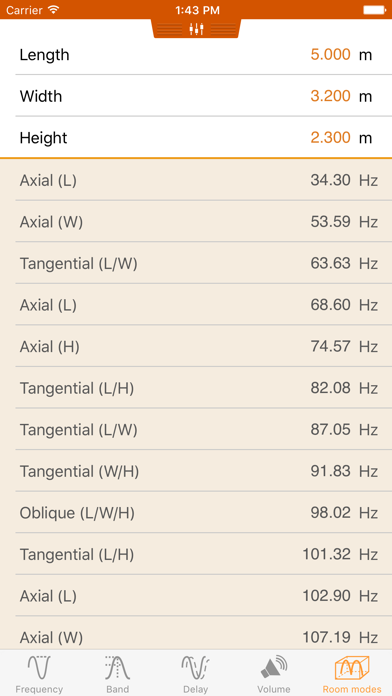
HiFi enthousiasts, Home Theater buffs and audio professionals alike make sure you always have those handy formulas with you. This tool offers you a collection of audio targeted conversion tools. The frequency, period and wavelength converter comes in quite handy for positioning loudspeakers. The band tool helps you setup a parametric EQ. The delay part gives you an insight when setting speaker distances and delays. The volume tool helps you determine the amplifier power required for a given set of speakers. The room modal response tool allows you to compute the room modes present in a room. This is crucial when placing a subwoofer provide correct bass response. It can also be used when designing a room to avoid dimensions that would lead to a poor modal response. AudioCalc works in both imperial and metric units. Simply swipe down to reveal the unit selection view. If you liked this tool, be sure to also check VideoCalc, the companion tool that addresses your video needs.
01
VideoCalc icon
VideoCalc
Nelcea
5.0
02
AUDIO.SYNC icon
AUDIO.SYNC
Kevin Bolus
5.0
03
AudioBuffer icon
AudioBuffer
Collin Cunningham
0.0
04
Vieta Pro Audio icon
Vieta Pro Audio
Vieta Electronics S.A.
2.0
05
PCalc icon
PCalc
TLA Systems Ltd.
4.7
06
CartCalc+ icon
CartCalc+
MAXWELL JEREMIAH DROWN
0.0
07
EASA FTL Calc icon
EASA FTL Calc
Ralf Keber
4.3
08
BuildCalc icon
BuildCalc
42nd Parallel
4.7
09
Audio Frequency Analyzer icon
Audio Frequency Analyzer
TOON,LLC
0.0
10
3Dcalc+ icon
3Dcalc+
Juan Jose Coll Garcia
4.9