AppScoutAppScout.gallery
Bin Day Alert icon
Lifestyle

Bin Day Alert

by Geoff Hackworth
Rating4.8(72)
Price$1.99
Updated3y ago
Released12y ago
Latest rank
Not tracked yet
Rank change
Not tracked yet
Rank history
Movement appears after the next data refresh.

Screenshots

Bin Day Alert screenshot 1Bin Day Alert screenshot 2Bin Day Alert screenshot 3Bin Day Alert screenshot 4Bin Day Alert screenshot 5Bin Day Alert screenshot 6Bin Day Alert screenshot 7Bin Day Alert screenshot 8

ASO analysis

Title13 / 30
Bin Day Alert

Good use of the title field.

Description1,426 / 4,000
6 paragraphs · 36% of limit used

Could go longer. The first 252 chars are above-the-fold; everything else still indexes.

Top keywords in your description
bin×8collection×7day×7schedules×6next×5week×5schedule×3shortcuts×3specific×3alert×2alerts×2configure×2
Keyword opportunities

Used by similar apps in your niche, but not in your title or description. Adding these (where genuinely relevant) can broaden your search reach.

add5 peersfeatures5 peerstrack5 peerscom4 peersdevice4 peersdownload4 peersevent4 peersiphone4 peerslife4 peerslist4 peers
Shared niche keywords

Words you and your peers both use. Confirms positioning in this niche.

day7 peershome5 peersnever5 peersnotifications4 peersshare4 peerstime4 peersapple3 peersbin3 peersdate3 peersdays3 peers

Keyword rankings

iTunes Search · top 200
Keyword tracking starts automatically for apps on the top charts — ranks appear after the next data refresh. Manual tracking for search-only and niche apps coming soon.

About

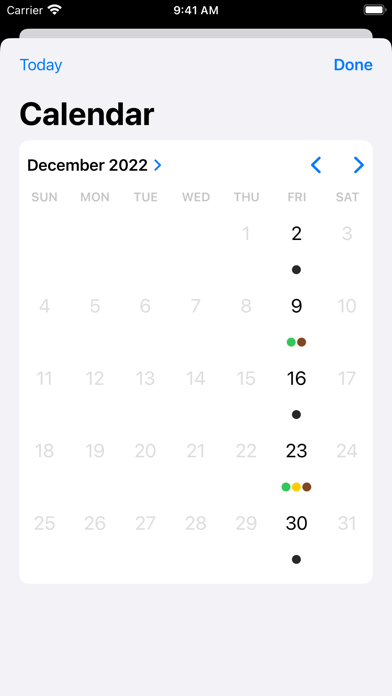
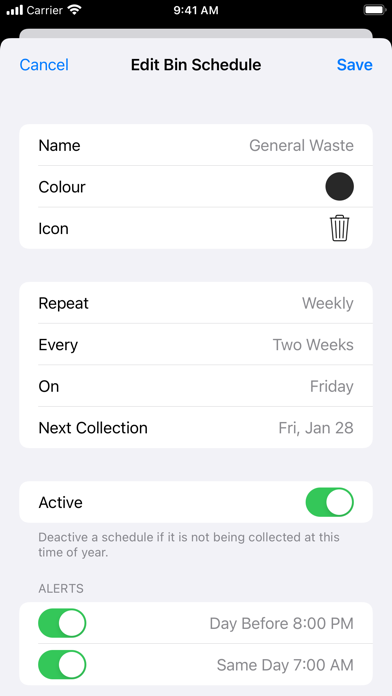
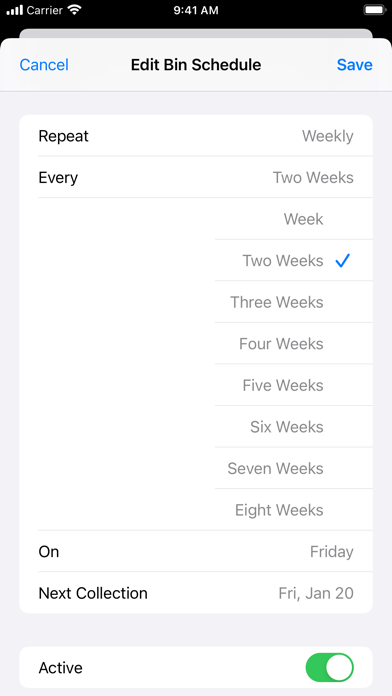
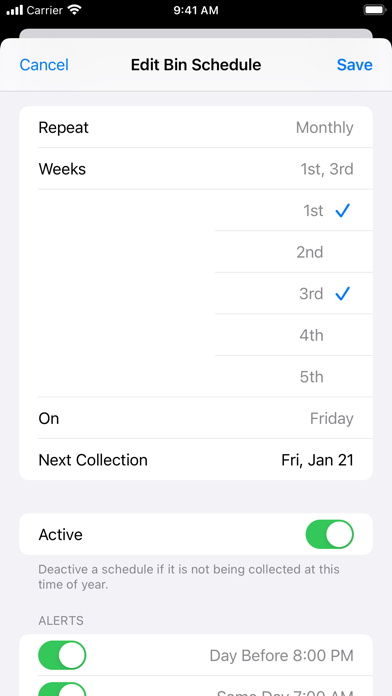
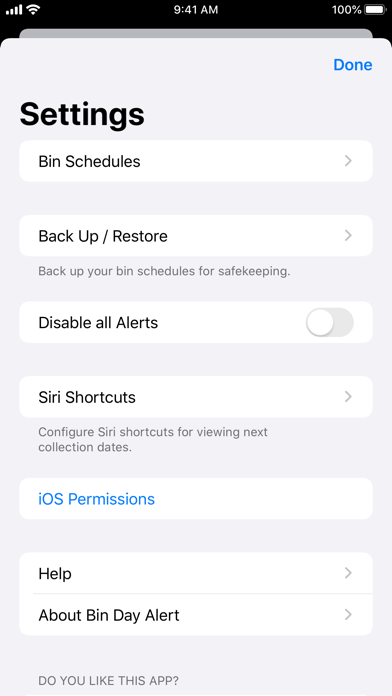
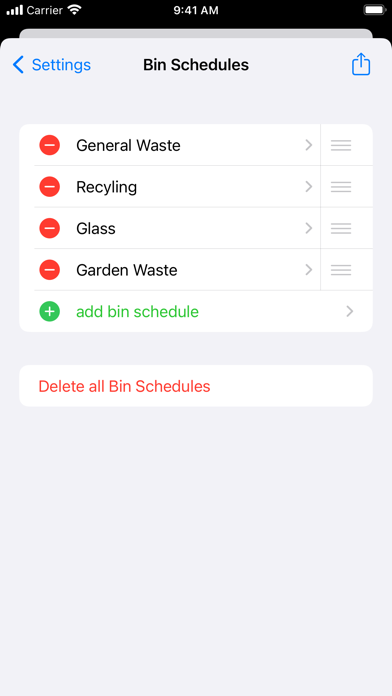
Never forget when to put your bins out for collection. Is this week recycling or is that next week? Configure your different bin schedules in the app and then forget about it! Notifications will remind you when it is time to put out each type. Use the Apple Watch App or Widgets to quickly see your next collection. Use Siri shortcuts to ask when the next collection dates are for all bin schedules, which bin schedules are due on the next collection date, or when the next collection date is for an individual schedule. Manage shortcuts in Bin Day Alert's settings screen, the Shortcuts app, or in the Siri & Search section of Apple's Settings app. The app supports a wide range of collection schedules, making it suitable for use at home or business premises: a specific day each week; multiple days each week; a specific day every 2, 3, 4 or 5 weeks; or a specific day on one or more weeks of the month. Each schedule can have up to two alerts. Each alert can either be for the day before or the day of the bin collection. Snooze an alert notification by 15 minutes if you're busy right now, or by 1 day/week if a public holiday has temporarily changed the bin schedule. Going on holiday? There's a single setting to quickly disable all alerts. Back up your bin schedules to iCloud Drive, Dropbox etc. for safekeeping. Easily share your bin schedules with neighbours so they don't have to configure the app themselves.

More from Geoff Hackworth

01
Group Star Charts icon
Group Star Charts
Geoff Hackworth
4.4
02
Pommie - Pomodoro Timer icon
Pommie - Pomodoro Timer
Geoff Hackworth
4.7
03
Pommie Lite - Pomodoro Timer icon
Pommie Lite - Pomodoro Timer
Geoff Hackworth
0.0
01
Bin noch da! icon
Bin noch da!
Markus Forster
5.0
02
BinDays icon
BinDays
Andrew Riggs
4.7
03
First Alert by Resideo icon
First Alert by Resideo
Resideo Technologies, Inc.
4.8
04
Big Day - Event Countdown icon
Big Day - Event Countdown
whatisid
5.0
05
Birthday Boss icon
Birthday Boss
Christopher King
4.7
06
Chip Day icon
Chip Day
Ken Saunders
5.0
07
Big Day–Event Countdown Clock icon
Big Day–Event Countdown Clock
WW Productions BVBA
3.5
08
Binned icon
Binned
Todd Hendricks
0.0
09
Day-n-Night icon
Day-n-Night
Austin-Soft.com
1.0
10
Countdown to Big Day icon
Countdown to Big Day
Igor Kravtsov
2.8