AppScoutAppScout.gallery
Calendar Widget icon
Productivity

Calendar Widget

by Francis Bonnin
Rating3.8(20)
Price$0.99
Updated11mo ago
Released11y ago
Latest rank
#74
Top Paid · Productivity
Rank change
↓ 6
vs last refresh
Rank history
Charting in:US·Top Paid#74↓6

Screenshots

Calendar Widget screenshot 1Calendar Widget screenshot 2Calendar Widget screenshot 3Calendar Widget screenshot 4Calendar Widget screenshot 5Calendar Widget screenshot 6

ASO analysis

Title15 / 30
Calendar Widget

Good use of the title field.

Description1,585 / 4,000
5 paragraphs · 40% of limit used

Could go longer. The first 252 chars are above-the-fold; everything else still indexes.

Top keywords in your description
view×11today×7widgets×7application×6widget×5device×3displayed×3events×3add×2calendar×2calendars×2directly×2

Keyword rankings

iTunes Search · top 200
Keyword tracking starts automatically for apps on the top charts — ranks appear after the next data refresh. Manual tracking for search-only and niche apps coming soon.

About

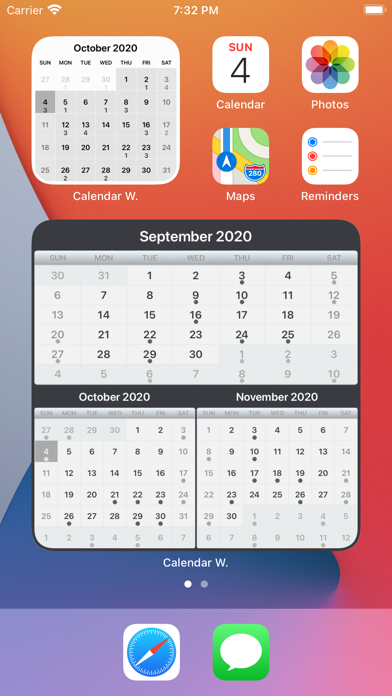
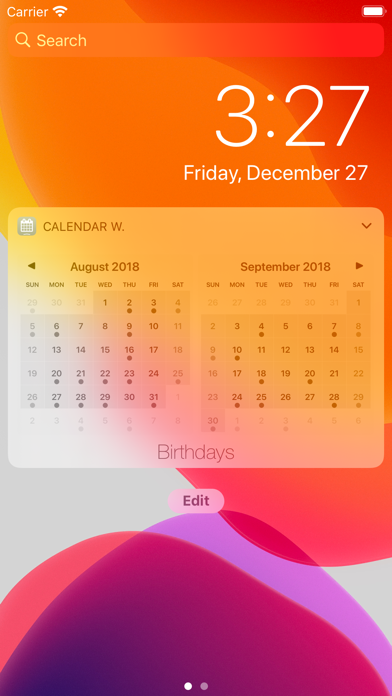
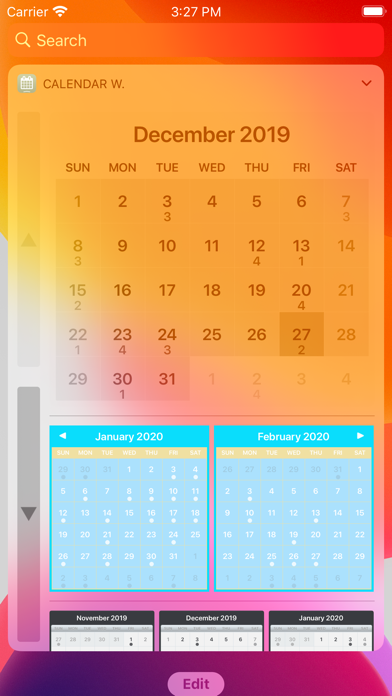
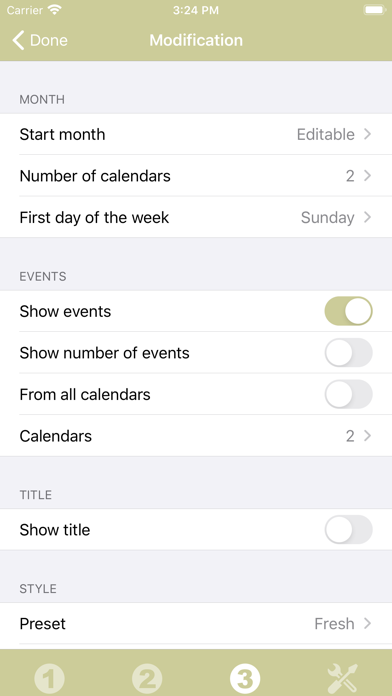
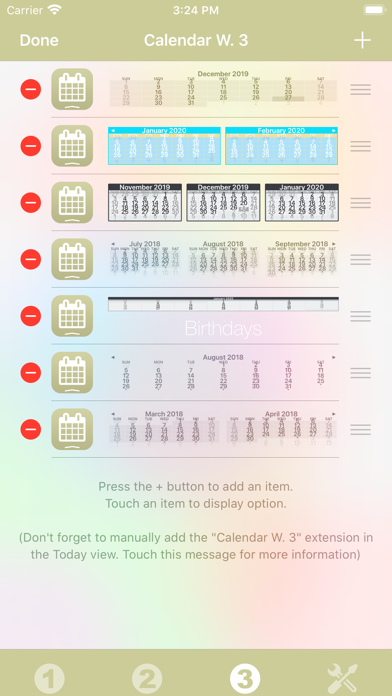
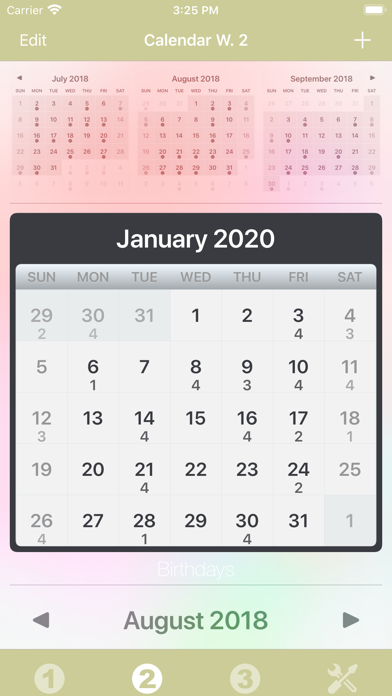
Thanks to this application (and the other Widget apps from PacoLabs), you can now customize the Home screen and the Today view of your device, by adding custom widgets for some specific purposes. From anywhere in your device, you'll have access to your own information and actions. Each Calendar widget allows to view one or more calendars. Now you can quickly have an overview of the full month, view your busy days and even create or update some events. Those calendars can display the current or some specific months. The displayed months can be manually changed while viewing the widget. The look can be customized. The events from the system calendar application can be viewed and edited. It is also possible to add some new events. Those Widgets are compatible with the new iOS 14 Home Screen Widgets. The application is really easy to use and is adapted to the fresh look of your device. Dark mode of iOS13 is supported. In Today view: You can add as many widgets as you want and they will be displayed in up to 3 different lists. Those same lists will be available in the Today view and in the application (although it is possible, if you want, to hide some widgets in the Today view). To avoid overloading the Today view, when too many widgets are displayed, an intuitive control will allow you to navigate from one widget to another. Even if the main purpose of the app is to view the widgets in the Today view, it can also be very handy to view them directly in the application (a long press on a widget in the Today view will open it directly in the main application).

More from Francis Bonnin

01
Video 2 Photo - HD icon
Video 2 Photo - HD
Francis Bonnin
4.8
02
Minifig Scan icon
Minifig Scan
Francis Bonnin
4.8
03
Video Crop & Zoom - HD icon
Video Crop & Zoom - HD
Francis Bonnin
4.5
04
Video Rotate & Flip - HD icon
Video Rotate & Flip - HD
Francis Bonnin
4.9

More in Productivity

See all in Productivity
01
Google Drive – online backup icon
Google Drive – online backup
Google
4.7
02
MyJio: For Everything Jio icon
MyJio: For Everything Jio
JIO PLATFORMS LIMITED
4.6
03
ChatGPT icon
ChatGPT
OpenAI OpCo, LLC
4.7
04
Meu INSS - Central de Serviços icon
Meu INSS - Central de Serviços
Servicos e Informacoes do Brasil
4.8
05
GMX - Mail, Cloud & News icon
GMX - Mail, Cloud & News
1&1 Mail & Media GmbH
4.6
06
Microsoft Outlook icon
Microsoft Outlook
Microsoft Corporation
4.8
07
WEB.DE - Mail, Cloud & News icon
WEB.DE - Mail, Cloud & News
1&1 Mail & Media GmbH
4.6
08
Widgetsmith icon
Widgetsmith
Cross Forward Consulting, LLC
4.6
09
DigiD icon
DigiD
Rijksoverheid
4.5
10
Post & DHL icon
Post & DHL
Deutsche Post AG
4.7