AppScoutAppScout.gallery
Clicker – Presentation Remote icon
Productivity

Clicker – Presentation Remote

by AppTrix AB
Rating0.0(0)
Price$4.99
Updated1mo ago
Released2y ago
Latest rank
#54
Top Paid · Productivity
Rank change
↓ 6
vs last refresh
Rank history
Charting in:GB·Top Paid#54↓6

Screenshots

Clicker – Presentation Remote screenshot 1Clicker – Presentation Remote screenshot 2Clicker – Presentation Remote screenshot 3Clicker – Presentation Remote screenshot 4Clicker – Presentation Remote screenshot 5

Estimates

low confidence
Downloads / month
24K–244K
Chart-rank signal only
Revenue / month
$85K–$851K
After Apple's 30% cut

ASO analysis

Title29 / 30
Clicker – Presentation Remote

Tight against the limit — verify it doesn't truncate on small screens.

Description935 / 4,000
5 paragraphs · 23% of limit used

Could go longer. The first 252 chars are above-the-fold; everything else still indexes.

Top keywords in your description
clicker×4control×3keynote×3simple×3built×2focused×2iphone×2mac×2move×2powerpoint×2presentation×2presenting×2
Keyword opportunities

Used by similar apps in your niche, but not in your title or description. Adding these (where genuinely relevant) can broaden your search reach.

time8 peerscom6 peerscontent6 peersnote6 peersapple5 peerscreate5 peersdevices5 peersdownload5 peerseasily5 peersedit5 peers
Shared niche keywords

Words you and your peers both use. Confirms positioning in this niche.

iphone6 peerspresentations6 peerseasy5 peersmac5 peerspresentation5 peersprivacy5 peerswithout5 peerscontrol4 peersfocused4 peersphone4 peers

Keyword rankings

iTunes Search · top 200
Keyword tracking starts automatically for apps on the top charts — ranks appear after the next data refresh. Manual tracking for search-only and niche apps coming soon.

About

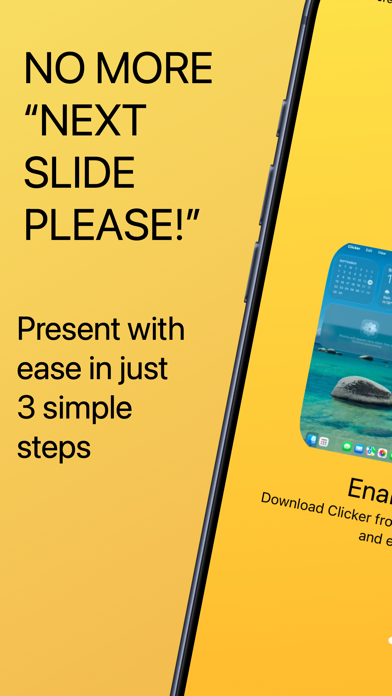
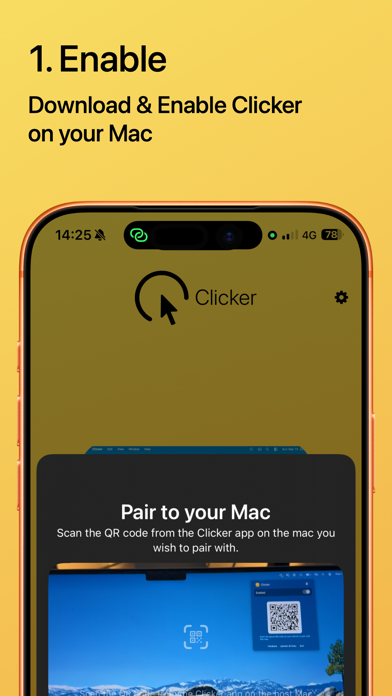
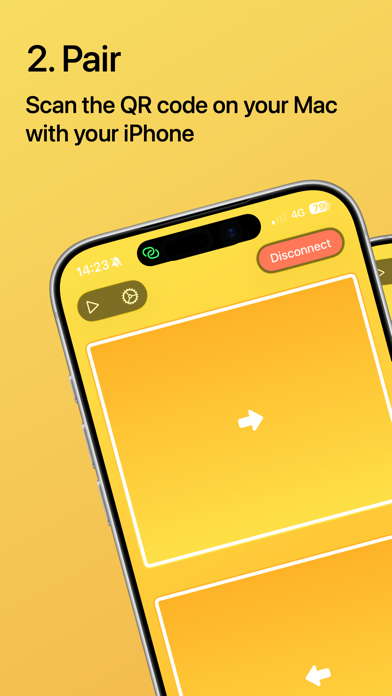
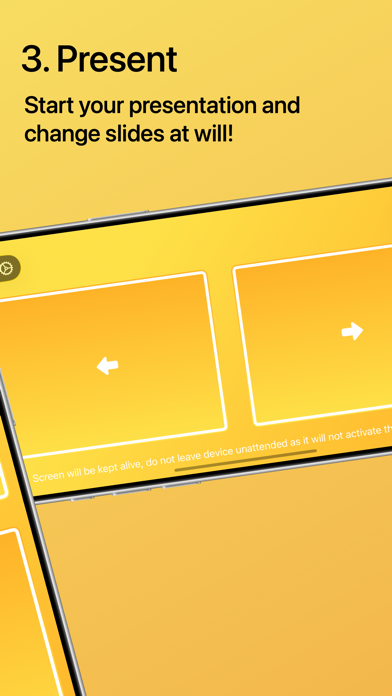
Clicker turns your iPhone into a simple presentation remote for Keynote and PowerPoint on Mac. Control your slides from your phone, move freely while presenting, and stay focused on your audience instead of your keyboard. Whether you are teaching a class, leading a meeting, giving a keynote, or running a workshop, Clicker helps you present with less friction and more confidence. Why Clicker - Control Keynote and PowerPoint from your iPhone - Simple, focused interface built for live presentations - Move around the room while staying in control - Designed for presenters, trainers, teachers, and speakers - Built with privacy in mind, without unnecessary accounts or cloud setup Great for - Teachers and lecturers - Trainers and workshop hosts - Consultants and sales teams - Conference speakers - Anyone presenting from a Mac Clicker is made for people who want a presentation remote that is simple, reliable, and easy to use.

01
iA Presenter icon
iA Presenter
Information Architects AG
4.9
02
PrompterPal icon
PrompterPal
Sunshine Valley Systems
2.0
03
Microsoft PowerPoint icon
Microsoft PowerPoint
Microsoft Corporation
4.5
04
Auto Refresh & Clicker icon
Auto Refresh & Clicker
培克 罗
5.0
05
Klappo icon
Klappo
Miguel Furst
0.0
06
Teleprompter.com icon
Teleprompter.com
Teleprompter LLC
4.7
07
Remoter VNC - Remote Desktop icon
Remoter VNC - Remote Desktop
Remoter Labs LLC
4.2
08
Auto Clicker - Click Assistant icon
Auto Clicker - Click Assistant
Hamza El karmouni
4.0
09
BePresent: Screen Time Tracker icon
BePresent: Screen Time Tracker
Screen Detox Inc
4.8
10
Notability: AI Notes & PDF app icon
Notability: AI Notes & PDF app
Ginger Labs
4.8