AppScoutAppScout.gallery
Color Harmony - Apps Organizer icon
Productivity

Color Harmony - Apps Organizer

by Alexey Tataurov
Rating5.0(2)
Price$0.99
Updated4y ago
Released6y ago
Latest rank
Not tracked yet
Rank change
Not tracked yet
Rank history
Movement appears after the next data refresh.

Screenshots

Color Harmony - Apps Organizer screenshot 1Color Harmony - Apps Organizer screenshot 2Color Harmony - Apps Organizer screenshot 3Color Harmony - Apps Organizer screenshot 4Color Harmony - Apps Organizer screenshot 5

ASO analysis

Title30 / 30
Color Harmony - Apps Organizer

Tight against the limit — verify it doesn't truncate on small screens.

Description821 / 4,000
7 paragraphs · 21% of limit used

Could go longer. The first 252 chars are above-the-fold; everything else still indexes.

Top keywords in your description
icons×6home×3move×3order×3screen×3step×3enjoy×2follow×2organized×2specified×2steps×2add×1
Keyword opportunities

Used by similar apps in your niche, but not in your title or description. Adding these (where genuinely relevant) can broaden your search reach.

keep8 peersmanage8 peerspowerful7 peersstay7 peerstrack7 peersautomatically6 peerscreate6 peersfeatures6 peershttps6 peerslife6 peers
Shared niche keywords

Words you and your peers both use. Confirms positioning in this niche.

organizer10 peersorganize6 peersset6 peerssupport6 peersadd5 peershome5 peerscom4 peersdownload4 peerseasy4 peersorganized4 peers

Keyword rankings

iTunes Search · top 200
Keyword tracking starts automatically for apps on the top charts — ranks appear after the next data refresh. Manual tracking for search-only and niche apps coming soon.

About

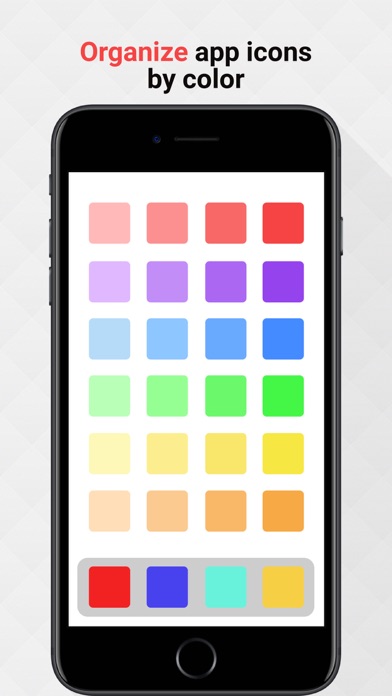
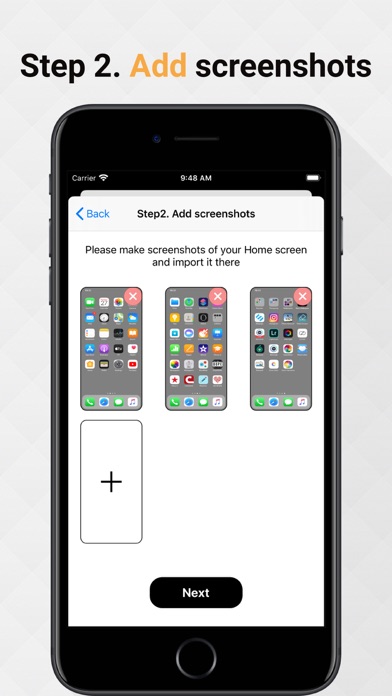
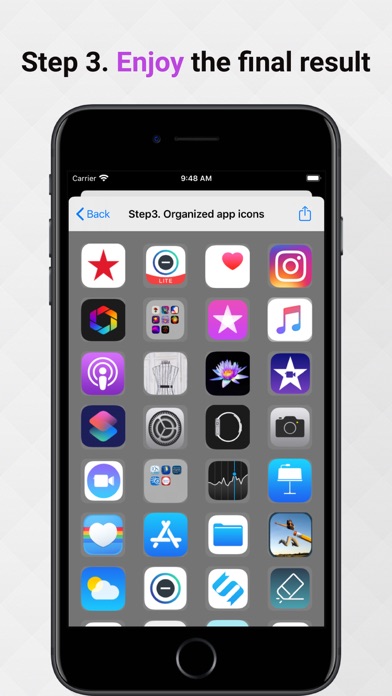
Are you tired of messy app icons on your Home screen? Want to be more organized and productive? Here comes this app for helping you organize it easy. Just follow the three steps and enjoy a fantastic result. ATTENTION! Due to iOS limitations, the app CANNOT move your app icons, instead it provides an EXAMPLE of how your icons can be organized by color. So, you should MANUALLY move your icons in the specified order. Follow these steps: Step 1. Download a gray background image in your photo library and set it on you Home Screen. It will allow better recognize your app icons Step 2. Make screenshots of your Home screen and add it to the queue Step 3. Enjoy the new order of your app icons and move it in the specified order If you have any questions or proposals contact the author at support@alextataurov.com.

More from Alexey Tataurov

01
WordPack: Word Cloud Generator icon
WordPack: Word Cloud Generator
Alexey Tataurov
4.4
02
Word Collage icon
Word Collage
Alexey Tataurov
3.9
01
ADHD Planner Organizer Planwoo icon
ADHD Planner Organizer Planwoo
Vadzim Shaulouski
4.6
02
Evernote - Notes Organizer icon
Evernote - Notes Organizer
Evernote Corporation
4.4
03
File Manager - File Organizer icon
File Manager - File Organizer
Vijay Bhaliya
4.2
04
Moving Organizer Pro icon
Moving Organizer Pro
Whizkeys by SmartRF Solutions LLC
4.8
05
Subscription Organizer icon
Subscription Organizer
Doreen Kroemer
5.0
06
Actions: To Do List Organizer icon
Actions: To Do List Organizer
Bonobo
4.6
07
ADHD planner organizer : Timy icon
ADHD planner organizer : Timy
Farid Fakhnavar
3.8
08
Todo - Task List Organizer icon
Todo - Task List Organizer
Appigo
4.4
09
Guest List Organizer Pro icon
Guest List Organizer Pro
Olha Ievenko
4.2
10
Folderly - Academic Organizer icon
Folderly - Academic Organizer
Raethan Christian Supatan
4.7