Data Usage
Screenshots


ASO analysis
Short title. You're leaving keyword space on the table.
Could go longer. The first 252 chars are above-the-fold; everything else still indexes.
Used by similar apps in your niche, but not in your title or description. Adding these (where genuinely relevant) can broaden your search reach.
Words you and your peers both use. Confirms positioning in this niche.
Keyword rankings
iTunes Search · top 200About
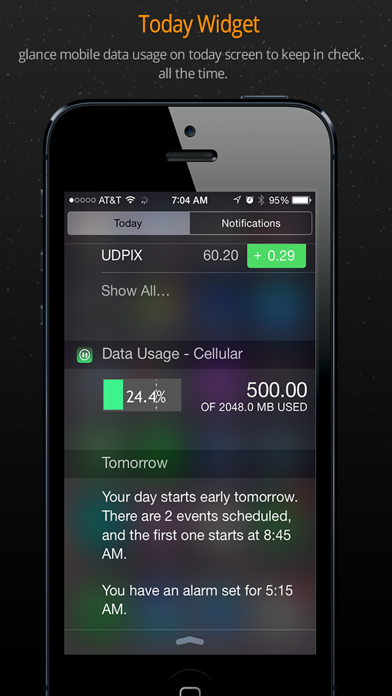
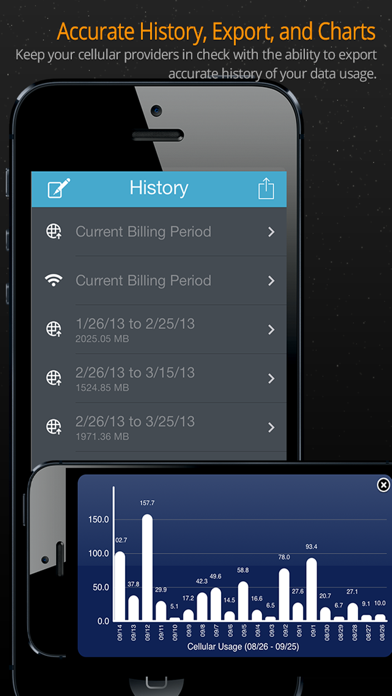
Take back control of your data usage. It’s time to stop paying overages. • Monitor Mobile Data and Wi-Fi in real time. • Today Widget • Predictive forecast tells when you will go over and sets daily quotas. • Simple and intuitive design reflects current usage status. • Works with any carrier, any plan, and any billing cycle. • Set usage alerts. #1 paid utility in UAE & Malaysia; top 10 paid utilities in Canada, U.K., Spain & Hong Kong. Four things that set us apart: 1. App Badge Monitoring- • Monitor usage % as app badge without ever opening app again 2. Visual Monitoring- • Theme colors will change to reflect your current usage status. 3. Accurate History, Export, and Charts- • Keep your cellular providers in check with the ability to export accurate history of your data usage. 4. Today Widget- •Monitor Data Usage like a pro with a widget that shows cellular data usage on notification screen under today. "...to get into the nitty-gritty of your data usage you may want to splurge for Data Usage." -AllThingsD Check out Data Usage Pro for custom usage counters.