Easy To Use - Adobe InDesign Edition
Screenshots
ASO analysis
Over the 30-character limit by 6 — Apple will truncate on display.
Solid length. Make sure the first 252 chars hook the reader.
Keyword rankings
iTunes Search · top 200About
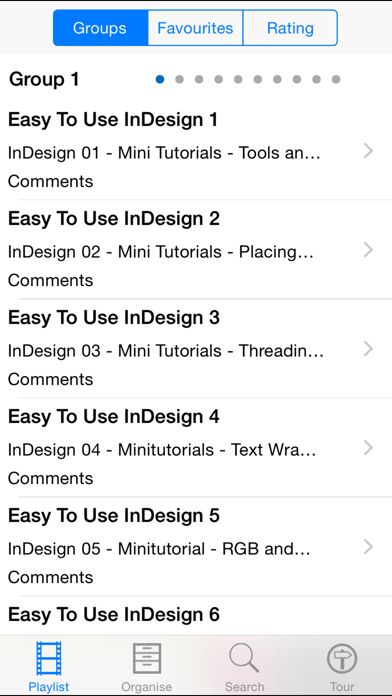
InDesign is a must for every serious designer. It works alongside adobe photoshop and is a brilliant piece of software. Getting the most out of it takes some doing and this app with it's 400 easy to follow video lessons will help you do just that. The app has many easy to use features: Take The Guided Tour to see how you can... *** play the lessons *** alter the lesson title *** alter the lesson description *** add your own user notes *** give your own rating to each lesson *** skip backwards and forwards between the lesson groups The list of contents is too large to list but does include the following selection: Indesign CS5 Tutorial - How to Use the Frame tool Indesign CS5 Tutorial - How to work with Pages Indesign CS5 Tutorial Basic Rundown of Design Tools Adobe Photoshop CS5 Tutorial - How to Download and Install Brushes Adobe Photoshop CS5 Tutorial - How to Remove A background From an Image Adobe Photoshop CS5 Tutorial - Awesome Glow Effect Adobe Indesign CS5 Tutorial - Working With Text Adobe Indesign CS5 Tutorial - How to Place Text In Shapes Indesign CS6 Tutorial Basic Rundown Of Design Tools Indesign CS6 Tutorial How To Use The Frame Tool Indesign CS6 Tutorial - How To Wrap Text Around A Graphic Adobe Indesign Tutorial - How To Use The Alignment Tools Adobe Indesign Tutorial - Working With Images Adobe Indesign Tutorial - Understanding How To Wrap Text Around Objects Adobe Indesign CS6 Tutorial - Working With Tables How To Add Auto Page Numbers In Indesign CS6 - Indesign Tutorial Adobe InDesign Tips How to Send an Object to the Back in InDesign Adobe InDesign Tips How to Minimize a Border in InDesign Adobe InDesign Tips How to Do Text Wraps in InDesign Adobe InDesign Tips How to Group Objects in InDesign Adobe InDesign Tips How to Blur Object Edges in InDesign Adobe InDesign Tips How to Lay Pages in InDesign Adobe InDesign Tips How to Reset InDesign at Startup Adobe InDesign Tips How to Crop an Image on a Diagonal in InDesign Adobe InDesign Tips Outlining Your Fonts in InDesign for Your EPS Output Adobe InDesign Tips How to Draw a Black Circle With InDesign Adobe InDesign Tips How to Insert Glyphs in InDesign Adobe InDesign Tips How to Do Graphics in InDesign Adobe InDesign Tips How to Input a Picture in InDesign Adobe InDesign Tips How to Auto Correct in InDesign Adobe InDesign Tips How to Delete and Underline in InDesign CS5 Adobe InDesign CS6 - My Top 6 Favorite Features Lightroom to InDesign to iPad Interactive Portfolios Create Scrolling Slideshows For Your Digital Tablet Publication with InDesign CS 55 How to Create Scrolling Content for your Digital Tablet Publication in InDesign CS5 Publishing from InDesign to iPad and other Tablets with the NEW Folio Builder Panel InDesign CS 55 from Start to Finish Go from InDesign CS 55 to HTML 5 Take Your Interactive Document From InDesign to iPad Wirelessly InDesign CS 55 Publishing ePUBs to the iBook with Video InDesign CS 55 Digital Publishing Suite to iPad Android and Blackberry 5 Things You May Not Know About Adobe InDesign CS5 How To Work With Images in Adobe InDesign CS5 How to Work With Layers Place InDesign Documents inside other InDesign Documents Whats New in Adobe InDesin CS5 - My Complete Walkthrough I Shall Call Him Mini Bridge Adobe Digital Publishing to the iPad A First Look 10 Random Adobe InDesign CS5 Tips and Techniques-Part 2 10 Random Adobe InDesign CS5 Tips and Techniques-Part 1 Pull Captions Directly From Your Images Metadata in InDesign CS5 Creating an iBook ePUB for the iPad with InDesign CS5 Creating An Animated Rollover in Adobe InDesign CS5 Adobe InDesign CS5 - My Top 5 Favorite Features How To Repurpose Content With The New Content Collector in InDesign CS6 How To Create iPad Apps Using InDesign CS6 This is a small selection of the 400 included lessons!