

Errands To-Do List
Screenshots


ASO analysis
Good use of the title field.
Solid length. Make sure the first 252 chars hook the reader.
Keyword rankings
iTunes Search · top 200About
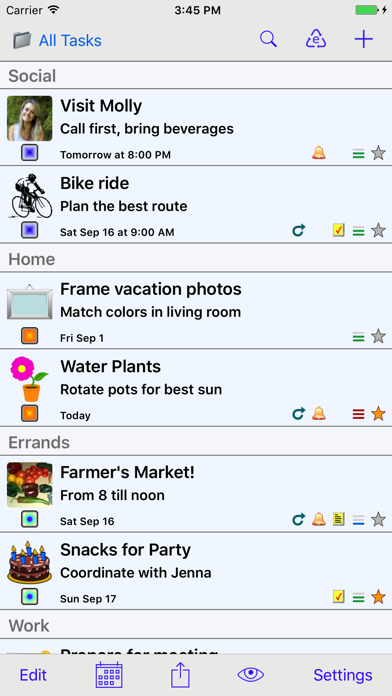
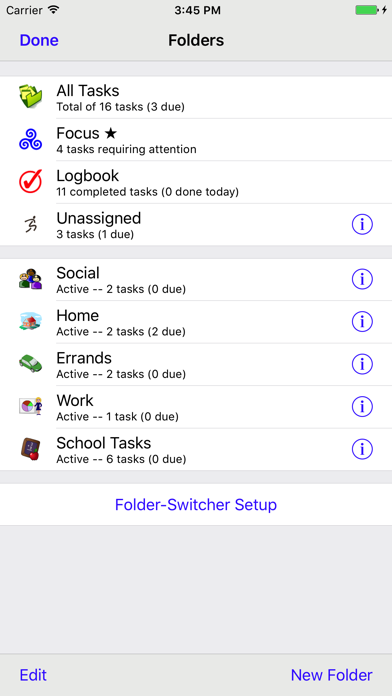
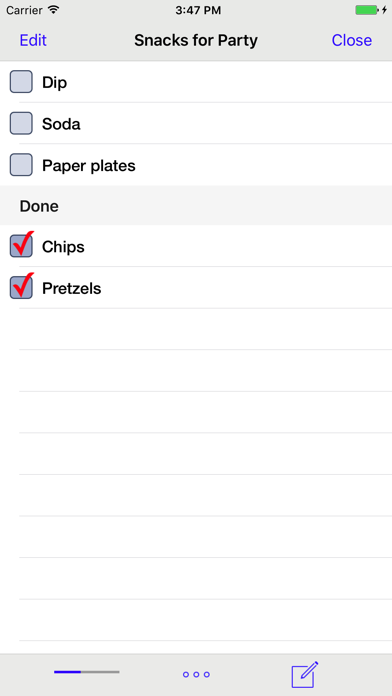
Errands is a task manager with a pleasing design and is easy to learn and use. Crafted with a blend of basic and advanced features: Folders, Checklists, Task Images, Scheduling & Repeating, Alerts (alarms), Automatic Badge Updating, Calendar View, Mail Tasks, Multiple View Modes, Search and more! KEY BENEFITS AND FEATURES • The overall user interface is tastefully designed with careful attention to detail and functionality. • A universal app with full support for the iPhone and iPad • Supports iCloud Sync (Premium). This allows you to keep Errands in sync on multiple iOS devices (iPhone, iPad). • Alerts (reminders) for tasks, with choice of sound and several repeat options. Plus automatic updating of the app icon badge. Both of these work even when Errands is not actively running. • Customizable folders, so you can organize your tasks to best suit your needs (for example, Work, Home, Errands). You can have as many folders as you wish and folder attributes (name, icon, checkbox) are fully customizable. • A Focus Folder which is based on a "star" system. You can toggle the "star" state for any task by tapping on the star icon. When a task comes due it will be auto-starred. This makes the Focus Folder very useful for quickly glancing at what you need to do NOW. The badge icon will reflect the number of tasks in the Focus Folder, keeping you up-to-date on what tasks need attention. • A monthly calendar view for tasks with due dates. To access it, tap on the calendar icon on the bottom toolbar. The calendar displays items based on the current folder you are in. To see all tasks, choose the calendar from the All Tasks folder. • View options allows you to switch between normal view (4 tasks per screen) and condensed view (8 tasks per screen). • Mail tasks (single tasks as well as entire folders). • You can select from a built-in collection of image icons, choose a photo from your library, or take a new photo to customize your tasks. • A unique feature allows notes to be viewed as a checklist. This is particularly handy for small shopping lists, multi-step tasks, etc. • Tasks can be scheduled with a due date / time. There is a full range of repeating options. • A convenient Recycle Bin allows you to easily create new tasks from previously completed entries. This is a big time-saver given that many tasks are things that are done again (and again). And saving data-bits from the virtual landfill makes you feel good! • Tasks can be sorted by various schemes as well as arranged manually. • Each task has a title along with separate detail and notes fields. • Customize Errands to fit your tastes using the in-app Settings. ABOUT THE PREMIUM UPGRADE Errands is NOT a lite version or crippled in any way. It is the complete app! If you enjoy it, please consider purchasing the Premium Upgrade. It will provide food for me and my dog as well as support continued development. Thanks for your support! HOW TO GET THE MOST FROM ERRANDS • Explore the app, play around with its features and settings. • There is a Mini User's Guide in the Settings. • Please visit yoctoville.com for answers to Frequently Asked Questions and other support info.


