

File Manager
Screenshots

ASO analysis
Good use of the title field.
Could go longer. The first 252 chars are above-the-fold; everything else still indexes.
Keyword rankings
iTunes Search · top 200About
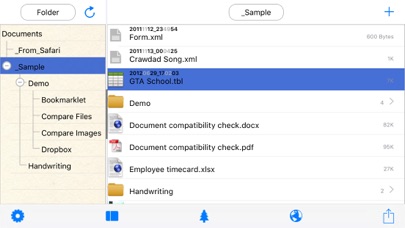
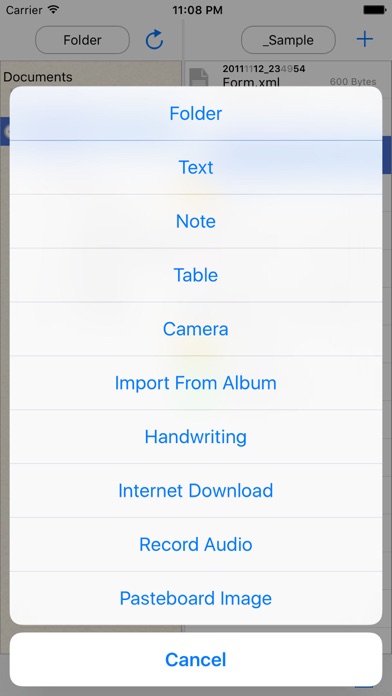
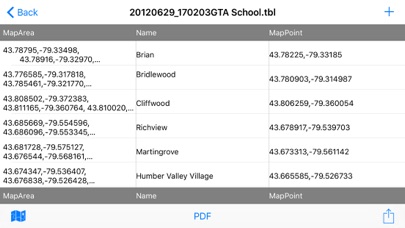
ile Manager is a powerful, all-in-one file management app for iPhone and iPad. Organize, browse, play, edit, and share your files — no subscriptions, no cloud accounts required. FOLDER TREE STRUCTURE • Split-panel layout with an expandable folder tree on the left and file list on the right • Create, rename, move, and delete folders with drag-and-drop support • Swipe to delete files quickly, or use the context menu for more options WI-FI TRANSFER & AIRDROP • Transfer files wirelessly from any computer or device using a web browser on the same Wi-Fi network • Receive files via AirDrop and "Open In" from other apps • No cables, no cloud — your files stay on your device AUDIO & VIDEO PLAYER • Built-in player for MP3, M4A, WAV, FLAC, AAC, and more • Video playback for MP4, MOV, MKV, AVI, and other formats with HDR support • Background audio playback — keep listening while using other apps • Loop, shuffle, and play all tracks in a folder IMAGE & PDF EDITOR • View images in full screen with zoom and swipe gestures • Edit images: rotate, mirror, crop, resize, and adjust brightness, contrast, and saturation • Annotate and mark up PDF documents with the built-in editor • Export edited images directly to your library OFFICE FILES VIEWER • Open and view Word (.doc, .docx), Excel (.xls, .xlsx), and PowerPoint (.ppt, .pptx) files • View Rich Text Format (.rtf) documents • No third-party apps or conversions needed ZIP & UNZIP • Compress files and folders into .zip archives • Extract .zip files with one tap • Long-press any file or folder to zip, or any .zip file to unzip TEXT EDITOR • Create and edit plain text (.txt), Markdown (.md), and JSON files • Spreadsheet editor for CSV files with add/delete rows and columns BILINGUAL INTERFACE • Full English and Chinese (Simplified) interface • Automatically detects your device language on first launch • Switch languages anytime in Settings


