

Finance – Expenses and Income
Screenshots
ASO analysis
Tight against the limit — verify it doesn't truncate on small screens.
Solid length. Make sure the first 252 chars hook the reader.
Keyword rankings
iTunes Search · top 200About
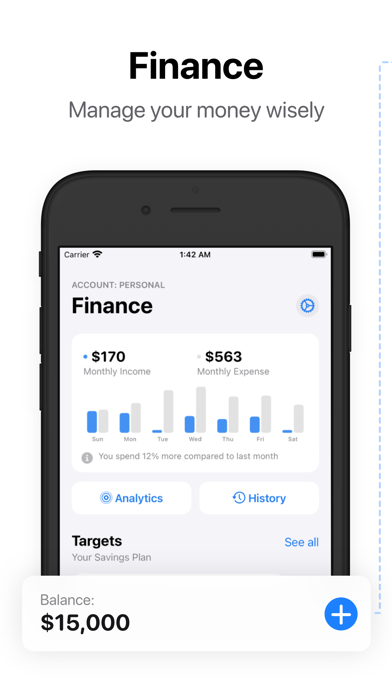
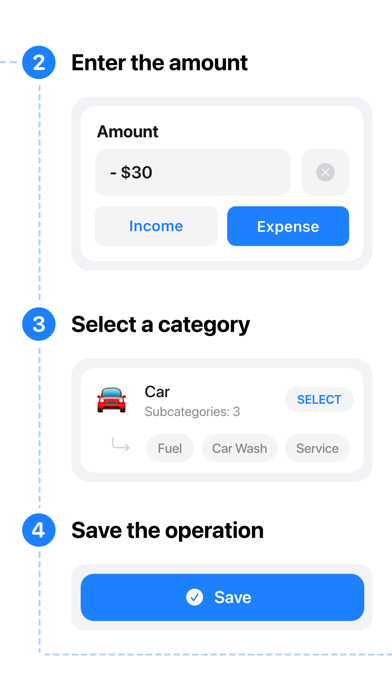
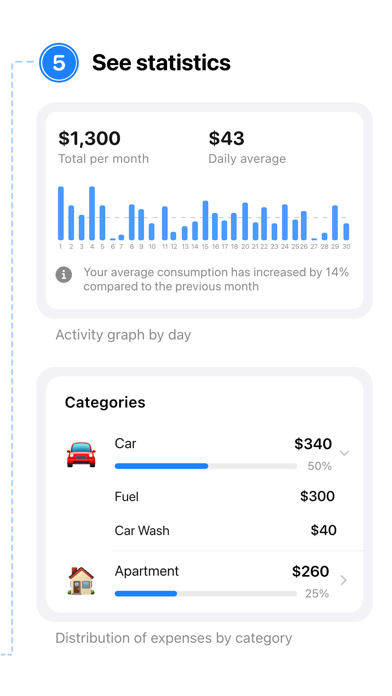
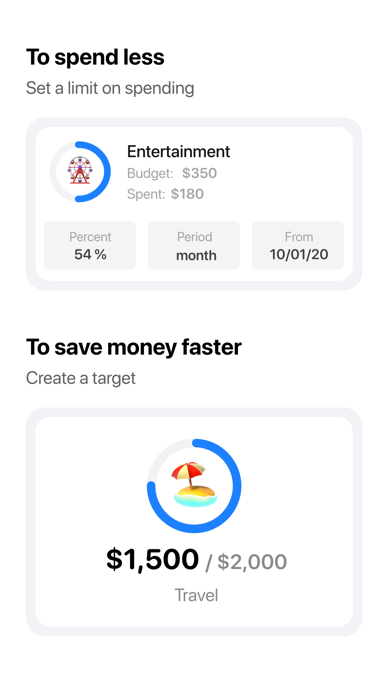
The Finance - is your personal assistant, thanks to which you can understand where funds are going, identify sources of income and plan a budget. • Operations and analytics Record operations by categories of expenses or income, if there are enough standard categories - you can easily create your own. Detailed analytics will tell you when and where you spent the most. The application supports multiple accounts and different currencies. • Budgets You can create a budget for any expense category and for any period (week, month, year). After that, the application will start tracking all transactions in this category and will tell you if you are over budget. Budgets are automatically extended for the next period. • Objectives Are you planning a big purchase? Or do you want to save a certain amount? For these tasks, the application has "Goals", just specify the required amount and start replenishing it. • Templates Do you often record the same operations? Paying for a cellular connection, for example, or a subscription to music. In Finance, you can set a schedule for such operations, after which they will be performed automatically, and on the day of payment you will receive a reminder. • Personalization You can customize Finance for yourself, choose an icon, change app colors, even the location of widgets on the main screen of the application can be changed. If you want to hide the content from prying eyes, you can set a password inside the application. • Subscription information Subscription must be activeif you want to use the premium features of the app. Payment will be charged to your Apple ID account at the confirmation of purchase. Subscription automatically renews unless it is canceled at least 24 hours before the end of the current period. Your account will be charged for renewal within 24 hours before the end of the current period. You can manage and cancel your subscriptions by going to your account settings on the App Store after purchase. Terms of Use: https://finance.alxrguz.ru/terms-of-use Privacy Policy: https://finance.alxrguz.ru/privacy-policy


