

iComic -comic reader-
Screenshots
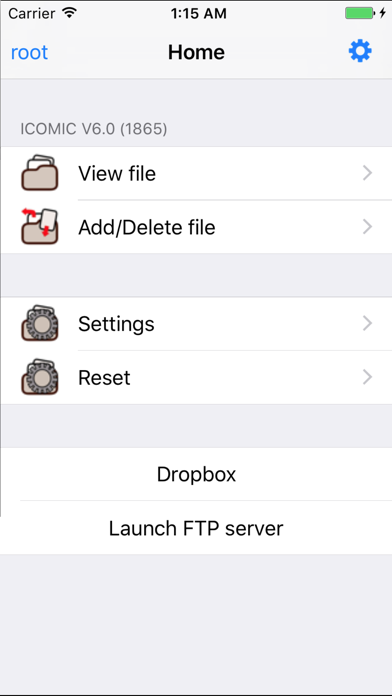
ASO analysis
Good use of the title field.
Solid length. Make sure the first 252 chars hook the reader.
Keyword rankings
iTunes Search · top 200About
Welcome to iComic, the premier application for reading comics on your iPhone or iPod Touch. iComic makes great use of the multi-touch function for simple and effective page navigation and zooming to provide the best portable comic book read you will find. iComic displays high resolution comic pages (jpg, tif, or png image files) contained inside compressed zip or cbz format archives. Using the built-in download function, comics can be downloaded from the internet or from a personal server and stored locally on your iPhone or iPod Touch. Your downloaded comics are stored on your device and so are always available for reading, even when you have no internet connection. As iTunes resizes images to a compressed format, iComic is also useful for displaying images for other uses e.g. maps, high detailed photos and ebooks (convert your pdf books to jpeg and you have a perfect reader for those large pdf files, normally unreadable due to the high memory requirement). iComic currently provides three methods for turning pages: swiping your finger on the screen; by taps in the screen corners using the Corner-Tap method; or by Multi-Touch (tap once to page forward, twice to page back). Zooming is by the familiar pinch method used in Safari and other applications or by double tapping the screen when in Corner-Tap mode. The application is very stable and can easily handle zip files up to 60MB with infrequent problems observed with files of much larger size. Individual image files inside the zip files are constrained to a maximum 3 million pixels (e.g. 3,000 pixels high x 1,000 pixels wide or equivalent) though for the sake of battery conservation much smaller sizes (~1000 pixels high) are generally used. A manual for setting up and using iComic can be downloaded from http://red.halfmoon.jp/AppStore_iComic_V1.3_FAQ.pdf The author of this application is Japanese so for excellent community support and discussion in English please visit the helpful and friendly ~*~ Ultimate icomic Thread ~*~ at www.ipodtouchfans.com/forums/showthread.php?t=23759


