

Inboard Vision
Screenshots



ASO analysis
Good use of the title field.
Could go longer. The first 252 chars are above-the-fold; everything else still indexes.
Used by similar apps in your niche, but not in your title or description. Adding these (where genuinely relevant) can broaden your search reach.
Words you and your peers both use. Confirms positioning in this niche.
Keyword rankings
iTunes Search · top 200About
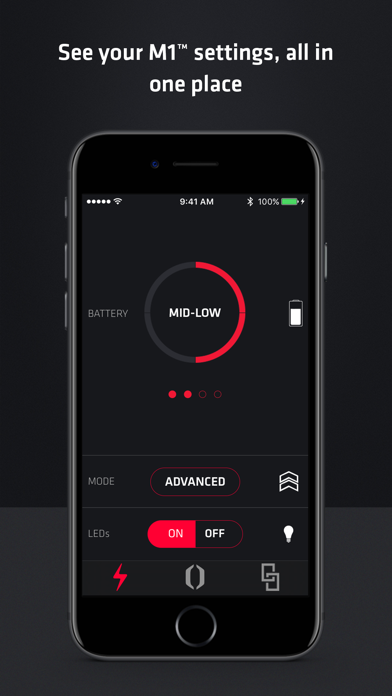
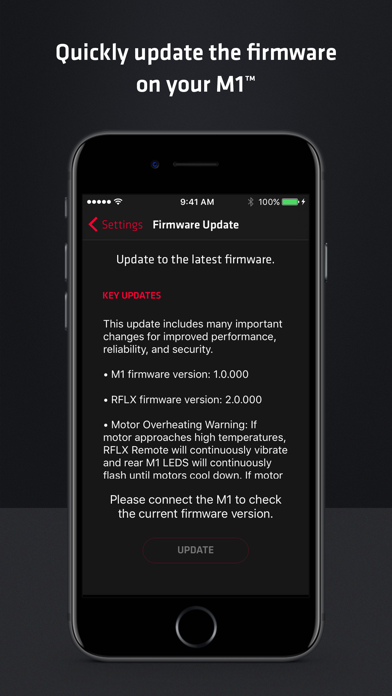
Inboard Vision keeps you in control of every aspect of your Inboard M1™ Electric Skateboard. Adjust settings, view battery levels, use the Touch Throttle in place of the RFLX™ Remote, and upgrade your M1 to the latest firmware, all through an intuitive and simple user interface. Adjust M1 settings and view stats, all in one place • Easily check PowerShift™ Battery level • Change your Riding Mode with a swipe • Enable and disable M1 LEDs No remote, no problem! Control your M1 from the app • Touch Throttle screen allows you to control the M1 directly from your iPhone • Never miss a session, even if your RFLX Remote is charging Quickly update the firmware on your M1 • Get notified immediately when new firmware is available • Wirelessly update M1 and RFLX Remote firmware for increased performance and efficiency Easily find answers to all M1 related questions • Direct access to Inboard Help Center articles and videos • Get started fast with the M1 Quickstart Guide • Other topics include riding how-to’s, maintenance and troubleshooting tips Contact Inboard Customer Support directly from the app • Can’t find it in the Help Center? Contact us directly through the app


