InShot - AI Video Editor
Screenshots


Estimates
low confidenceASO analysis
Good use of the title field.
Solid length. Make sure the first 252 chars hook the reader.
Used by similar apps in your niche, but not in your title or description. Adding these (where genuinely relevant) can broaden your search reach.
Words you and your peers both use. Confirms positioning in this niche.
Keyword rankings
iTunes Search · top 200About
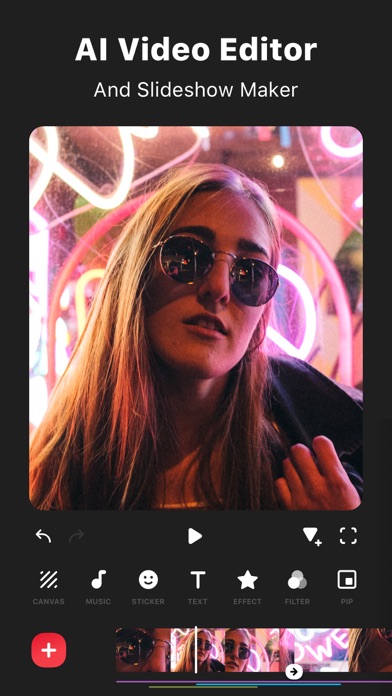
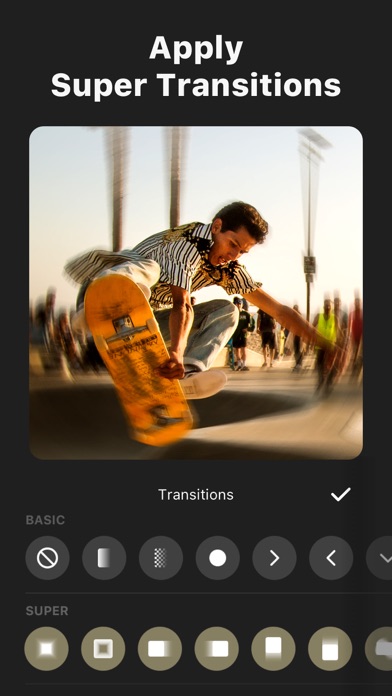
InShot - Powerful Video Editor and Photo Editor with professional features. Add music, transition effects, text, emoji and filters, blur background and etc! [Features:] [Video] - Trim video - Cut/Delete middle part of a video - Merge videos - Adjust video speed (now InShot support speed ramping) [Music , Effects & Voice-overs] - Add exclusive vlog music of InShot featured. Add your own music to video, like mp3 files and other format. - Lots of fun sound effects. - Add voice-overs. - Easy to sync sound and video, with timeline features. [Text & Emoji] - Add text on video and photo. - Add emoji on photo. - With timeline features, easy to sync text and emoji with video. [Filters and Effects] - Lots of cinematic filters - Unique effects such as glitch, noise, beats, retro DV, etc. [Video transitions] - Combine 2 clips with smooth transitions. - Make your video more eye-catching, editing video like a Pro. [Picture-in-Picture] - Add video and photo layers on main video. - Use chroma key/green screen to create a creative works. - Add mask to PIP. [Keyframe] - Add motion to layers(text, stickers, PIP) by using keyframe tool [For social media] - Blur border for photo and video. Make it square ready for Instagram. - Colored border to make it square ready. - Move video/photo inside the square. [Photo] - Add text and stickers to photos, make fun story. - Add filters and adjust brightness, contrast, curves and etc. - Make photo collage [Share] - High video output resolution. Now InShot support save in 4K, 60fps. - Share to social apps, like YouTube, Twitter, Instagram, WhatsApp, etc. [InShot Pro Unlimited Subscription] - With an InShot Pro Unlimited subscription, you have access to all features and paid editing materials including stickers, filter packages etc. Watermark and advertisements will be removed automatically. - InShot Pro Unlimited subscription is billed monthly or annually at the rate corresponding to the selected plan. - Payment will be charged to iTunes Account at confirmation of purchase. - Subscription automatically renews unless auto-renew is turned off at least 24-hours before the end of the current period. - Account will be charged for renewal within 24-hours prior to the end of the current period, and identify the cost of the renewal. - Subscriptions may be managed by the user and auto-renewal may be turned off by going to the user's Account Settings after purchase. - Any unused portion of a free trial period, if offered, will be forfeited when the user purchases a subscription to that publication, where applicable. [Terms of Use] https://inshot.cc/terms/terms.html [Privacy Policy] https://inshot.cc/terms/privacy.html Feel free to contact us: inshot.ios@inshot.com, your feedback and suggestions are important to us! For more InShot news and tutorials, follow us on YouTube @InShot Video Editor. [Disclaimer]: InShot is not affiliated, associated, sponsored, endorsed by, or in any way officially connected with YouTube, Instagram, TikTok, Facebook, Twitter. Acknowledgements: FUGUE Music https://icons8.com/music/