

Joplin
Screenshots
ASO analysis
Short title. You're leaving keyword space on the table.
Solid length. Make sure the first 252 chars hook the reader.
Keyword rankings
iTunes Search · top 200About
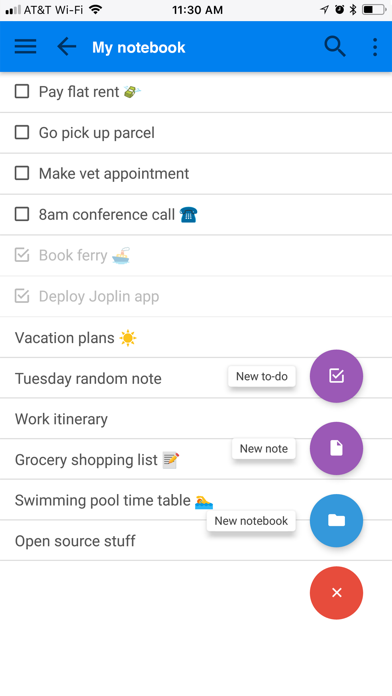
Privacy-first app Capture your thoughts freely and without distractions, tracking, or ads. With Joplin’s end-to-end encryption and open-source code, you can concentrate on your ideas and tasks without worrying about your privacy. Capture multimedia notes Capture multimedia notes effortlessly. In Joplin you can : • create manuscript notes, • transcribe speech to note, • add multimedia: photos, videos, PDFs, and images, • insert documents as attachments, • create math expressions, add tables, write code and insert diagrams, • create to-dos and add reminders. Organise your ideas Organise your notes into notebooks. Connect your notes with tags by subject or priority. Use colours and rich text editor to format your notes with ease. Make task lists, create to-dos and add reminders. Effortlessly find your notes, even within PDFs and images, thanks to the powerful search feature enhanced by Optical Character Recognition (OCR) technology. Use Joplin to store your bills, lecture notes, photos or receipts. Reliable synchronisation Access your notes from computer, phone or tablet by synchronising with various services including Joplin Cloud, Dropbox and OneDrive. Seamlessly move from one device to another. Offline-first You can access your notes anytime and anywhere, even without Internet. If you’re using Joplin on multiple devices, they will synchronise and update once you regained the connection. Enhance your productivity across devices Extend your note-taking experience by using Joplin on additional devices such as a desktop computer or tablet. Make the most of each device by using its specific features. On the desktop app, use a web clipper extension, wide-range of community plugins and a Markdown editor. Experience flawless handwriting and drawing on your tablet. Join active community Connect with Joplin’s vibrant community on Joplin Forum. It’s a place where users can share ideas, ask questions, exchange information and give feedback. Joplin’s dynamic community also develops powerful plugins, so you can customise your app to suit your needs.


