

JotDay:Time Tracker
Screenshots


ASO analysis
Good use of the title field.
Solid length. Make sure the first 252 chars hook the reader.
Keyword rankings
iTunes Search · top 200About
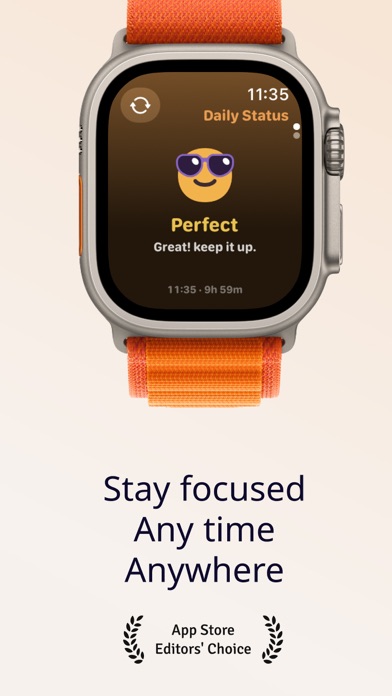
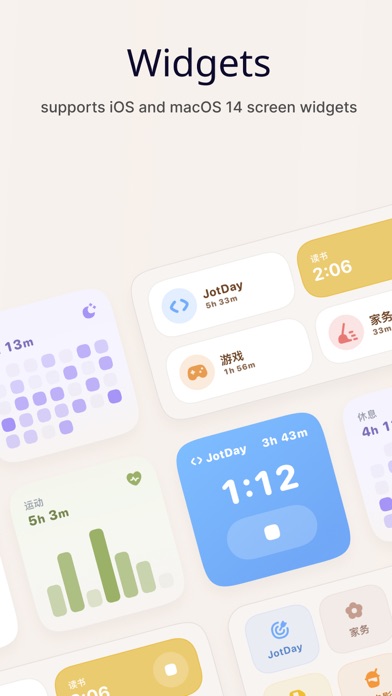
JotDay is a time tracking app designed to simplify your recording experience and enhance efficiency. It can automatically retrieve your exercise and sleep time, track app usage through Shortcuts, eliminating the need for manual input. The concise timeline, time blocks, weekly view, and monthly view allow you to have a clearer understanding of your time allocation. Key Features: 1. Sleep and Workout Tracking: Automatically fetches sleep and exercise data from the Apple HealthKit health app for convenient daily life statistics. 2. App Tracking: Configure Shortcuts to track app usage. 3. Minimalist Focus Timer: Supports Live Activity, Dynamic Island, and flip timing, allowing you to start timing quickly at any time and check the timing progress. 4. Timeline: Presents your day in an intuitive timeline, allowing you to easily view activity records and add notes. 5. Time Views: Clean day, week, and month views for easy comparison of time 6. Data Analysis: Easily understand the distribution of different types of focused time. Monthly and Annual Membership Subscription Terms: 1. Upon confirmation of purchase and payment, your subscription will automatically renew through your iTunes account.。 2. Your Apple iTunes account will be charged within 24 hours prior to the end of the current subscription period, and the subscription period will be extended by one subscription period upon successful payment. 3. To cancel the renewal, please manually disable the auto-renewal feature in the iTunes/AppleID settings management at least 24 hours before the end of the current subscription period. 4. During the trial period, if the iTunes account does not cancel the subscription, the subscription will be automatically activated and billed at the end of the trial period. Any unused trial time will be forfeited upon purchase of the subscription. 5. This service is optional for you to cancel. If you choose not to cancel, the renewal service for the next billing cycle will be activated for you. Privacy Policy: https://jotday.super.site/ Terms of Use: https://www.apple.com/legal/internet-services/itunes/dev/stdeula/


