

KaleidoScope FilterCam
Screenshots


ASO analysis
Good use of the title field.
Could go longer. The first 252 chars are above-the-fold; everything else still indexes.
Used by similar apps in your niche, but not in your title or description. Adding these (where genuinely relevant) can broaden your search reach.
Words you and your peers both use. Confirms positioning in this niche.
Keyword rankings
iTunes Search · top 200About
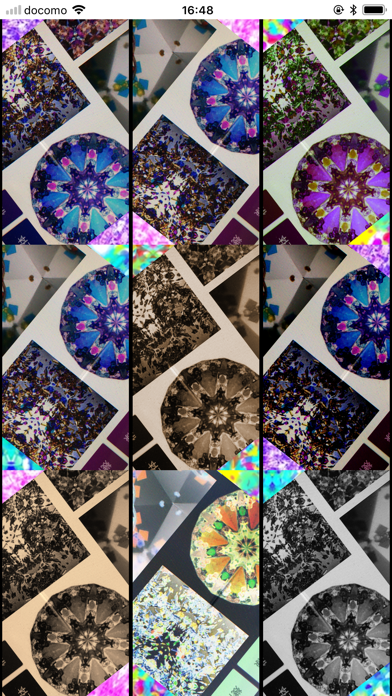
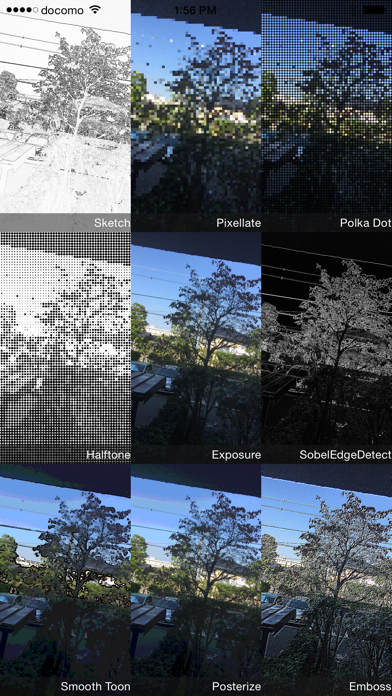
This app allows you to take photos using the kaleidoscope filter and 27 types of art filters. ・When launched, the demo screens of various filters are split into 4 screens and displayed. ・Tapping the numbers 1 to 4 on the navigation bar will display the demo screens of each filter. ・Tapping the small filter screen will launch the camera using that filter. You can see the scenery you normally see through the kaleidoscope filter as if you were looking through a kaleidoscope. Tapping the shutter will take a picture of the beautiful kaleidoscope screen at that time. The other functions of the 27 types of camera are as follows. ・You can determine the focus and exposure positions by tapping the preview screen. ・Two markers, one for focus and one for exposure, are displayed at the tapped position. ・The markers can be dragged to separate positions. ・Depending on the type of filter, parameters such as filter strength can be adjusted. ・Use the pinch gesture to zoom. ・You can select high, medium, or low resolution. ・You can select the back camera or the face camera. (Only for models with face cameras) -Instant shutter and 2-second timer shutter are available. -Photos taken are stored in the camera roll and within the app. -Displays a list of photos taken. -Approximately 60 filters can be used to process images, including brightness adjustment, contrast, blur, sharpening, sepia, monochrome, edge detection, sketch, etc. -Photos taken can be posted to Facebook and X. *** This app uses GPUImage (Copyright (c) 2012, Brad Larson, Ben Cochran, Hugues Lismonde, Keitaroh Kobayashi, Alaric Cole, Matthew Clark, Jacob Gundersen, Chris Williams. All rights reserved.) as an open source. [Caution] This app does not provide any warranty for any reason.


