AppScoutAppScout.gallery
Keybuild icon
Utilities

Keybuild

by James Froggatt
Rating4.2(43)
Price$3.99
Updated1y ago
Released5y ago
Latest rank
#92
in Utilities
Rank change
First data point — change appears after the next refresh
Rank history

Screenshots

Keybuild screenshot 1Keybuild screenshot 2Keybuild screenshot 3Keybuild screenshot 4Keybuild screenshot 5Keybuild screenshot 6

ASO analysis

Title8 / 30
Keybuild

Short title. You're leaving keyword space on the table.

Description1,290 / 4,000
8 paragraphs · 32% of limit used

Could go longer. The first 252 chars are above-the-fold; everything else still indexes.

Top keywords in your description
keyboard×5keys×3swiftui×3build×2emoji×2extensions×2favourite×2layout×2letters×2accessibility×1add×1added×1
Keyword opportunities

Used by similar apps in your niche, but not in your title or description. Adding these (where genuinely relevant) can broaden your search reach.

typing7 peersaccess6 peersexperience6 peersenglish5 peerslanguages5 peersprivacy5 peerstext5 peersthemes5 peerstime5 peersbutton4 peers
Shared niche keywords

Words you and your peers both use. Confirms positioning in this niche.

keyboard10 peerstype6 peersapple5 peerschoose5 peerscustom4 peersmultiple4 peersswitch4 peersemoji3 peerseverything3 peerskeyboards3 peers

Keyword rankings

iTunes Search · top 200
Keyword tracking starts automatically for apps on the top charts — ranks appear after the next data refresh. Manual tracking for search-only and niche apps coming soon.

About

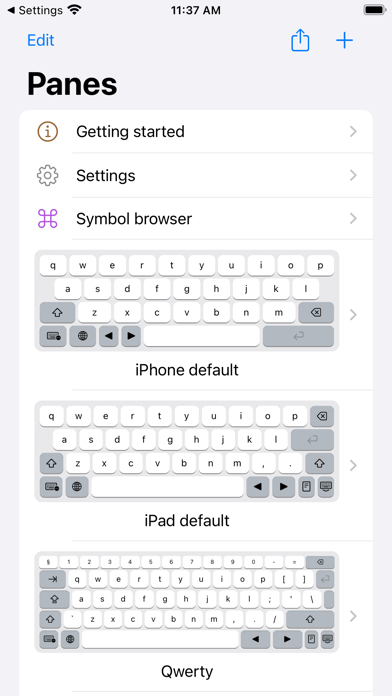
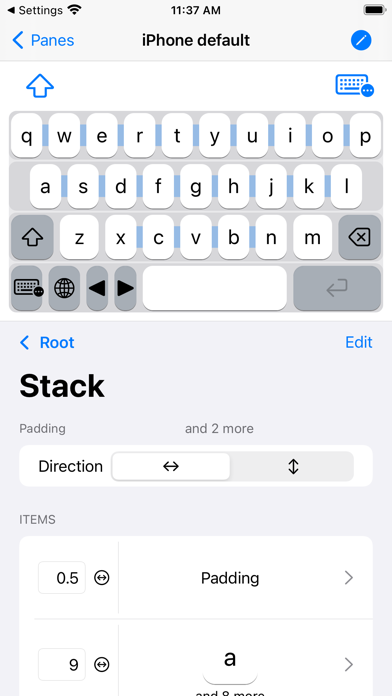
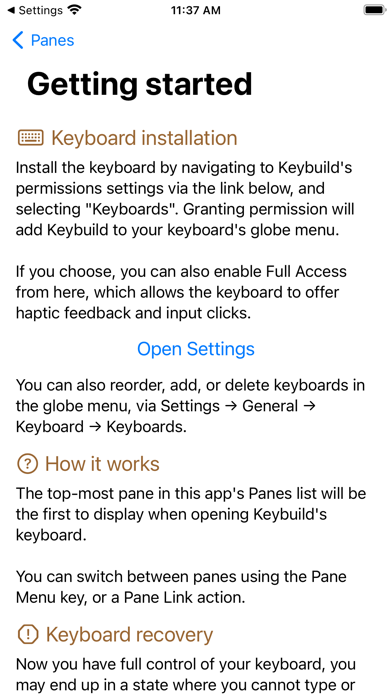
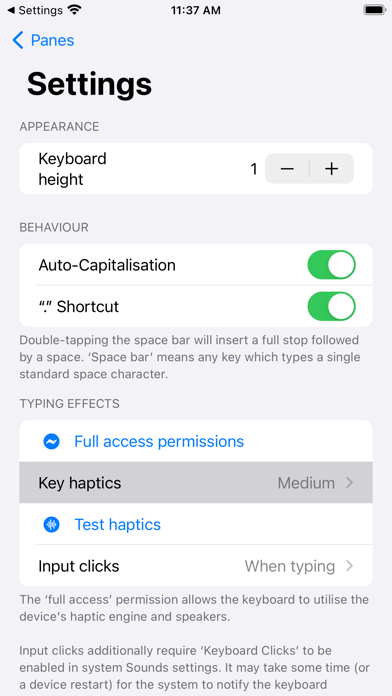
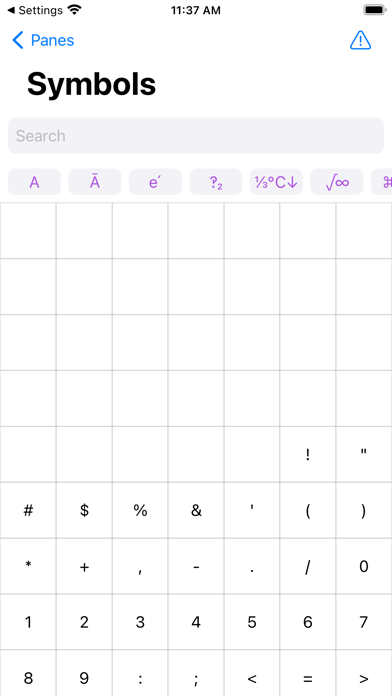
Build your own keyboard! Touchscreen keyboards don't need to be one-size-fits-all, so let's change that! With Keybuild, you choose the layout, the keys, everything. Keys can be set up to type whatever you want! Letters, greek letters (ɑ, β, ɣ), maths symbols (π, ∫, ∑), arrows (↑→↓←), or even your favourite emoji can be added and organised depending on your needs. Create multiple ‘panes’, each containing keys arranged using a stack-based layout, and switch between them with either an automatic menu, or direct links. Add a small number row to your Qwerty keyboard, or have a try using Azerty or Colemak layouts. Build a keyboard that can keep up with your maths-heavy university course, or specialist profession. Or just make a dashboard for your favourite emoji. Or do all that and more, it's up to you! This app does its best to supports VoiceOver, and accessibility APIs. Technical note: This app is 99% SwiftUI, which is as close as you can get while we wait for the ‘SwiftUI Lifecycle’ to come to Custom Keyboard Extensions! SwiftUI powers this app's advanced functionality, as well as some of its more unusual bugs. :) Disclaimer: This iPad app is available on Apple Silicon Macs, but macOS currently does not support keyboard extensions. Still waiting for that tablet Mac!

01
The Big Keyboard icon
The Big Keyboard
Defriction LLC
3.5
02
Bigger Keyboard for low vision icon
Bigger Keyboard for low vision
Carolina Coronado
3.8
03
Typster - Big Keys Keyboard icon
Typster - Big Keys Keyboard
PAAL EIRIK PAULSEN
0.0
04
Handwriting Keyboard icon
Handwriting Keyboard
Catalystwo
4.0
05
Facemoji Keyboard: Fonts&Emoji icon
Facemoji Keyboard: Fonts&Emoji
NEXILEAP PRIVATE LIMITED
4.6
06
Auto Typist (Custom keyboard) icon
Auto Typist (Custom keyboard)
Switt Kongdachalert
3.7
07
Fractions Keyboard icon
Fractions Keyboard
Moballo, LLC
4.3
08
Type Nine - T9 Keyboard icon
Type Nine - T9 Keyboard
Rasmus Porsager
4.6
09
Translator Keyboard - Language icon
Translator Keyboard - Language
Air Apps Systems
4.7
10
Fonts Art: Keyboard for iPhone icon
Fonts Art: Keyboard for iPhone
AIBY
4.5