AppScoutAppScout.gallery
LinkBoard: Link Organiser icon
Utilities

LinkBoard: Link Organiser

by Gokul Nair
Rating0.0(0)
Price$0.99
Updated4y ago
Released4y ago
Latest rank
Not tracked yet
Rank change
Not tracked yet
Rank history
Movement appears after the next data refresh.

Screenshots

LinkBoard: Link Organiser screenshot 1LinkBoard: Link Organiser screenshot 2LinkBoard: Link Organiser screenshot 3LinkBoard: Link Organiser screenshot 4LinkBoard: Link Organiser screenshot 5LinkBoard: Link Organiser screenshot 6LinkBoard: Link Organiser screenshot 7LinkBoard: Link Organiser screenshot 8

ASO analysis

Title25 / 30
LinkBoard: Link Organiser

Good use of the title field.

Description1,258 / 4,000
16 paragraphs · 31% of limit used

Could go longer. The first 252 chars are above-the-fold; everything else still indexes.

Top keywords in your description
links×9link×8linkboard×5board×4smart×4drag×3drop×3icon×3widgets×3add×2anywhere×2archive×2
Keyword opportunities

Used by similar apps in your niche, but not in your title or description. Adding these (where genuinely relevant) can broaden your search reach.

find7 peersdevice6 peerscreate5 peersinternet5 peerskey5 peersautomatically4 peersbox4 peerseverything4 peersinstantly4 peersiphone4 peers
Shared niche keywords

Words you and your peers both use. Confirms positioning in this niche.

features6 peersadd5 peerseasy4 peersinside4 peerslink4 peersmanage4 peerschoose3 peerscopy3 peerssearch3 peerssmart3 peers

Keyword rankings

iTunes Search · top 200
Keyword tracking starts automatically for apps on the top charts — ranks appear after the next data refresh. Manual tracking for search-only and niche apps coming soon.

About

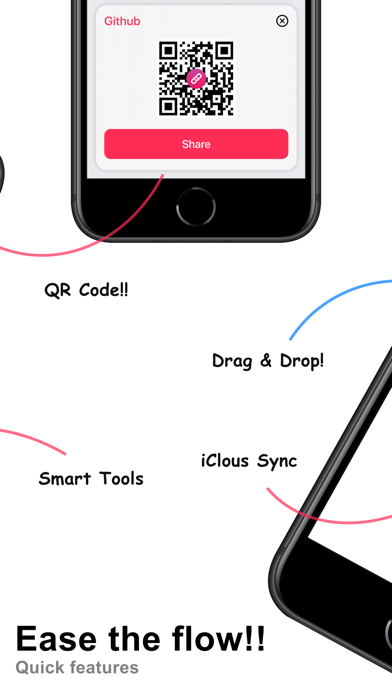
LinkBoard: An all in one app to Manage, Organise, Track and remind your Links. In the world of messy links, we tried to develop something clean that helps to manage your messy URLs with ease. Features: New Links on Board: Use the add option to pin all your Links on the board Smart Info: Add information about your link which can be used for alerts, reminders, widgets, and smart messaging Smart messaging: Now share your important meeting links to friends through LinkBoard Archive: Archive Links which no more in use QR Code: Generate and Share the QR of your link through LinkBoard Link Logo: Select from link icon from 40+ logos. We are constantly updating the list such that no links remain out of LinkBoard. Sorting: Sort your board with a variety of sorting available. Drag & Drop: Adding links are more easier with Drag & Drop. Drag your favorite link and Drop it on the Board! iCloud: Write anywhere and see everywhere, you know it iCloud Widgets: Use widgets to have quick glance at your important link information Search: Searching your link is easy and fast on LinkBoard Smart Preview: Preview all your links inside the app App Icon: Choose your favorite app icon from the list Copy: Click on the link to copy and paste it anywhere

01
TP-Link Tether icon
TP-Link Tether
TP-Link Systems Inc.
4.8
02
My File Organizer icon
My File Organizer
TARMO IT SERVICES
4.5
03
PackTag: QR Box Organizer icon
PackTag: QR Box Organizer
Kaan Tark Korolu
0.0
04
Boxora: Moving Organizer icon
Boxora: Moving Organizer
MERT KACMAZ
0.0
05
TP-Link Deco icon
TP-Link Deco
TP-Link Systems Inc.
4.9
06
Opener ‒ open links in apps icon
Opener ‒ open links in apps
tijo, inc.
4.6
07
EASY - AI Photo Organizer icon
EASY - AI Photo Organizer
小祯 汪
0.0
08
GIF Keyboard icon
GIF Keyboard
Tenor
4.7
09
Hangul Romanisation Keyboard icon
Hangul Romanisation Keyboard
Wong Jun Ming
0.0
10
Link Gopher - extract URL icon
Link Gopher - extract URL
Pierre Stanislas
0.0