

Net Nanny Parental Control App
Screenshots


ASO analysis
Tight against the limit — verify it doesn't truncate on small screens.
Solid length. Make sure the first 252 chars hook the reader.
Keyword rankings
iTunes Search · top 200About
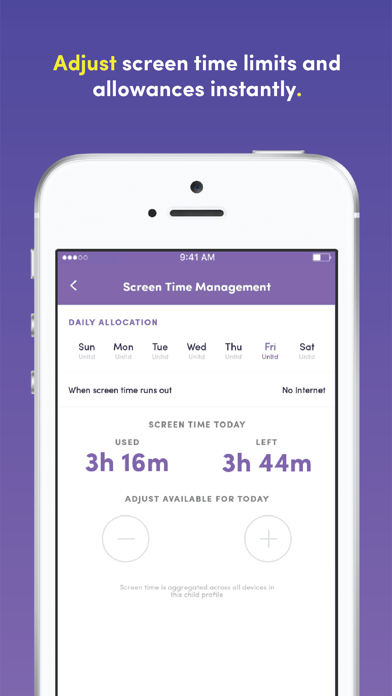
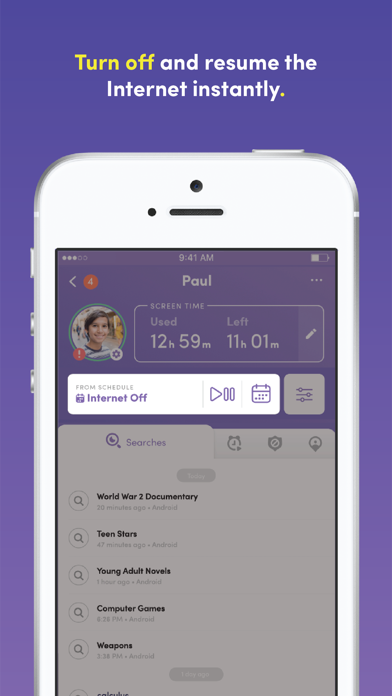
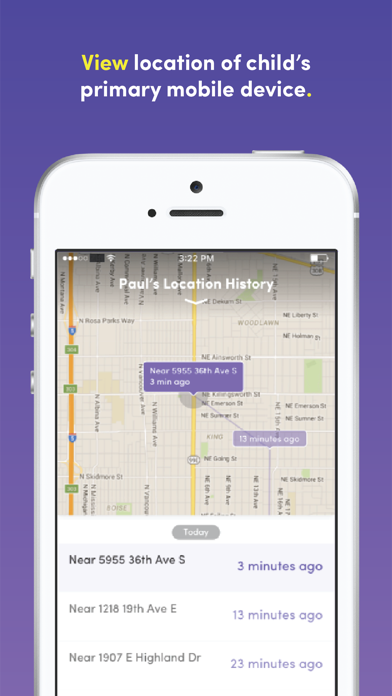
Net Nanny’s newest update is here! With the all-new Net Nanny® Parental Control app for screen time parenting, you’ll have the visibility to track in real-time the online and app activity of each child in your family, while also protecting your children from online dangers. With Net Nanny’s amazing new Family Feed, you’ll see: • Instant reporting of Internet searches • Updates on apps used • Instant alerts that your child may have viewed Pornography, Drugs, Weapons, Suicide or other inappropriate content Ever wonder how much time your kids use their device? Net Nanny® lets parents see the daily total of each child’s screen time. Net Nanny® also gives parents the ability to adjust screen time limits and allowances instantly. Do you ever argue with your child when it’s time for dinner or when they have had too much screen time? From your phone, Net Nanny® enables you to turn off the Internet instantly so you can get their attention and limit screen time. Ever worry where your child is? With Net Nanny®, you can view each child’s location with a Family Map. Imagine the peace of mind if you had a parental control app that could... • Give you a list of apps your child has used • Act as an app blocker when you need it to • Act as a porn blocker and block other bad content like violence with the best internet filter! With Net Nanny®, you can be sure you have the best protection available to shield your kids from online dangers. Not all filters are created equal. Unlike most filters that block entire sites, the award-winning Net Nanny® filtering technology looks at individual web page content and determines in real time if it is safe for your child. You’ll have complete control over the settings that will guide the monitoring, and appropriate filtering, of your kids’ devices. Whenever Net Nanny® determines there might be an unsafe situation for your child – such as accessing dangerous app or web content – you will be notified immediately. Net Nanny® allows parents to know, and then allow or block, the apps their child has downloaded on their device. With Net Nanny® you can enhance child safety with family locator. You can see where your child has been via family search GPS tracking by mapping their location history, and if your child loses their device, you can trace its most recent locations. Welcome to the all-new Net Nanny®, the best app for screen time parenting! ------------- Net Nanny® lets you create a free account directly from this App. You can purchase a Net Nanny® 1-year subscription using Apple’s In-App Purchase inside the Net Nanny® parent app. Net Nanny® is available with an annual subscription. Upon purchase, the Net Nanny® subscription begins immediately and a payment will be charged to iTunes Account at confirmation of purchase. The Net Nanny® subscription will auto-renew on an annual basis unless auto-renew is turned off at least 24-hours before the end of the current period. You can turn off the auto-renew for this subscription at any time by going to your iTunes Account Settings. Terms of service: https://www.netnanny.com/support/terms-conditions/ Privacy policy: https://www.netnanny.com/support/privacy-policy/ ------------- FAQS? Need assistance? Please visit us at: https://netnanny.com /support/ Please note: This app is the Net Nanny® Parent App for iOS and should be installed on the device a parent will use to monitor, configure and interact with their children’s mobile devices, providing the family link to understand your child’s digital life. After installing and opening this App you will be prompted to create a new account.


