AppScoutAppScout.gallery
Numpad 2 icon
Utilities

Numpad 2

by ALPA AB
Rating3.0(1)
Price$99.00
Updated1mo ago
Released2y ago
Latest rank
#14
Top Paid · Utilities
Rank change
↓ 4
vs last refresh
Rank history
Movement appears after the next data refresh.
Charting in:IN·Top Paid#14↓4KR·Top Paid#25↓3ES·Top Paid#80↓11

Screenshots

Numpad 2 screenshot 1Numpad 2 screenshot 2Numpad 2 screenshot 3Numpad 2 screenshot 4Numpad 2 screenshot 5

Estimates

low confidence
Downloads / month
91K–609K
Chart-rank signal only
Revenue / month
$63K–$422K
After Apple's 30% cut

ASO analysis

Title8 / 30
Numpad 2

Short title. You're leaving keyword space on the table.

Description866 / 4,000
11 paragraphs · 22% of limit used

Could go longer. The first 252 chars are above-the-fold; everything else still indexes.

Top keywords in your description
numbers×3numpad×3better×2designed×2enter×2hold×2key×2keyboard×2simple×2switch×2action×1adaptive×1
Keyword opportunities

Used by similar apps in your niche, but not in your title or description. Adding these (where genuinely relevant) can broaden your search reach.

button5 peerstime5 peersapple3 peersbig3 peerscalculator3 peerscom3 peerseasy3 peersmultiple3 peersquick3 peerstype3 peers
Shared niche keywords

Words you and your peers both use. Confirms positioning in this niche.

keyboard6 peerstyping5 peerssimple4 peersbetter3 peersexperience3 peersintuitive3 peers

Keyword rankings

iTunes Search · top 200
Keyword tracking starts automatically for apps on the top charts — ranks appear after the next data refresh. Manual tracking for search-only and niche apps coming soon.

About

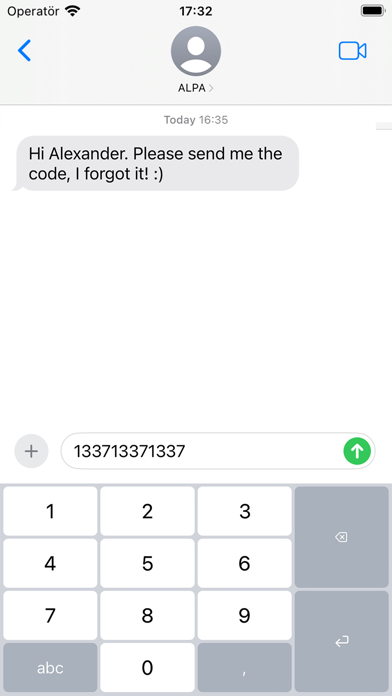
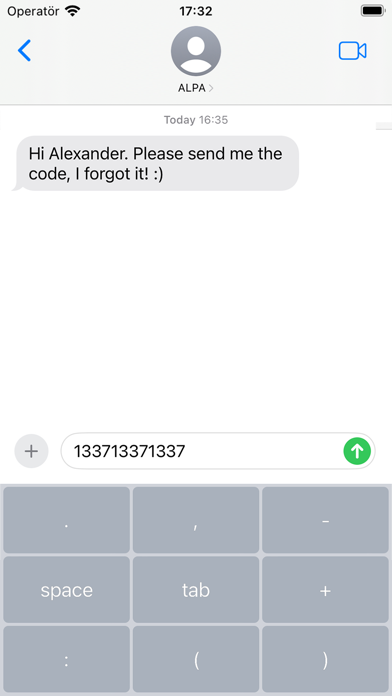
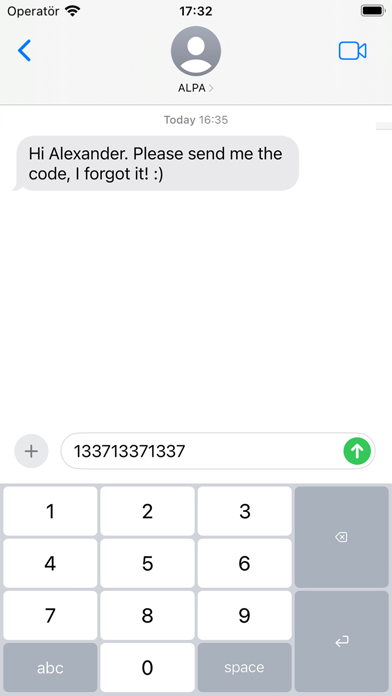
Numpad – A Better Way to Enter Numbers When all you need is numbers, the default keyboard just gets in the way. Numpad gives you a clean, focused, and efficient typing experience—designed for speed and precision. Whether you’re entering prices, codes, or data, Numpad keeps things simple and fast. — Designed for how you work: • Adaptive action key Quickly switch between decimal, space, tab, and more – just press and hold. • Two intuitive layouts Choose between classic 1–9 or calculator-style 7–8–9. Switch instantly by holding the “5” key. • Flexible height Adjust the keyboard to match your preference – compact or spacious – with a simple hold on “0”. • Minimal by design No distractions. No unnecessary keys. Just a better way to enter numbers. — Have an idea or feature request? I’d love to hear from you – your feedback helps shape future updates.

01
The Big Keyboard icon
The Big Keyboard
Defriction LLC
0.0
02
Workman's Calculator Pro icon
Workman's Calculator Pro
Bret Hardman
4.0
03
Typster - Big Keys Keyboard icon
Typster - Big Keys Keyboard
PAAL EIRIK PAULSEN
0.0
04
Fractions Keyboard icon
Fractions Keyboard
Moballo, LLC
4.3
05
Type Nine - T9 Keyboard icon
Type Nine - T9 Keyboard
Rasmus Porsager
4.2
06
Bigger Keyboard icon
Bigger Keyboard
Carolina Coronado
0.0
07
Calcolatrice₊ icon
Calcolatrice₊
Impala Studios
4.5
08
Auto Typist (Custom keyboard) icon
Auto Typist (Custom keyboard)
Switt Kongdachalert
3.7
09
Panecal Plus Sci. Calculator icon
Panecal Plus Sci. Calculator
Noriyasu Kutsuzawa
4.8
10
PCalc icon
PCalc
TLA Systems Ltd.
4.7