

OCR Scanner- image to text app
Screenshots



ASO analysis
Tight against the limit — verify it doesn't truncate on small screens.
Solid length. Make sure the first 252 chars hook the reader.
Keyword rankings
iTunes Search · top 200About
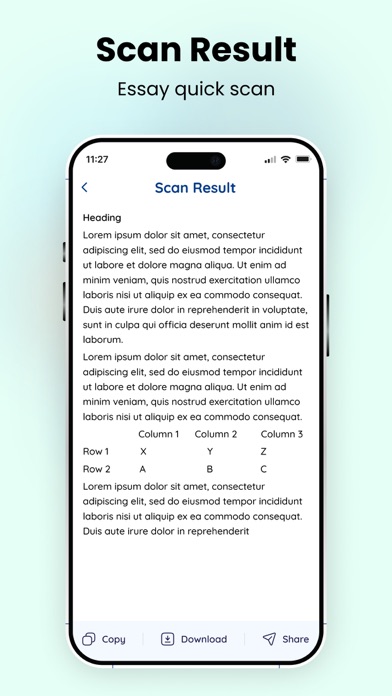
Our OCR text scanner app is developed to help you easily copy your text from images and convert it into digital form. This picture to text works by using advanced OCR technology that accurately recognizes all the types of text on your image and extracts them quickly. The text scanner image to text tool is a fast and reliable solution for all those who want to convert their images into digital and editable text. How to Use Our Text Scanner Image to Text App? You need some simple steps to scan text from images with the photo to text: - Upload an image from your “Gallery” into our OCR application. - Or you can click the “Camera” icon to capture the image of your document. - Crop, Rotate, or Scale to adjust your image or set its desired part. - Now, click the “Continue” button to start text extraction. - The image to text scanner will instantly convert your image into editable text. - “Copy”, “Download” or “Share’ the extracted text and use it anywhere. Key Features of the Text Scanner Image to Text Here are some key features of this picture to text converter app: Accurate Text Extraction: This OCR application uses the most advanced OCR technology to accurately scan and convert text of images. Also, it doesn’t skip any characters. Easier to Use: The interface of our photo to text converter is simple and easier to use and requires just a few clicks. Extracts Every Text: Our picture to text converting app can extract any type of text including, maths expressions, different writing styles, symbols, etc. Multiple Import Options: Another advanced feature of the image to text scanner is the availability of multiple upload options which are; Camera and Gallery. Furthermore, you can upload text, doc, or pdf file input into the tool. Fast Text Extractor: This text scanner image to text app is very fast in converting a photo to text. It barely consumes a few seconds. Saves History: History saving is one of the unique features offered by the text extractor. Using this feature, you can easily access the previous conversion that you have done on this app. Multiple Export Options: Our app provides multiple options to export your output. You can copy it to the clipboard, download it on your device, or share it anywhere with just a single click. Benefits of Using Our Text Scanner Image to Text There are several benefits of using this picture to text converting OCR tool: - It is a free-to-use OCR application that does not demand any subscription. - Our image to text converter can save you time and effort. - Using the app, you can efficiently store your physical form documents in digital text. - The photo to text converter is helpful to make your text searchable and editable. - With the OCR application, you can download extracted text in text, docs, or PDF form. The text scanner image to text is a reliable and fast-working solution to copy text from images, PDFs, and doc files in a matter of seconds. Now, download this advanced app and have precise conversions of images to text.


