

OSC Timer
Screenshots



ASO analysis
Short title. You're leaving keyword space on the table.
Solid length. Make sure the first 252 chars hook the reader.
Keyword rankings
iTunes Search · top 200About
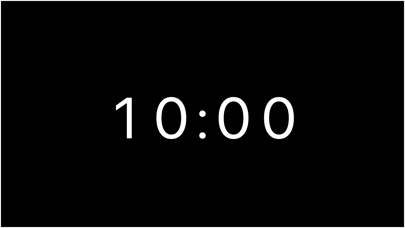
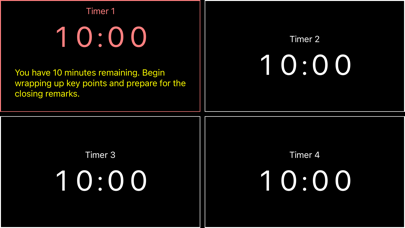
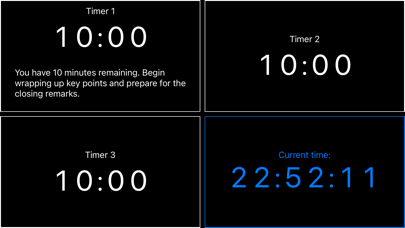
In the fast-paced world of presentations and entertainment, timing is everything. Yet, integrating show control software with traditional timer equipment has long been a challenge. Enter OSC Timer—a powerful, customizable solution designed to seamlessly bridge this gap. With Open Sound Control (OSC) embedded in nearly every show control software today, OSC Timer offers a robust and scalable timer that perfectly fits into any networked AV setup. Whether you need a single timer or multiple, OSC Timer adapts to your needs, providing unparalleled control and flexibility. Real-time Control & Customization: Thanks to OSC, you can control every aspect of the timer in real time—from starting, stopping, and resetting to adjusting colors, scaling, and at-end behaviors—all on the fly. The app’s versatility allows for multiple timers to run simultaneously, display system time, and even send OSC messages triggered at user-defined intervals. Enhanced Broadcast Features: Broadcast time, warnings, or custom messages across your network with ease. OSC Timer can subscribe to or unsubscribe from specific OSC messages, ensuring precise communication throughout your show. Dynamic Layout & Display: Arrange your timer display to suit your event’s needs—whether it’s a single timer dominating the screen or a multi-slot layout showing different timers, broadcasts, or even a system clock. The display is fully flexible, allowing you to tailor it perfectly to your requirements. Extensive OSC API: Explore the full potential of OSC Timer with an extensive OSC API that lets you manipulate everything from font size and alignment to background colors and border styles. Whether it’s adjusting the brightness, setting the text alignment, or configuring alert zones, OSC Timer gives you the tools to create the perfect timing setup. Growing Feature Set: OSC Timer is constantly evolving. We welcome feature requests at osctimer@rasmuskreiner.dk, and we’re committed to making this app the ultimate tool for time management in the entertainment and presentation industries. For a complete list of features, templates, and the full OSC API, visit http://rasmuskreiner.dk/OSCTIMER/OSCTIMER.html.


