

PhaseChecker
Screenshots
Estimates
low confidenceASO analysis
Good use of the title field.
Could go longer. The first 252 chars are above-the-fold; everything else still indexes.
Used by similar apps in your niche, but not in your title or description. Adding these (where genuinely relevant) can broaden your search reach.
Words you and your peers both use. Confirms positioning in this niche.
Keyword rankings
iTunes Search · top 200About
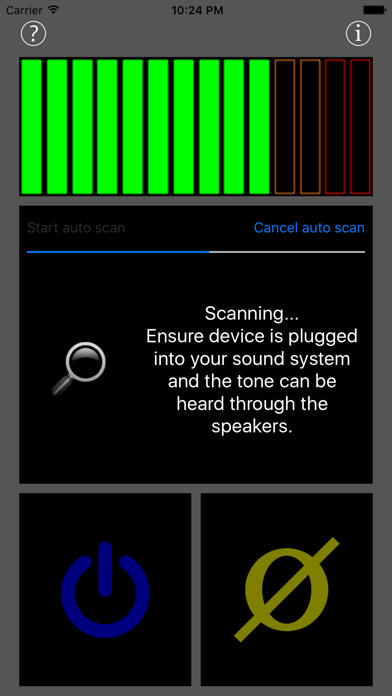
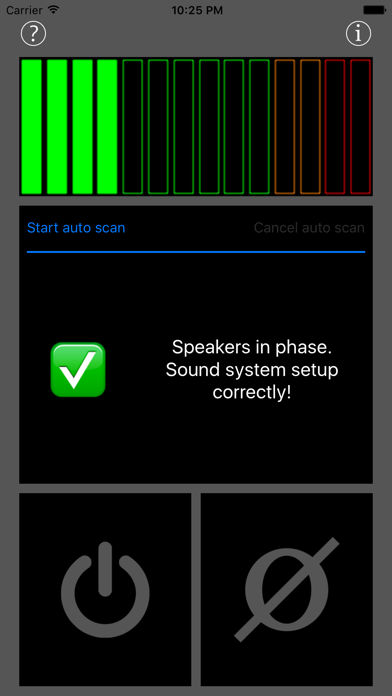
The PhaseCheck app will run a test signal through your sound system to ensure your speakers are in-phase and wired with the correct polarity. It can be run either manually or automatically. Manual mode allows you to run the test signal and flip the phase so you can listen yourself to ensure your sound system is setup correctly. Automatic mode will run a series of test signals through your sound system and use the microphone on the device to analyse the results. New in version 2.0 is a waveform view mode for advanced use. It allows you to play an asymmetrical waveform (ramp waveform), record the sound from each speaker close up and capture the waveforms to then compare them. Phase is a difficult concept so full help is available in the app to ensure you get the best results. You should check the phase of your sound system whenever the wiring has been changed to ensure everything is the correct polarity. When a sound systems speakers are out of phase the sound quality is affected massively. Bass is reduced significantly and stereo imaging gives the illusion of the sounds pulling outside of the room. To run the check connect your iOS device to your sound system so it can play audio. If possible place the iOS device evenly between the speakers. Phase cancellation will not occur close to the speakers so ensure the device is not too close. Ensure the volume is at a comfortable listening level and if possible ensure there is no background noise to interfere with the scan.


